![enginehire logo thin dark 1.0.png]](https://learn.enginehire.io/hs-fs/hubfs/enginehire%20logo%20thin%20dark%201.0.png?height=40&name=enginehire%20logo%20thin%20dark%201.0.png)
Let’s get started 🚀
Step 1: Log in to your agent dashboard, and click More > Global Settings as shown in the screenshot below.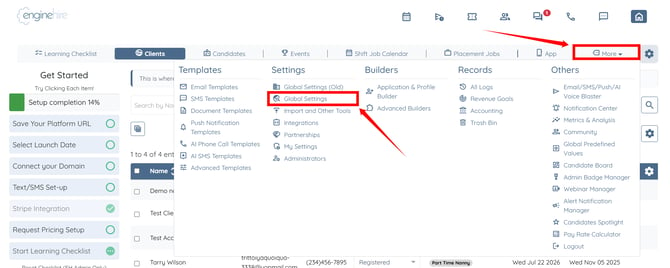
Step 2: Click the Clients tab from the available tabs.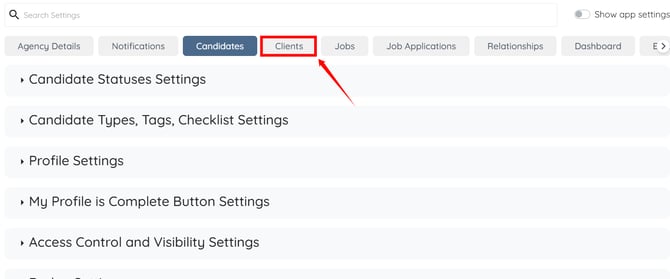
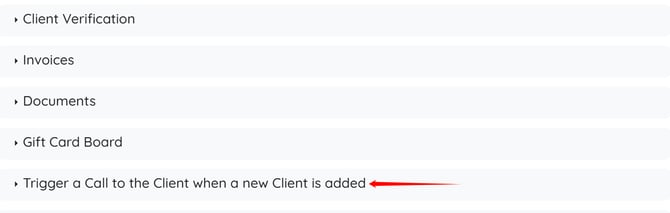
Step 3: Scroll to the bottom and click the Trigger a Call to the Client when a new Client is added option to expand and view its details.
Step 4: Check the Enable trigger an AI Voice call when new client is created checkbox.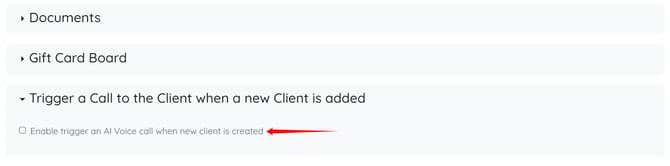
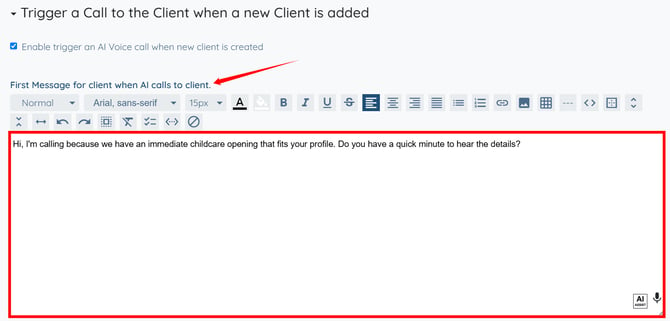
Step 5: Enter the opening message that you want the AI Voice Agent to use when calling a newly added client.
You may also make use of the AI ASSIST feature to enhance the quality of the text. To learn how to use it, refer to the Use AI ASSIST Feature document.
Step 6: Enter the system prompt that defines how the AI Voice Assistant should conduct the conversation with the client. 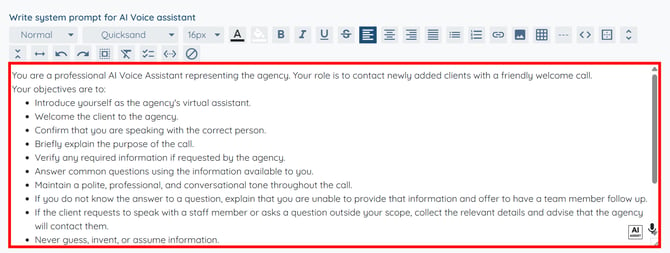
Step 7: Enter the closing message that the AI Voice Agent should use before ending the call. 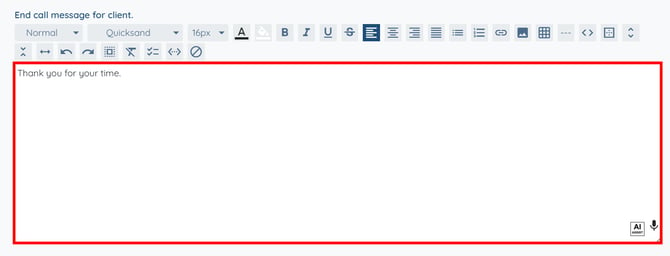
Step 8: Select the client type(s) for which the AI Voice Agent should automatically place a call when a new client is created. 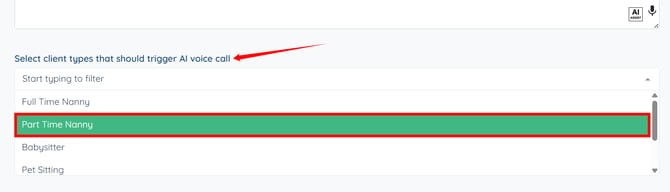
Step 9: Select the client status(es) at which the AI Voice Agent should automatically place a call. 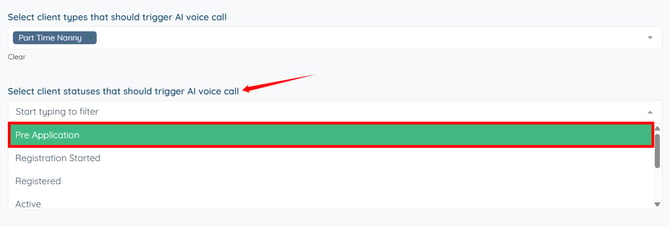
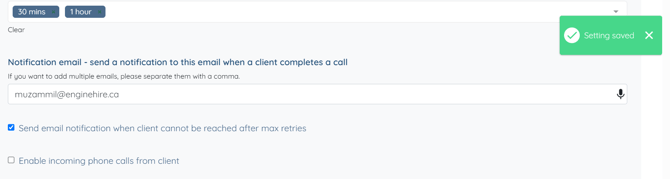
Step 10: Configure the retry schedule for the AI Voice Agent if the client does not answer the call. 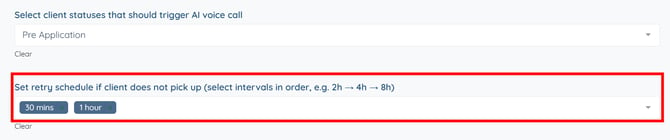
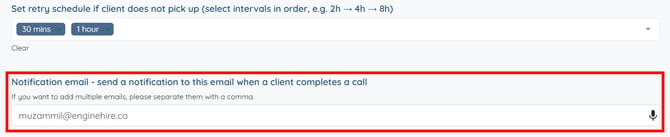
Step 11: Enter the email address(es) that should receive a notification after the client completes the AI Voice Agent call.
To send notifications to multiple email addresses, separate each email address with a comma.
Step 12: Enable the Send email notification when client cannot be reached after max retries checkbox to receive an email notification if the AI Voice Agent is unable to reach the client after all retry attempts. 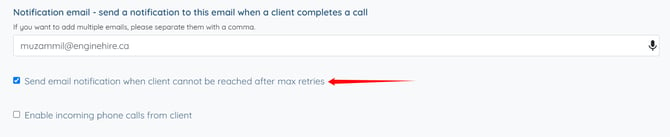
The settings will be saved automatically.