![enginehire logo thin dark 1.0.png]](https://learn.enginehire.io/hs-fs/hubfs/enginehire%20logo%20thin%20dark%201.0.png?height=40&name=enginehire%20logo%20thin%20dark%201.0.png)
Let’s get started 🚀
Step 1. Navigate to the required Client or Candidate Profile.


Step 2. Open the More drop-down from the profile navigation bar. Select Timeline.
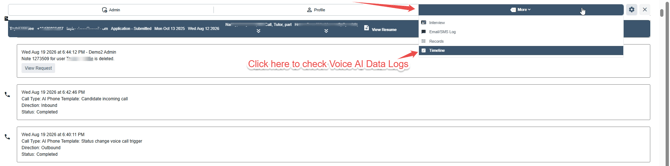
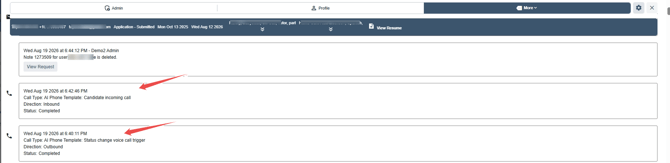
Step 3. The Timeline displays the profile's historical activities, including Voice AI call data logs.