![enginehire logo thin dark 1.0.png]](https://learn.enginehire.io/hs-fs/hubfs/enginehire%20logo%20thin%20dark%201.0.png?height=40&name=enginehire%20logo%20thin%20dark%201.0.png)
Let’s get started 🚀
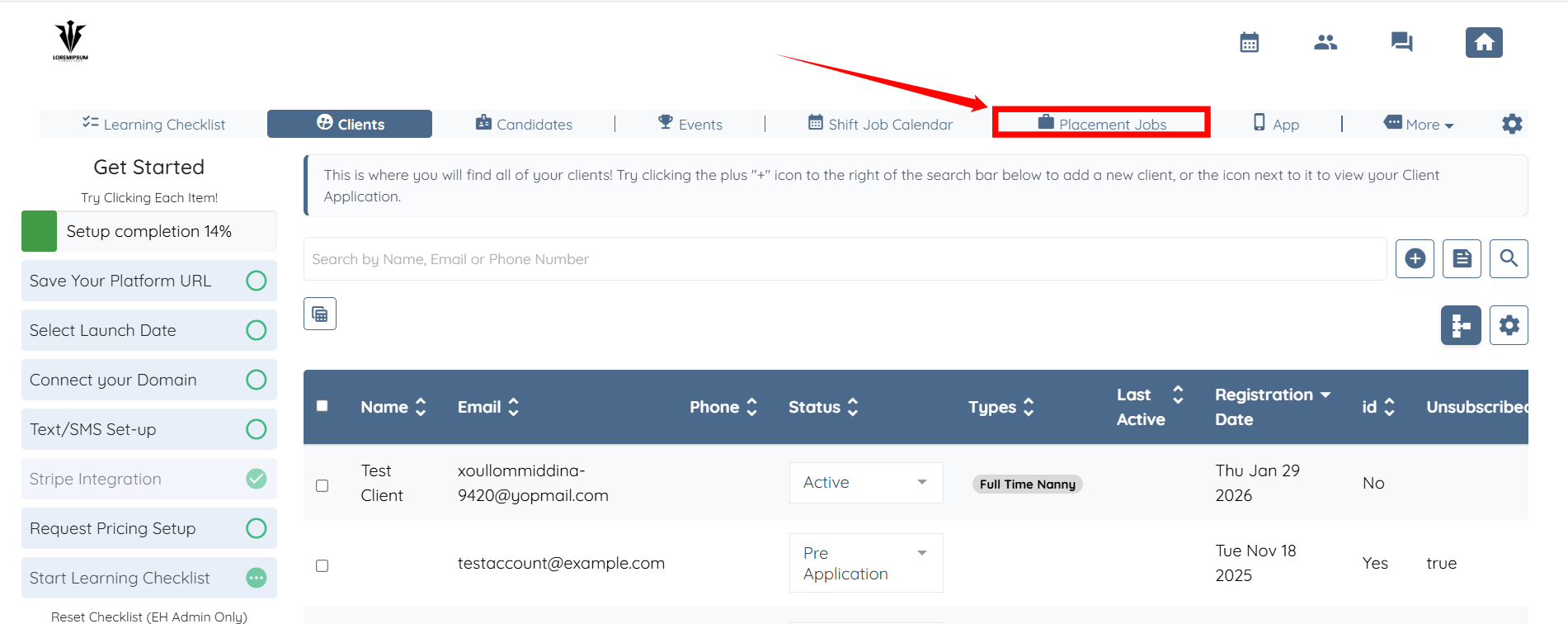
Step 1: Log in to your agent dashboard and click Placement Jobs in the navigation bar.
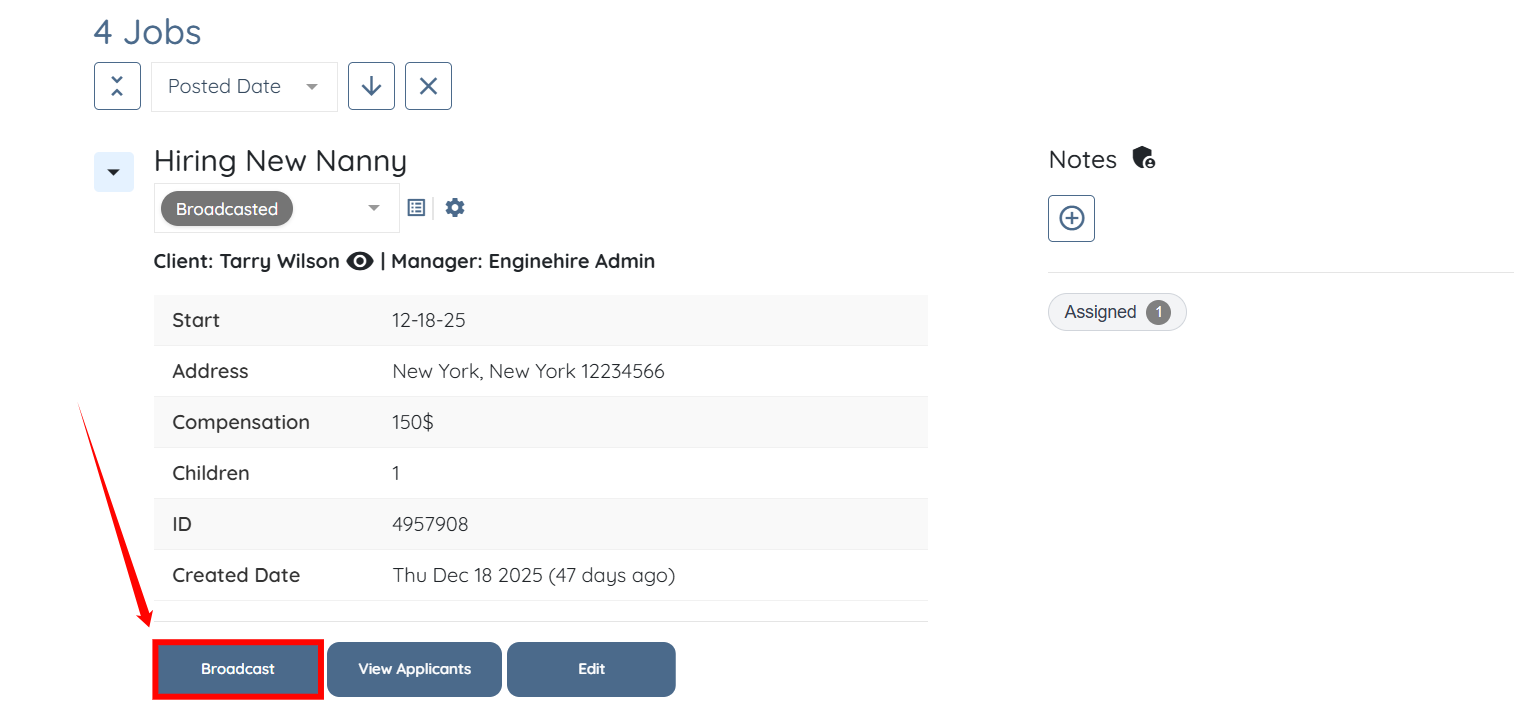
Step 2: Locate the placement job of which you want to check the broadcast record. Then, click the Broadcast button.
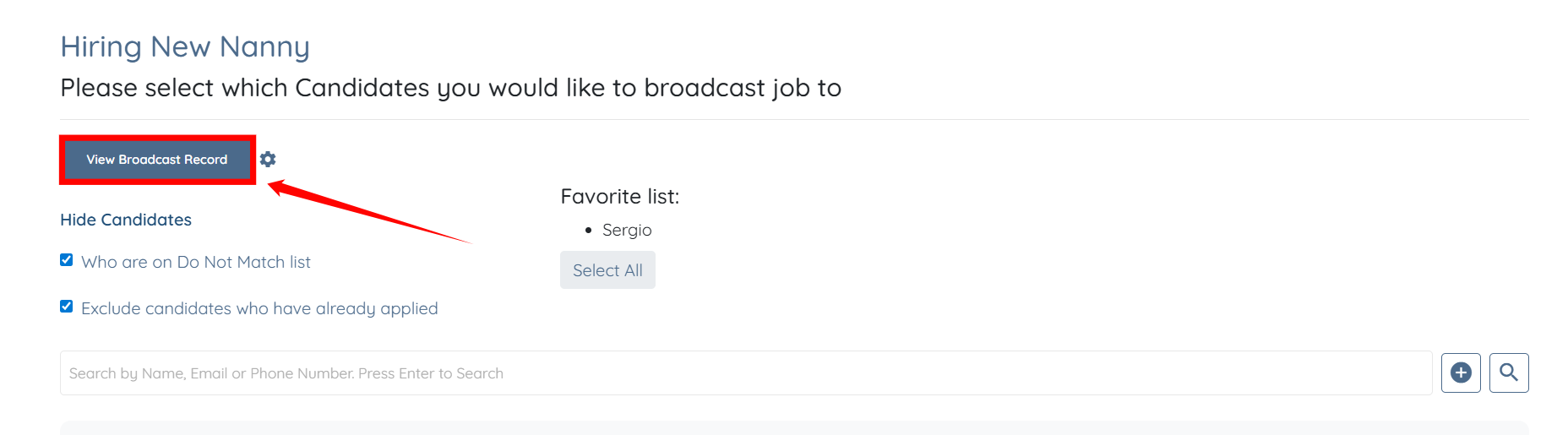
Step 3: Click View Broadcast Record button.
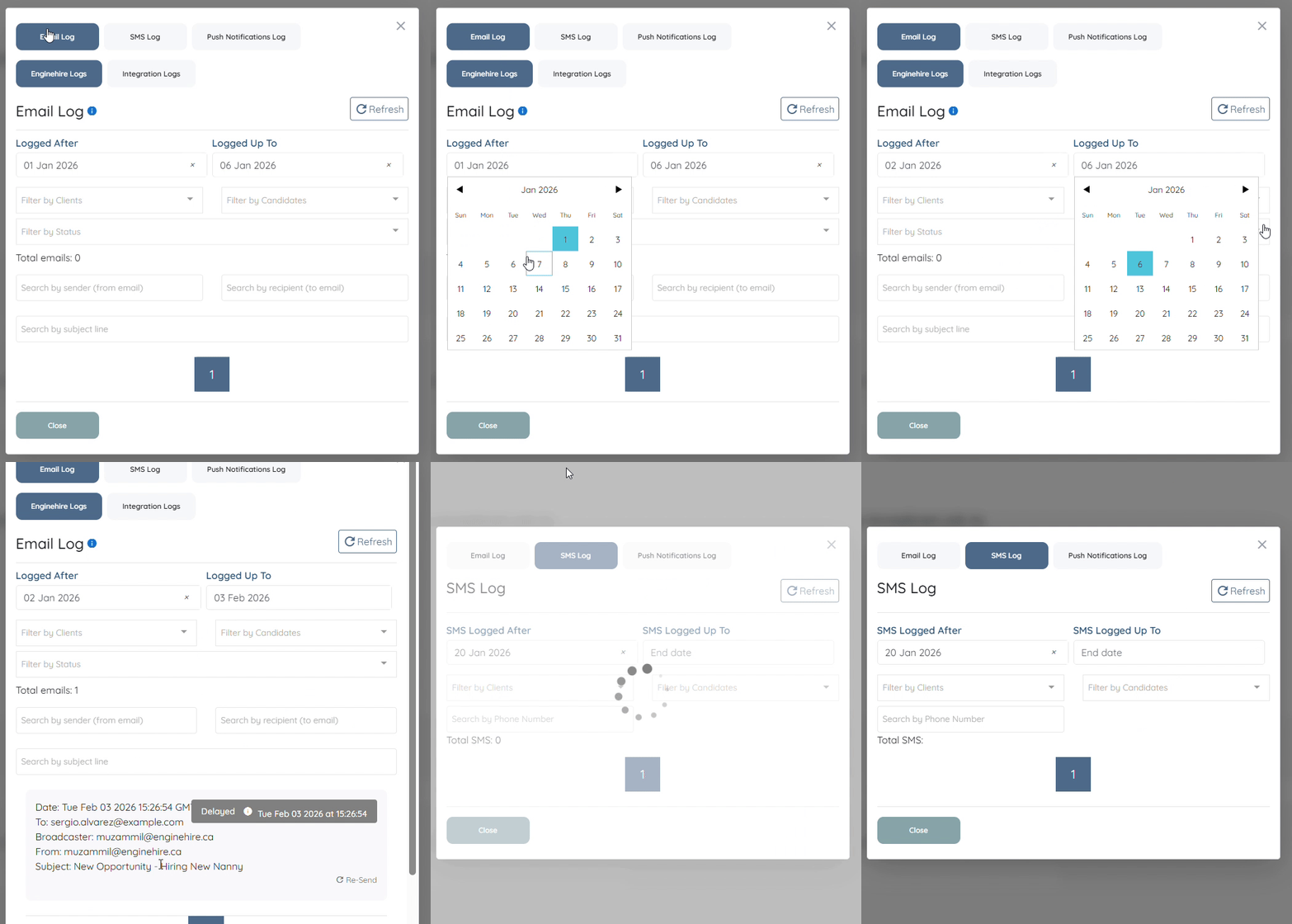
Step 4: Under the Email Log, select the Logged After and Logged Up To dates to filter the time period for which you want to view broadcast records.
Use the SMS Log in the same way to review broadcasts sent via SMS.