![enginehire logo thin dark 1.0.png]](https://learn.enginehire.io/hs-fs/hubfs/enginehire%20logo%20thin%20dark%201.0.png?height=40&name=enginehire%20logo%20thin%20dark%201.0.png)
Let’s get started 🚀
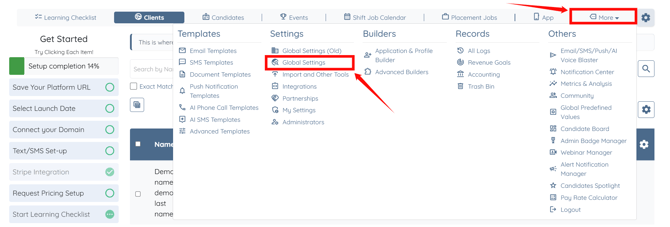
Step 1: Log in to your agent dashboard and click More > Global Settings as shown in the screenshot below.
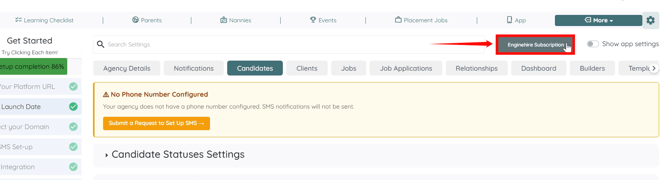
Step 2: Click the Enginehire Subscription button.
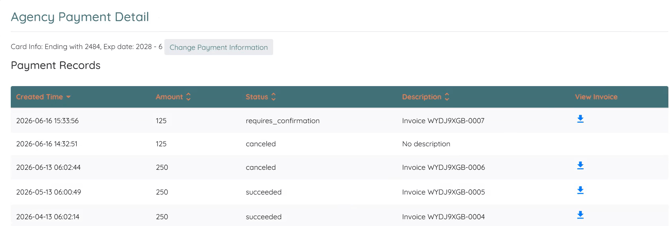
Your agency payment details will appear, displaying payment history and invoice details. The following information is available for each payment:
| Column | Description |
| Created Time | The date and time the payment was created |
| Amount | The payment amount. |
| Status | The current payment status (for example, Succeeded, Canceled, or Requires Confirmation). |
| Description | The invoice reference or payment description. |
| View Invoice | View or download the invoice for the selected payment. |