![enginehire logo thin dark 1.0.png]](https://learn.enginehire.io/hs-fs/hubfs/enginehire%20logo%20thin%20dark%201.0.png?height=40&name=enginehire%20logo%20thin%20dark%201.0.png)
Let’s get started 🚀
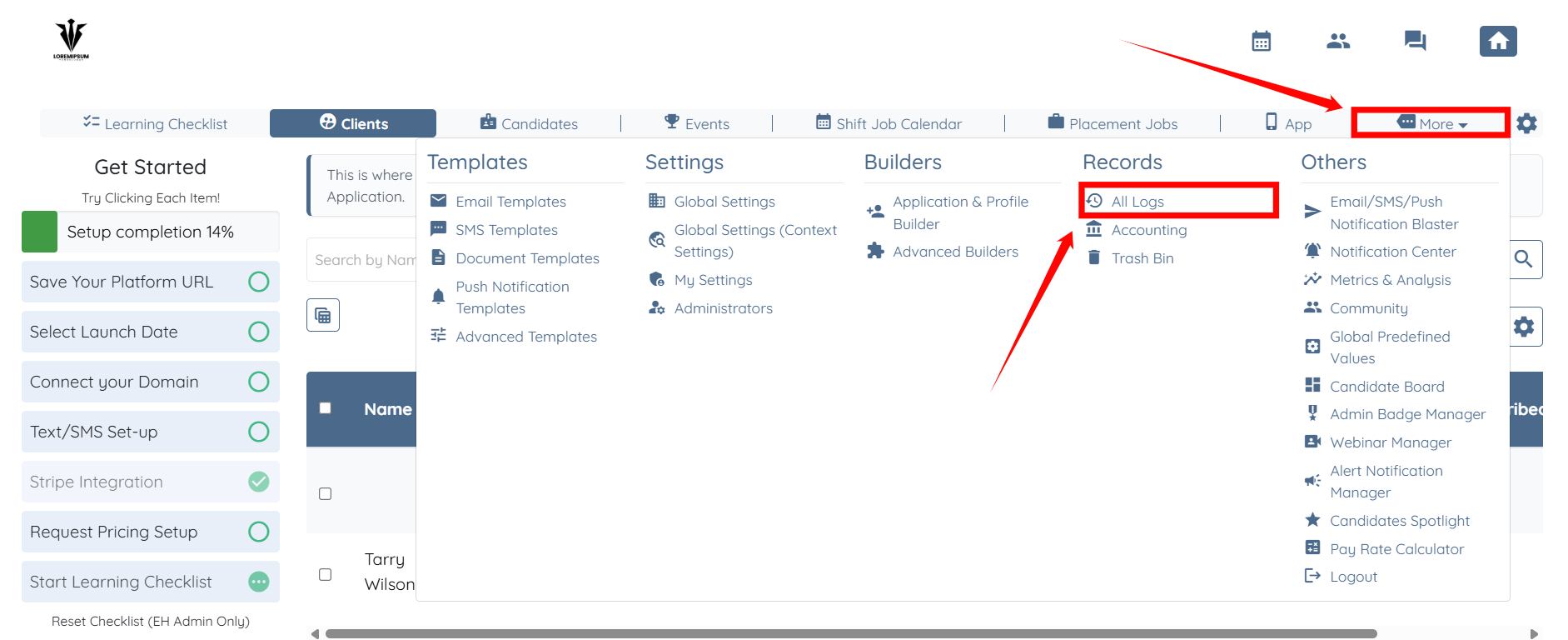
Step 1: Log in to your agent dashboard and click More > All Logs, as shown in the screenshot below.
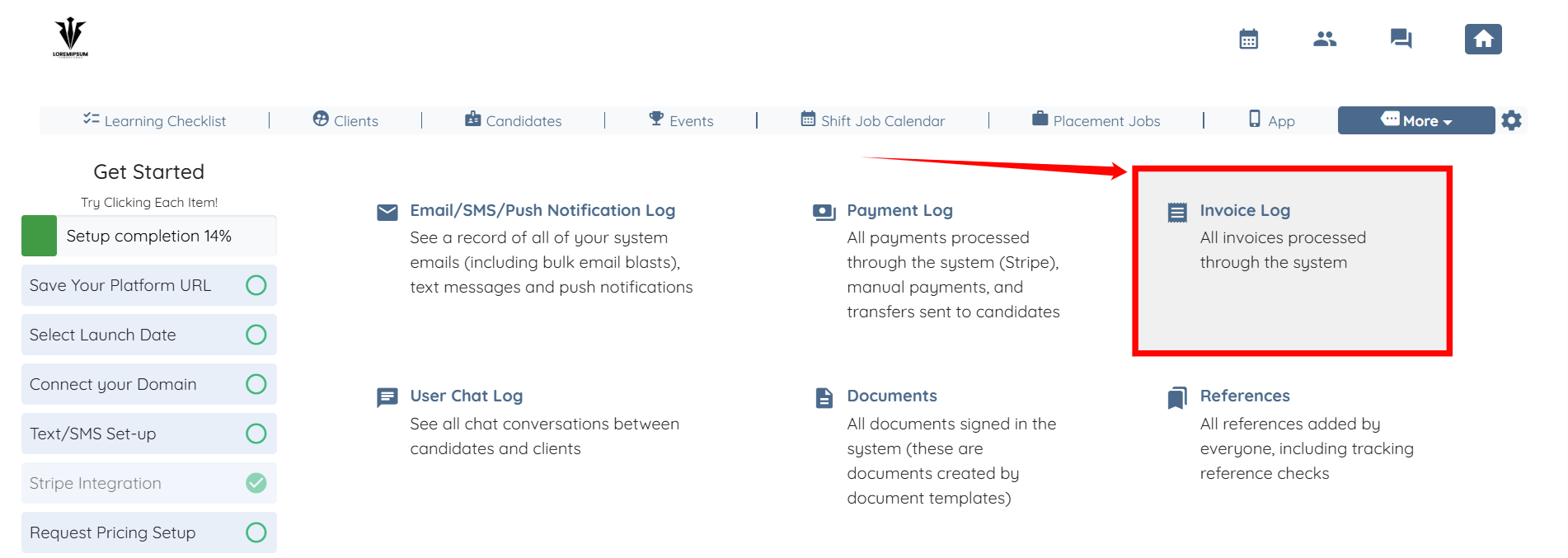
Step 2: Click the Invoice Log option to view all invoice logs.
Step 3: Use the following options to narrow your selection and view invoices based on your requirements.
|
S.no |
Filter |
Description |
|
1 |
Start Date |
Select the start date to filter invoices created on or after this date. |
|
2 |
End Date |
Select the end date to filter invoices created on or before this date. |
|
3 |
Admin |
Filter invoices by the admin associated with the invoice. Start typing to search and select an admin. |
|
4 |
Client |
Filter invoices by client. Start typing to search and select a client from the list. |
|
5 |
Statuses |
Filter invoices based on their current status. Start typing to select one or more statuses. |

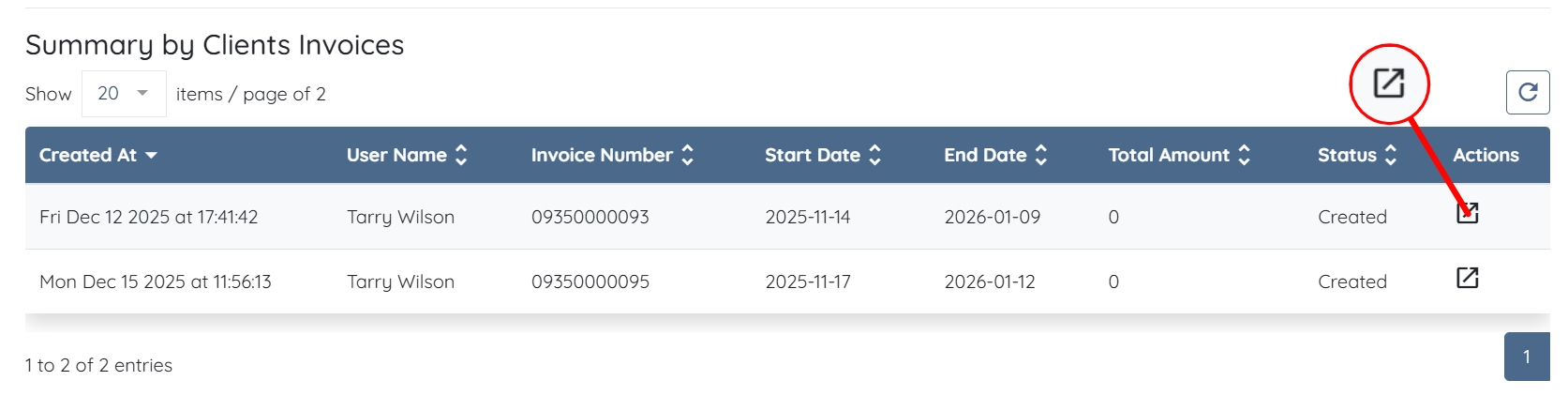
Step 4: After you narrow down the invoices, click the icon shown in the screenshot below to view the invoice.
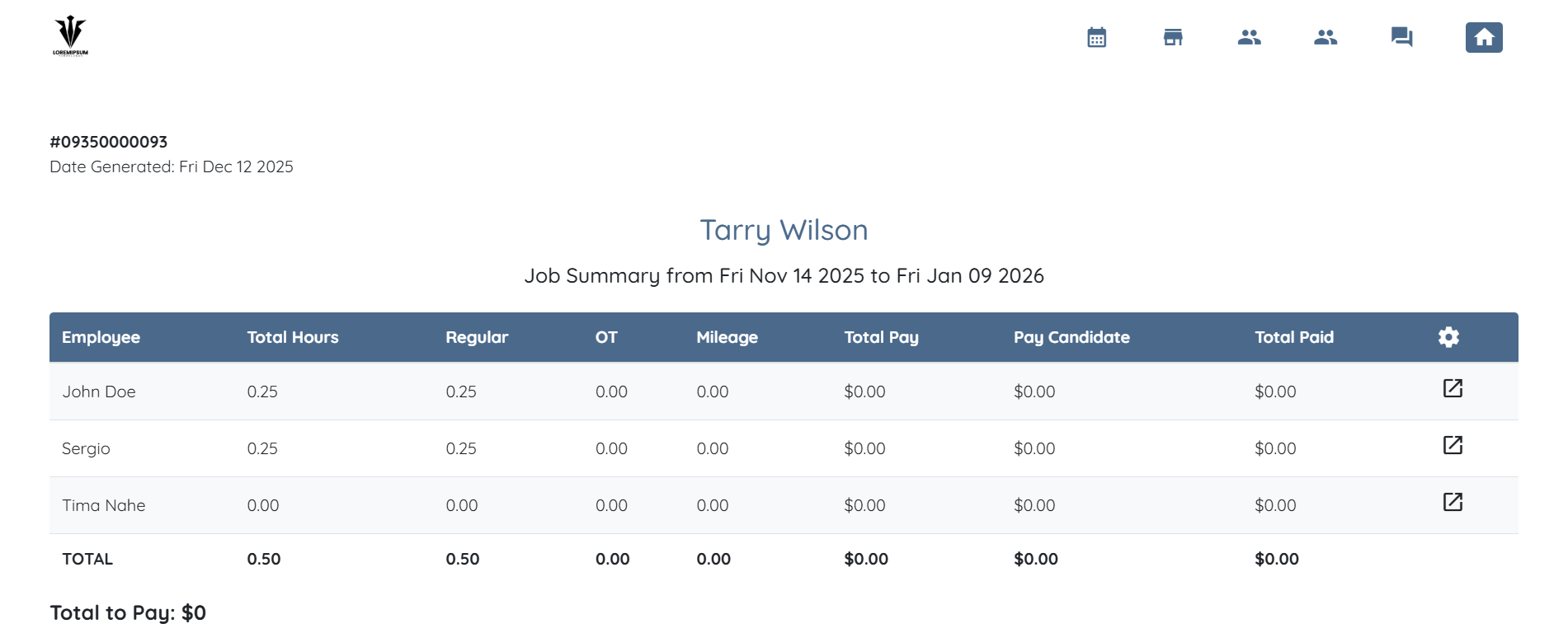
The invoice will open in a new tab with all the necessary details.