![enginehire logo thin dark 1.0.png]](https://learn.enginehire.io/hs-fs/hubfs/enginehire%20logo%20thin%20dark%201.0.png?height=40&name=enginehire%20logo%20thin%20dark%201.0.png)
Let's get started 🚀
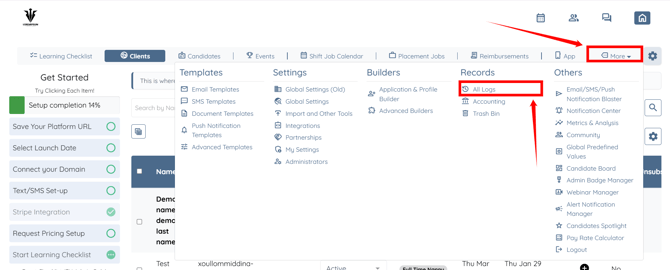
Step 1: Log in to your agent dashboard and click More > All Logs as shown in the screenshot below.
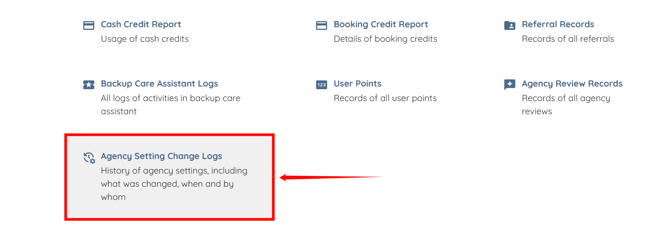
Step 2: Scroll down and click the Agency Setting Change Logs option.
Here, you can view all activity logs for your agency settings, including the date and time, admin name, IP address, and actions performed.
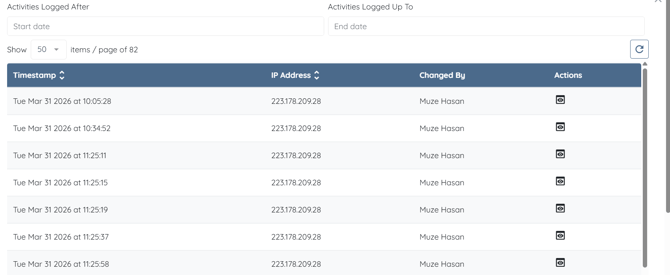
Step 3: To view the details of a change, click the eye icon corresponding to the log you want to review.
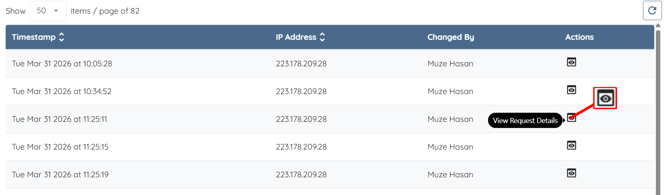
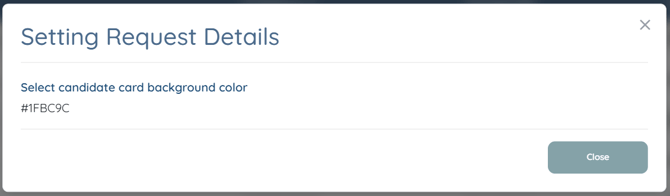
You can view which setting was changed and the updated value.