![enginehire logo thin dark 1.0.png]](https://learn.enginehire.io/hs-fs/hubfs/enginehire%20logo%20thin%20dark%201.0.png?height=40&name=enginehire%20logo%20thin%20dark%201.0.png)
Let’s get started 🚀
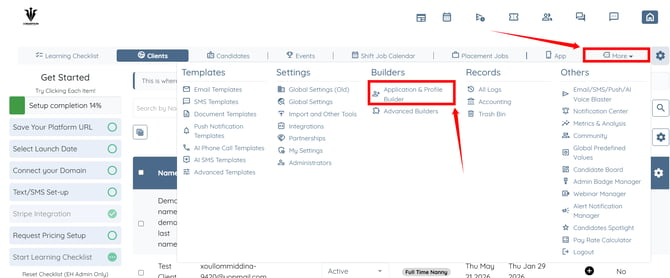
Step 1: Log in to your agent dashboard, and click More > Application & Profile Builder as shown in the screenshot below.
Step 2: Click the Type of Service section to open it.
For demonstration purposes, we are using the Type of Service section. The same functionality can also be used for a Position Applying For question or any other question configured to use types.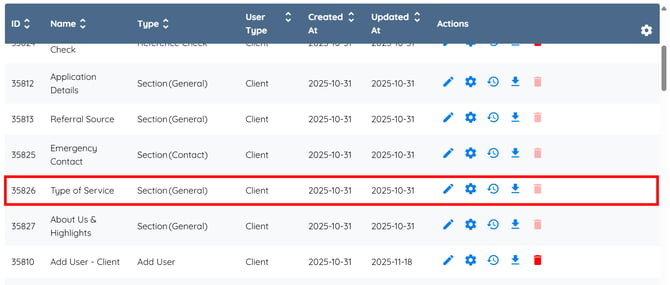
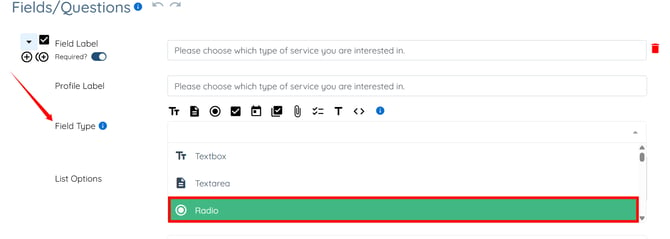
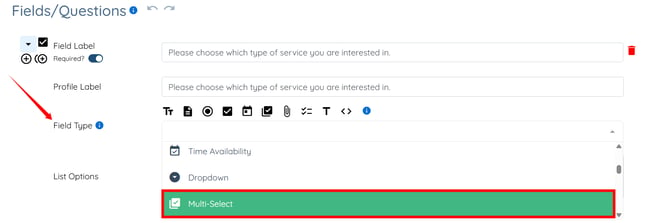
Step 3: Select the appropriate field type from the Field Type dropdown list.
- Select Radio or Dropdown if you want to allow users to choose a single option.
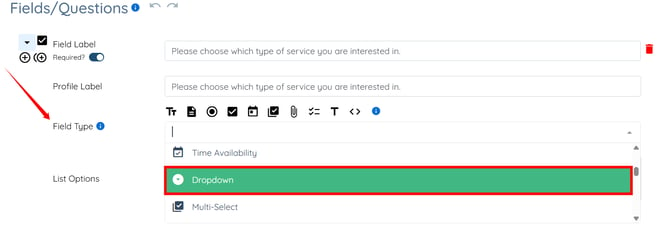
- Select Multi-Select or Checkbox Group to allow users to choose multiple options.
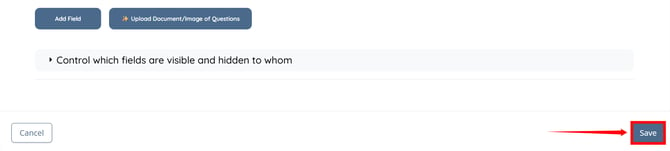
Step 4: Click the Save button to apply the changes.
How It Works
Questions that use types automatically display the values maintained in your agency's types records.
When a user completes the form, they can select from the available types based on the field type you have chosen. The selected value is then associated with the corresponding profile.
Because the question is linked to types, you do not need to manually maintain the same values in multiple locations. Any updates made to your agency's types records are automatically reflected in the question, helping keep forms and profiles synchronized.