![enginehire logo thin dark 1.0.png]](https://learn.enginehire.io/hs-fs/hubfs/enginehire%20logo%20thin%20dark%201.0.png?height=40&name=enginehire%20logo%20thin%20dark%201.0.png)
For demonstration purposes, this article uses Candidates as an example. However, you can use the Exact Match feature for Clients in the same way.
Let’s get started 🚀
Step 1: Log in to your agent dashboard and click Candidates in the navigation bar.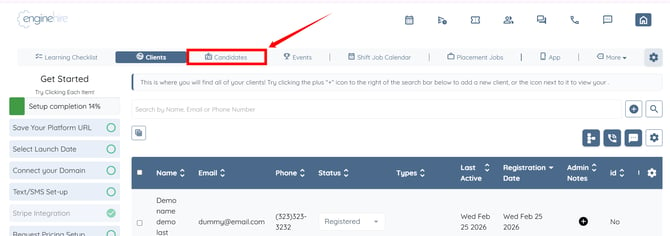
Step 2: Enter the keyword or phrase that you want to search for in the search bar.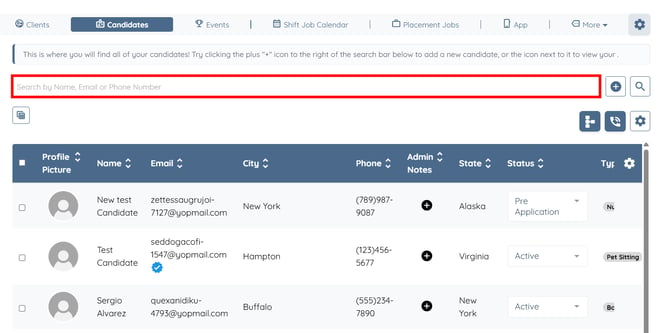
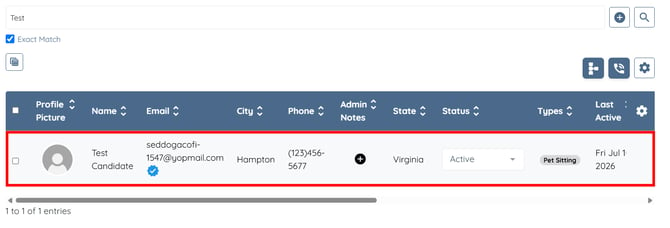
Step 3: The Exact Match checkbox will appear below the search bar. Check the Exact Match checkbox to return only results that exactly match the entered keyword or phrase. 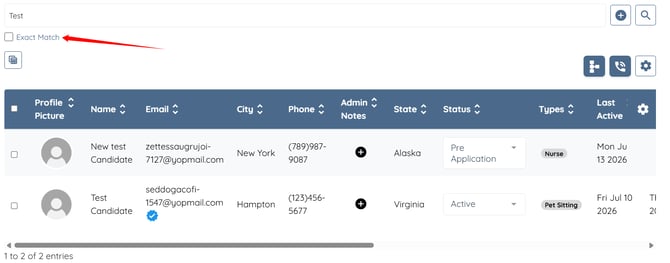
The search results will be filtered to display only exact matches for the entered keyword or phrase.