![enginehire logo thin dark 1.0.png]](https://learn.enginehire.io/hs-fs/hubfs/enginehire%20logo%20thin%20dark%201.0.png?height=40&name=enginehire%20logo%20thin%20dark%201.0.png)
Let’s get started 🚀
Access and Use the Learning Checklist
The Learning Checklist guides through setting up and learning Enginehire. Each section contains articles and step-by-step instructions to help users configure the platform and understand its key features.
Step 1: Log in to your agent dashboard and click the Learning Checklist in the top navigation bar.
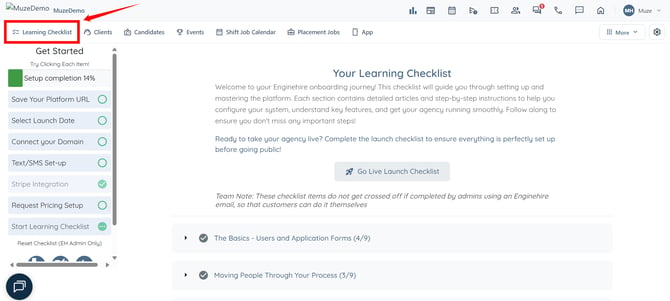
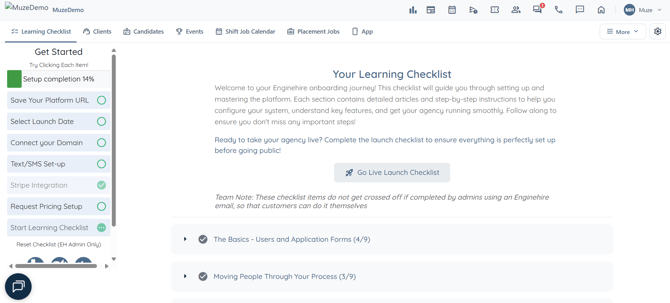
The Learning Checklist will open, displaying the available sections and their associated learning resources.
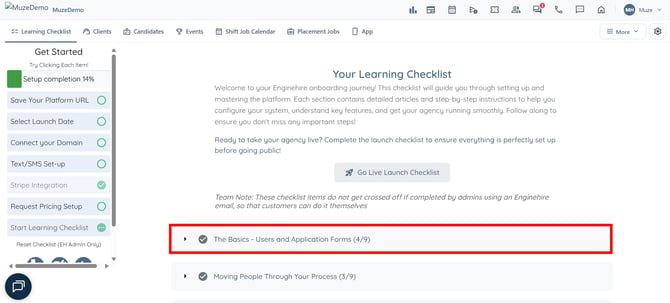
Step 2: Click any checklist section to expand it and view its items.
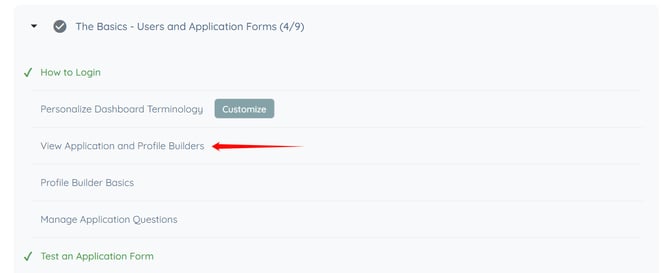
Step 3: Click an article within a section to open it and follow the instructions provided to complete the corresponding setup or configuration.
Checklist items do not get marked as completed when admins complete them using an Enginehire email address. This allows customers to complete the checklist items themselves.
Complete the Go Live Launch Checklist
Once the agency is ready for its final review, use the Go Live Launch Checklist to review and track the completion of essential launch tasks.
Step 1: Click the Go Live Launch Checklist button.
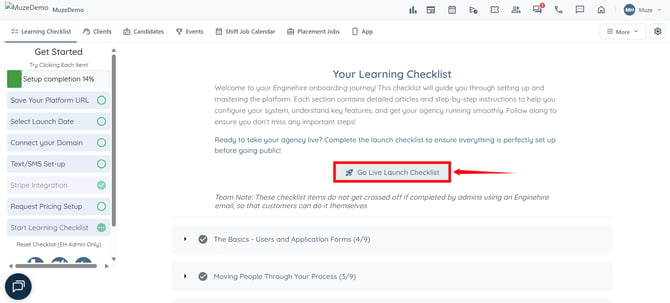
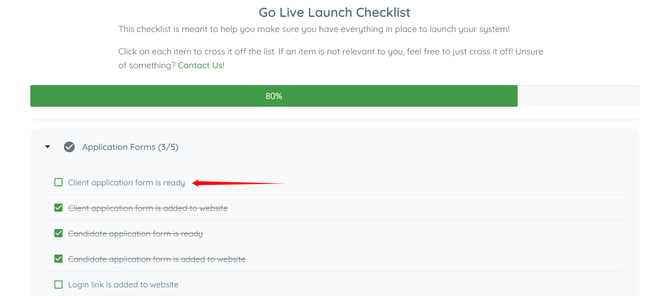
The checklist will open, organized into sections. Each section displays the number of completed items, such as Application Forms (0/5).
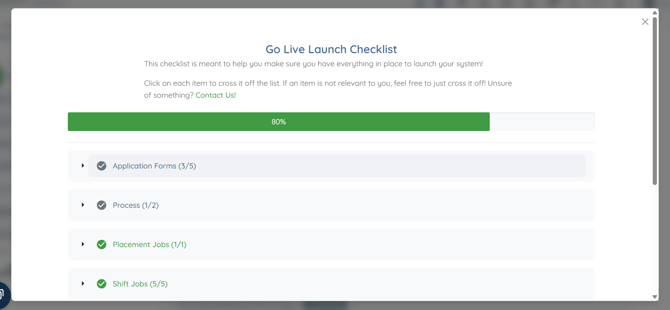
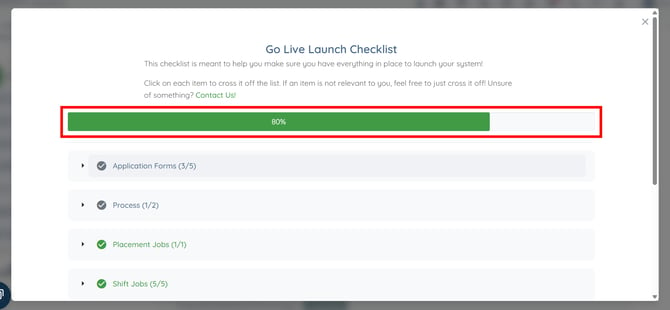
The progress bar at the top of the checklist shows the overall completion progress across all sections.
Step 2: Select a section to expand it and view its checklist items.
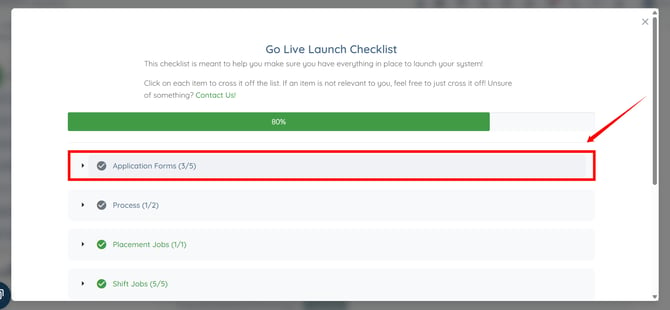
If an item does not apply to the agency, you can mark it as complete as well. You can work through the sections in any order.
Step 3: Select an item to mark it as complete once you have completed or reviewed it.
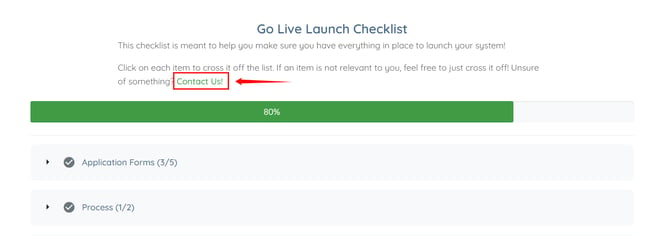
If you need clarification about any checklist item, select Contact Us at the top of the checklist to reach the Enginehire team.
The Go Live Launch Checklist will help the agency review its setup and track its progress before launching to clients and candidates.