![enginehire logo thin dark 1.0.png]](https://learn.enginehire.io/hs-fs/hubfs/enginehire%20logo%20thin%20dark%201.0.png?height=40&name=enginehire%20logo%20thin%20dark%201.0.png)
Let’s get started 🚀
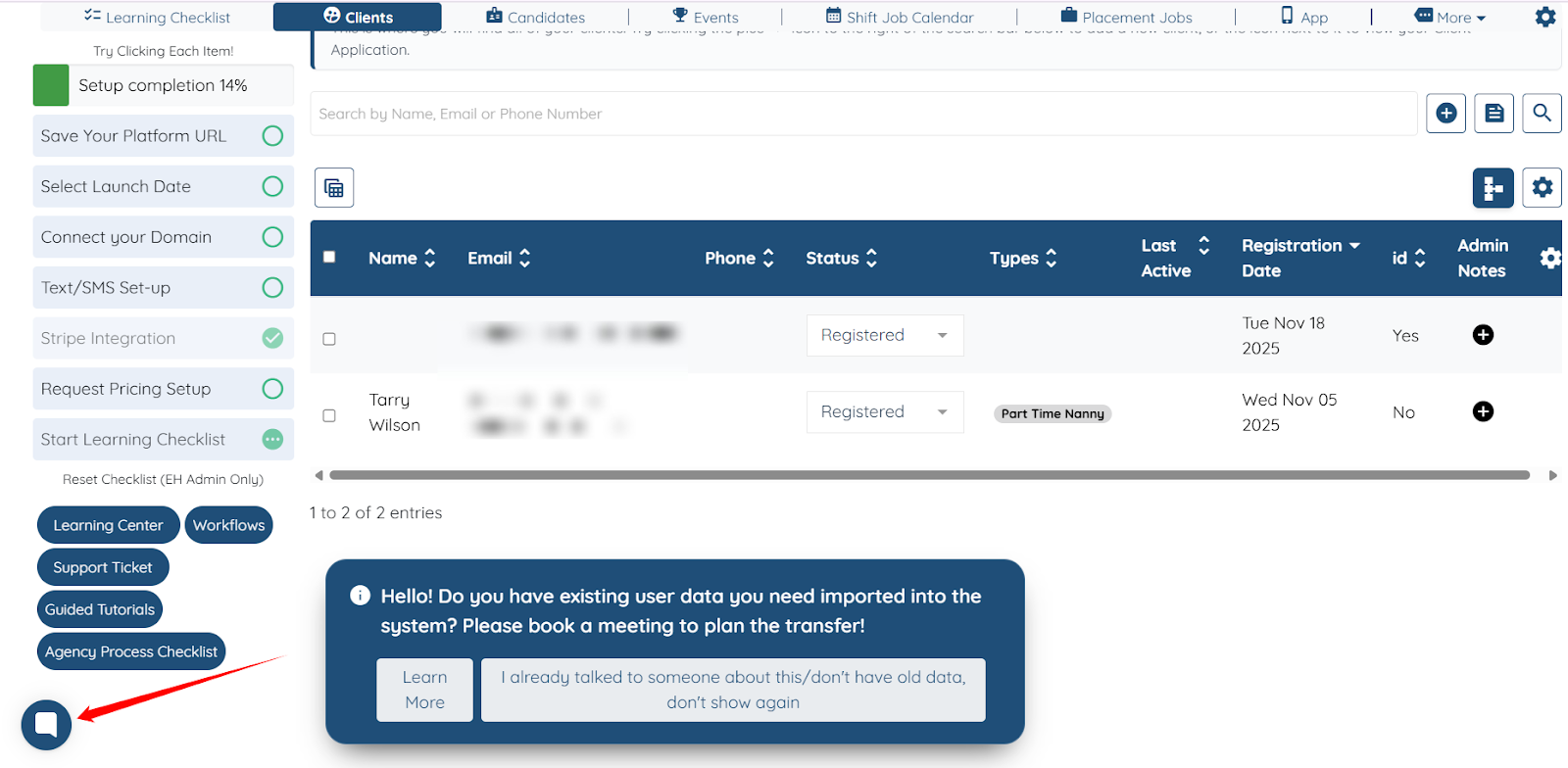
Access Chat Widget
Open the chat widget from your Agent Dashboard by clicking the chat button located in the bottom-left corner of the screen.
Home Tab
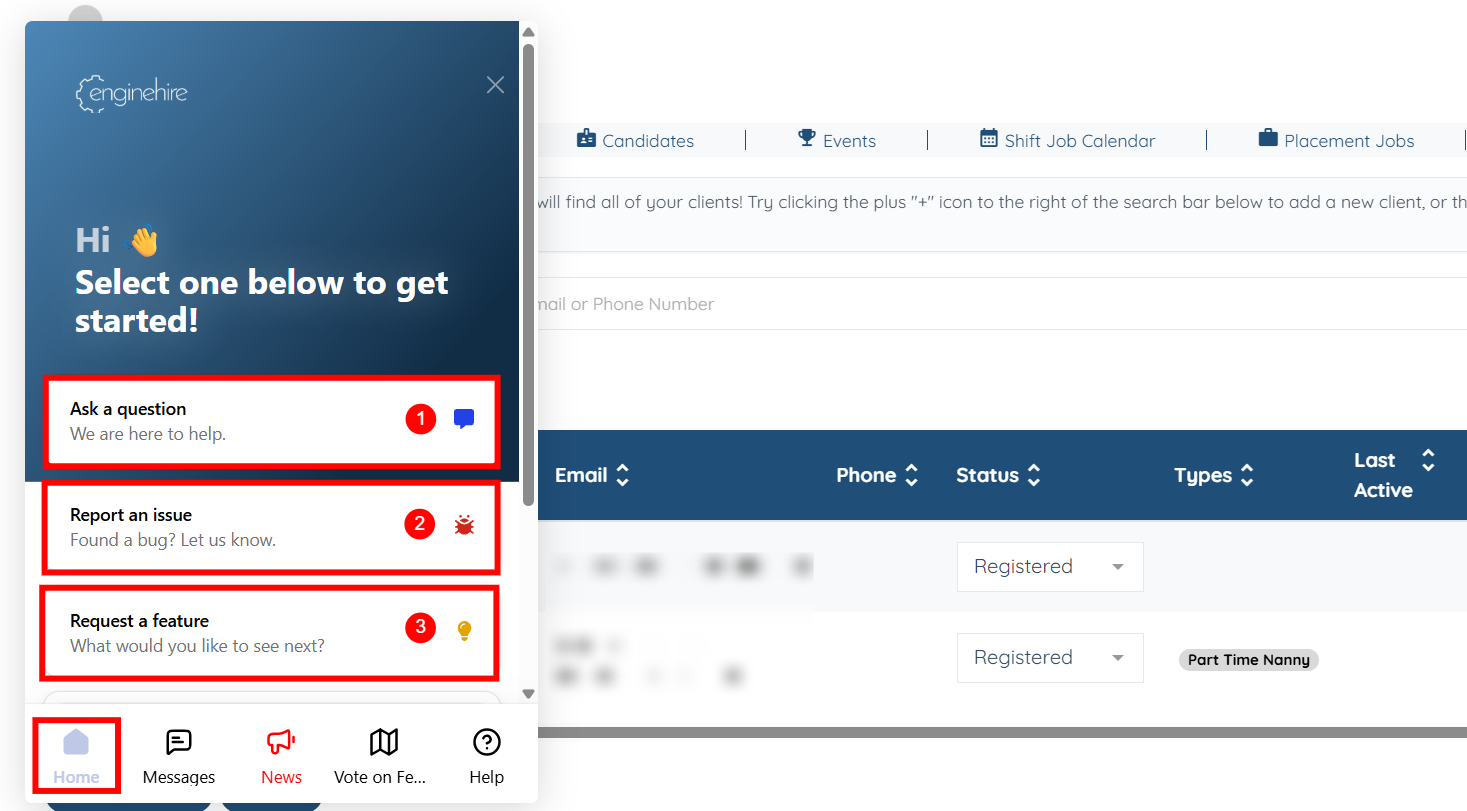
The Home tab of the Chat widget gives you three quick options for getting help or sharing feedback:
|
S. No |
Action |
Description |
|
1 |
Ask a Question |
Use this action when you have a quick question or need clarification about a setting. It opens a live chat where you can speak directly with the support team. |
|
2 |
Report an Issue |
Select this action to report a bug (ticket). You can attach screenshots or recordings to help explain the issue clearly. |
|
3 |
Request a Feature |
Use this action to suggest a new feature or share improvement ideas. This is the best way to submit enhancement requests for your agency. |
Messages Tab
The Messages tab shows all your previous conversations and submissions in one place. After you ask a question, report an issue, or submit a feature request, you can return to this tab to follow up on any ongoing or resolved items.
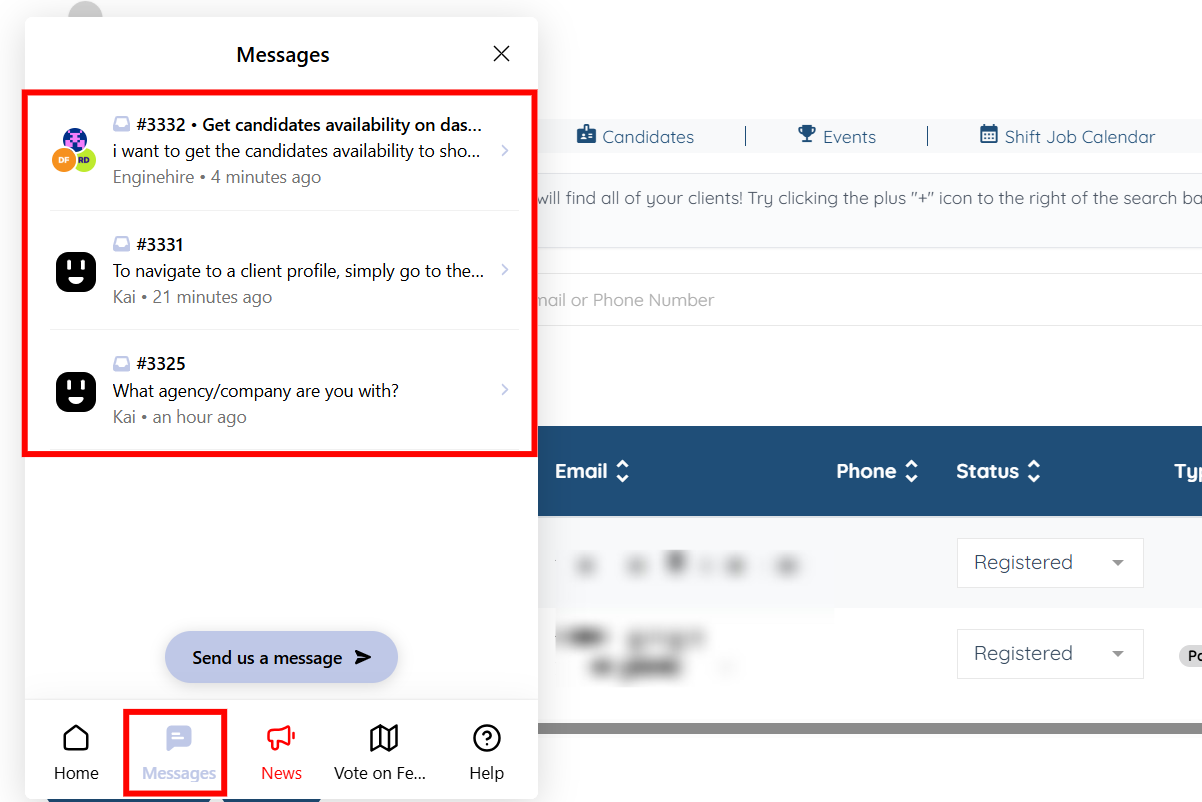
You can open any message thread to follow up, check for responses, or continue the conversation with the support team.

News Tab
The News tab helps you stay informed about what’s happening across the Enginehire platform. Here, you can quickly check if there are any ongoing or widespread issues that might affect your work, as well as see important updates or announcements from the Enginehire team. It’s a simple way to stay aware of changes, fixes, and new features without needing to contact support.
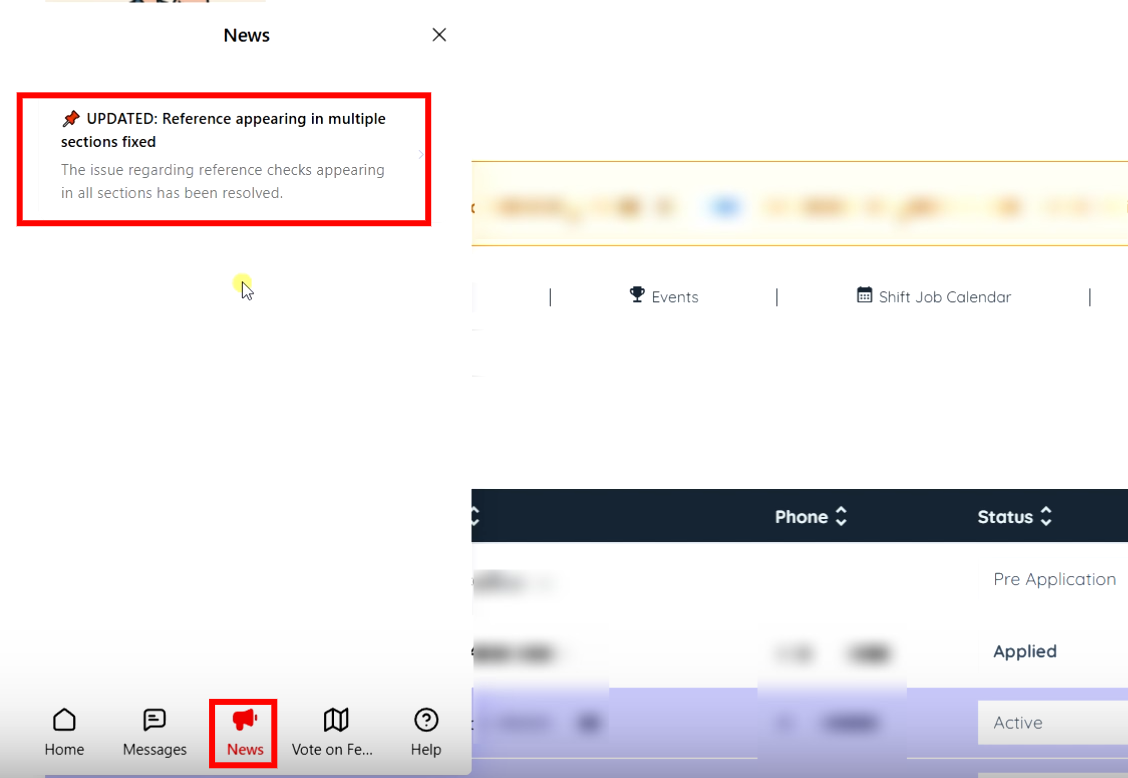
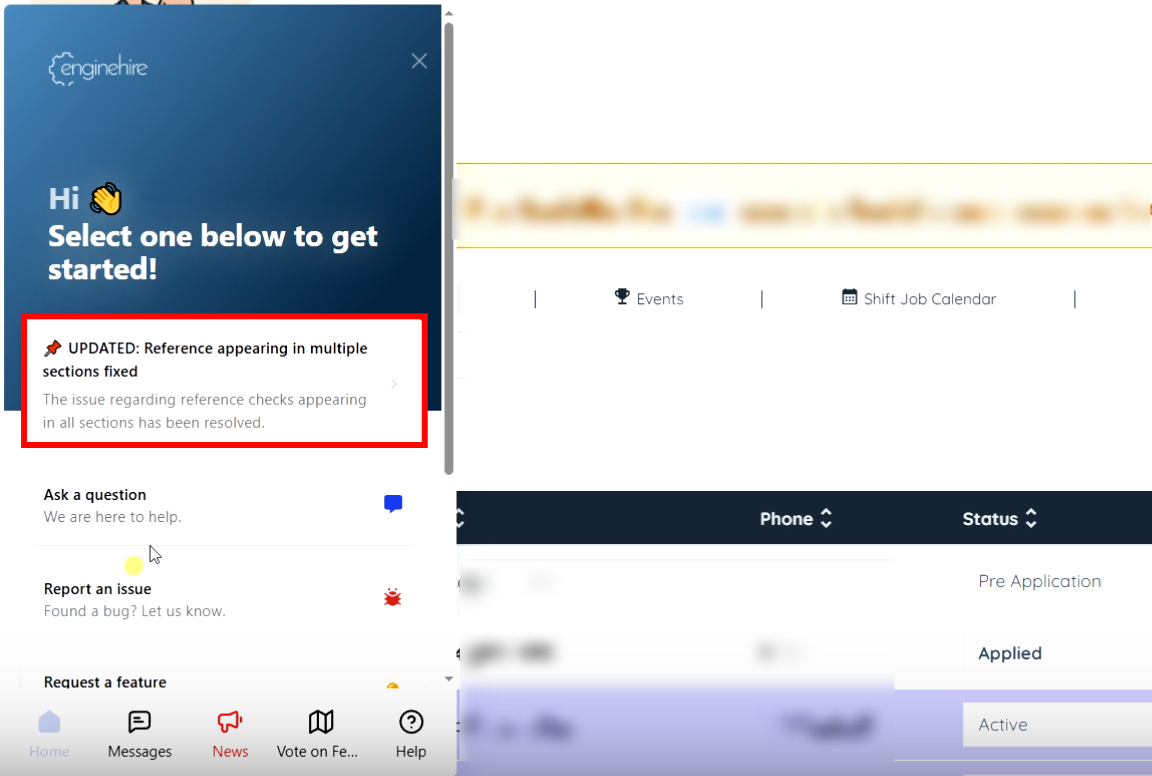
Any update you see in the News tab will also appear pinned at the top of the Home tab, so you never miss anything important.
Vote on Features Tab
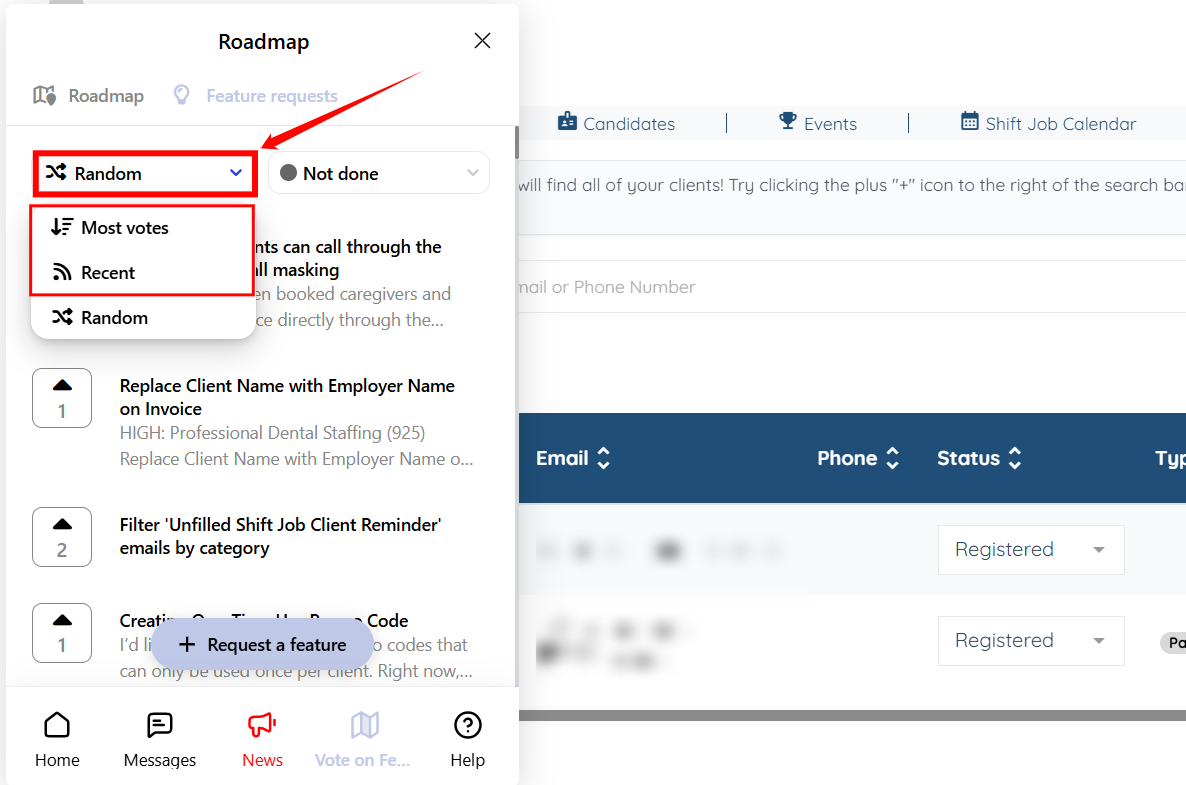
The Vote on Features tab lets you see feature requests submitted by other agencies as well. If you find a request that would be useful for your agency, you can click the vote button as shown in the screenshot below to show your support.

Under the Feature requests section, you can also filter the list to see requests based on their status—such as Ideas, Assigned to Developer, In Progress, Released, or Not Done. This helps you understand what’s being worked on and what has already been completed.

If you want to explore requests more easily, you can sort them by Most Votes or Newest Requests.
Help Tab
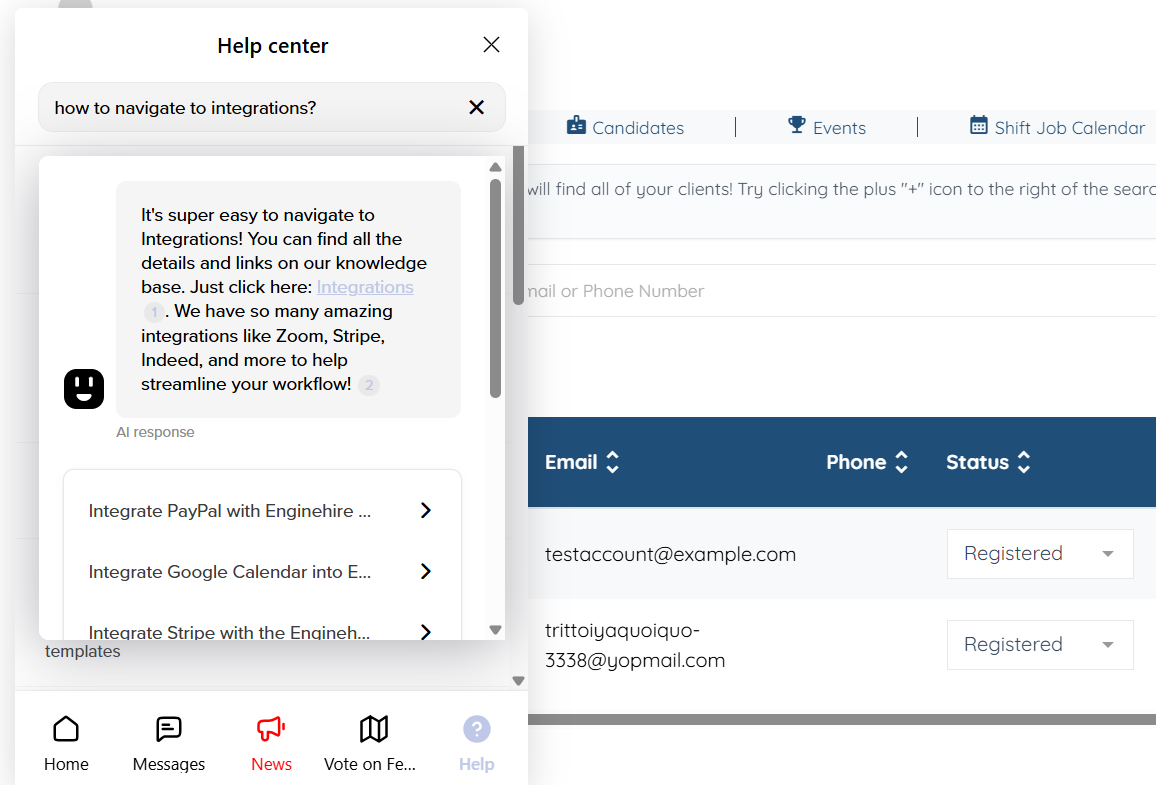
The Help tab gives you access to all support articles related to the Enginehire platform. Here, you can browse guides that are grouped into different categories, covering features, settings, and step-by-step instructions to help you use the platform more effectively.
You can also type your question directly into the search bar in this tab. The system will show you relevant answers and suggest helpful articles based on what you’re looking for, making it easier to quickly find the information you need.