![enginehire logo thin dark 1.0.png]](https://learn.enginehire.io/hs-fs/hubfs/enginehire%20logo%20thin%20dark%201.0.png?height=40&name=enginehire%20logo%20thin%20dark%201.0.png)
Let’s get started 🚀
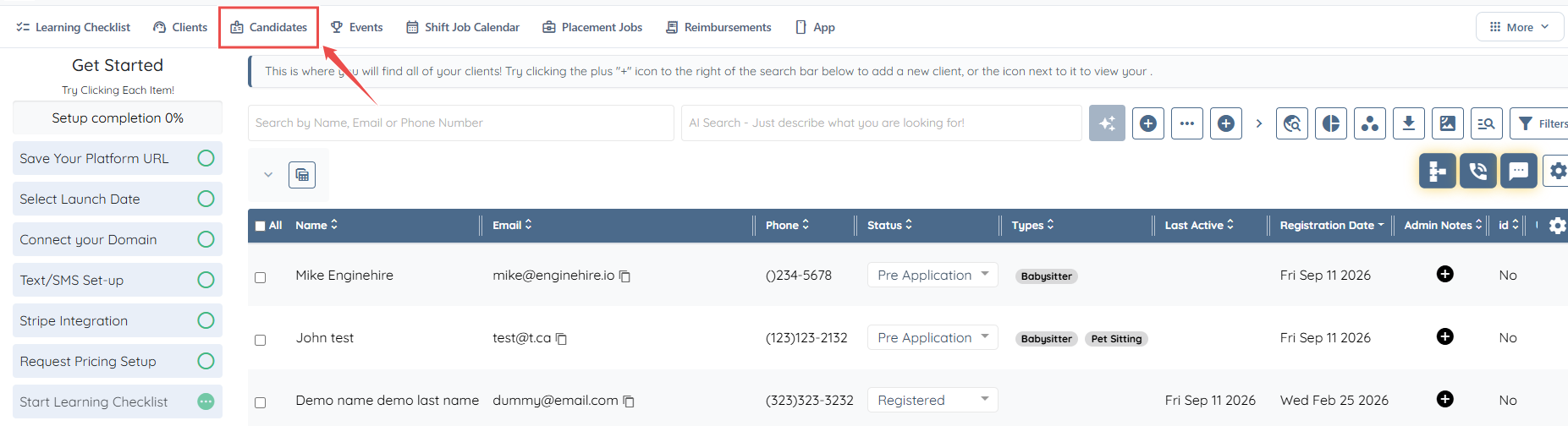
Step 1: From the dashboard, navigate to the Candidate section.
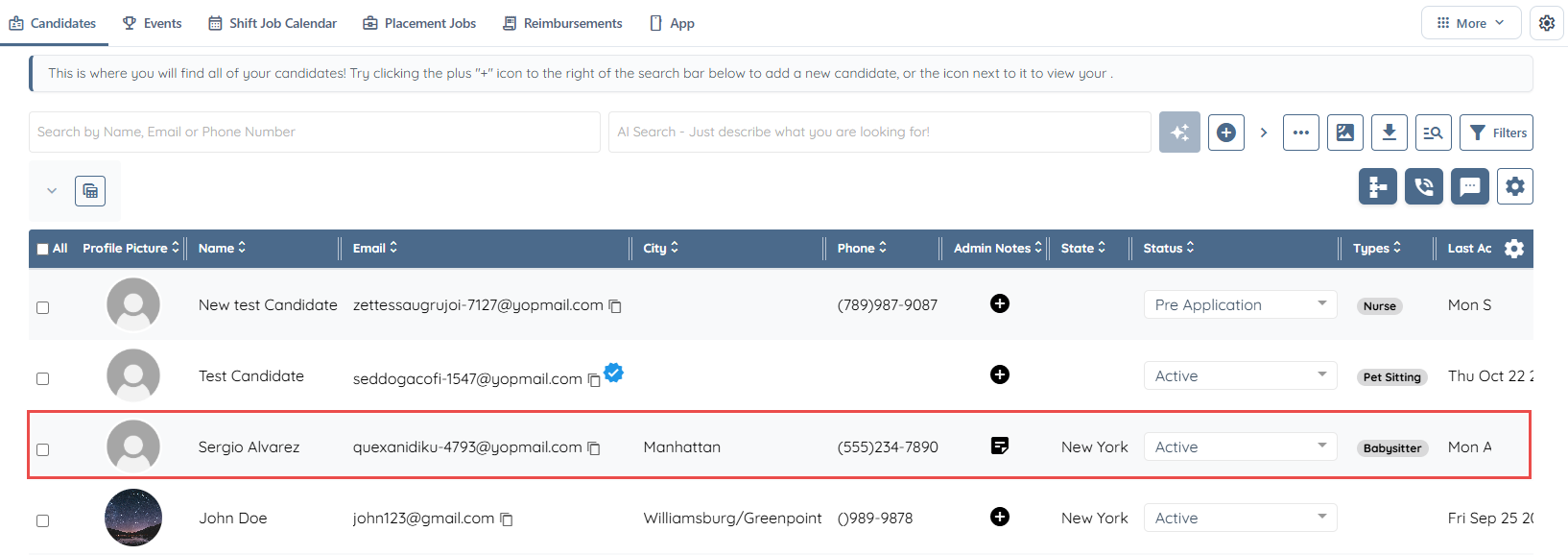
Step 2: Choose the relevant candidate directly from the candidate list.
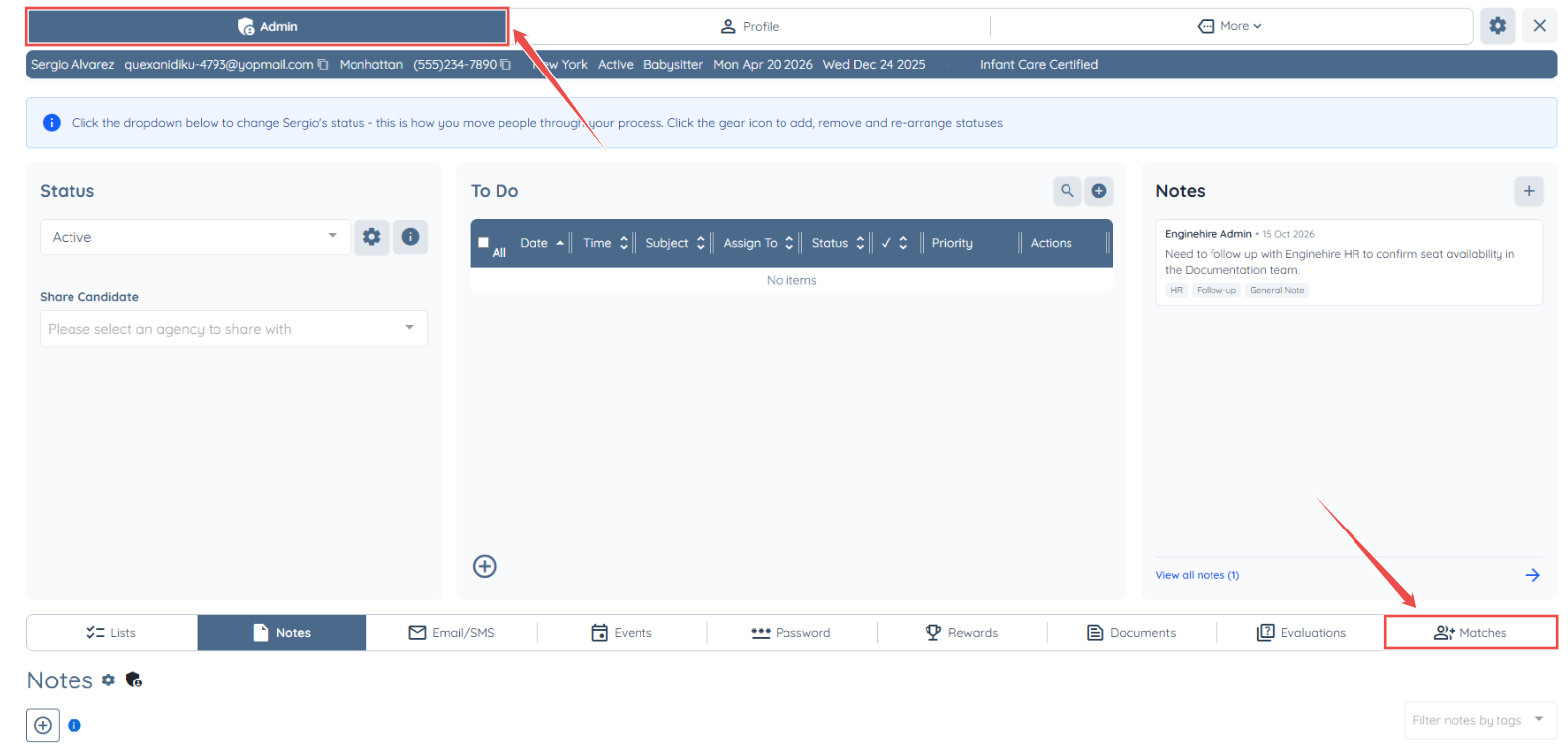
Step 3: To proceed, open the Admin area and select the Matched tab.
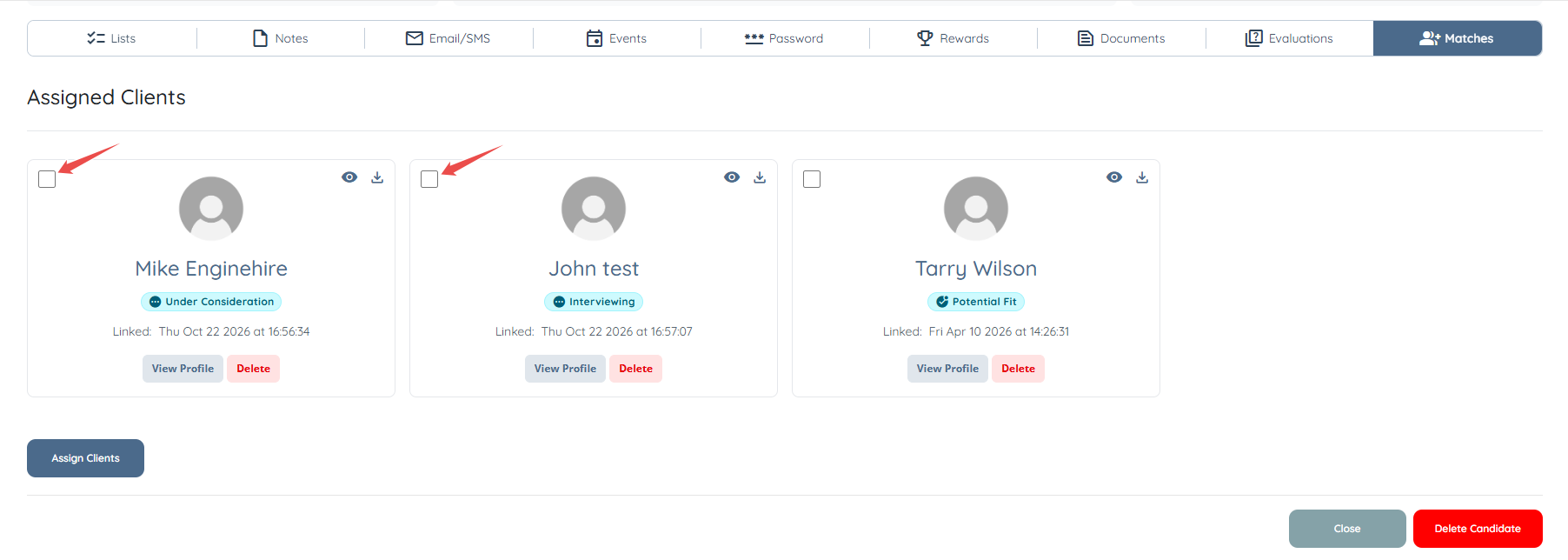
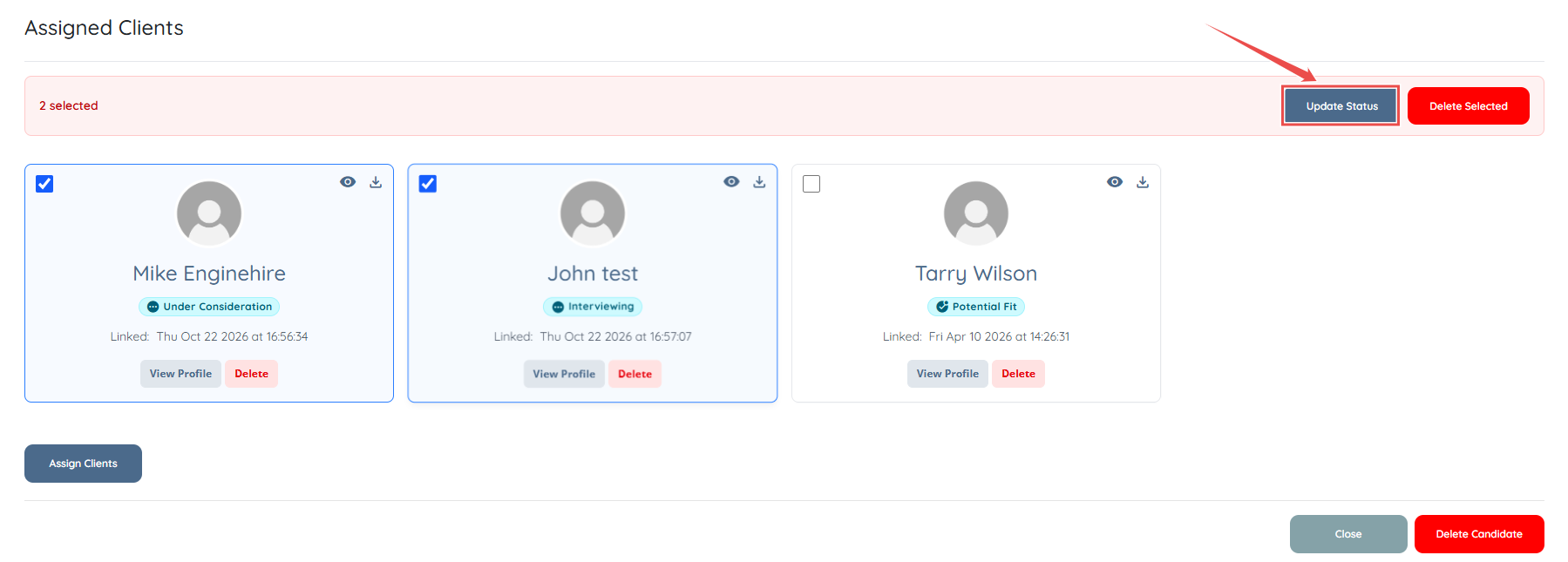
Step 4: Select the clients you wish to update from the list of Assigned Clients.
Step 5: Click on the Update Status button.
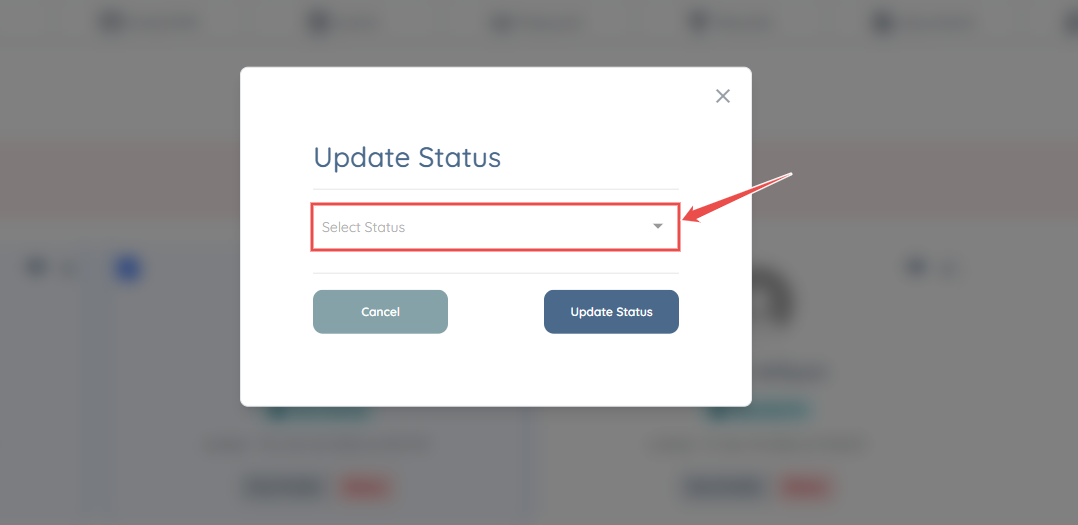
Step 6: When the pop-up opens, choose your desired status using the Select Status drop-down menu.
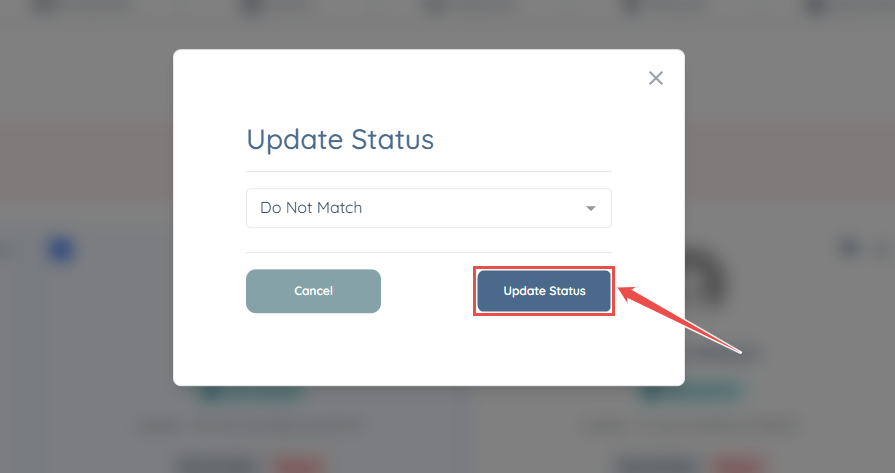
Step 7: After updating the status, click on the Update Status button.
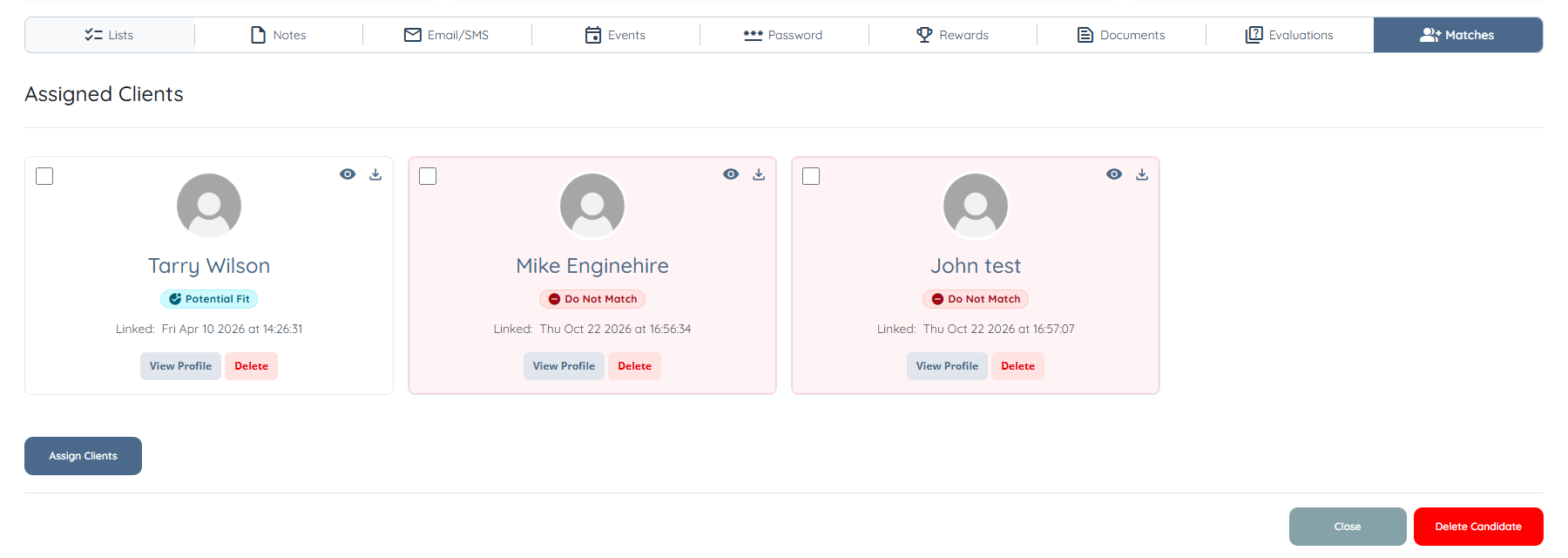
You're all set! Closing the pop-up will display the updated bulk statuses directly within the Matched section.
If you need any further assistance, feel free to contact our support team by clicking here: https://share.hsforms.com/1yIx2IRKyQQaVcMJW8kLbJg39wil