![enginehire logo thin dark 1.0.png]](https://learn.enginehire.io/hs-fs/hubfs/enginehire%20logo%20thin%20dark%201.0.png?height=40&name=enginehire%20logo%20thin%20dark%201.0.png)
Let's get started 🚀
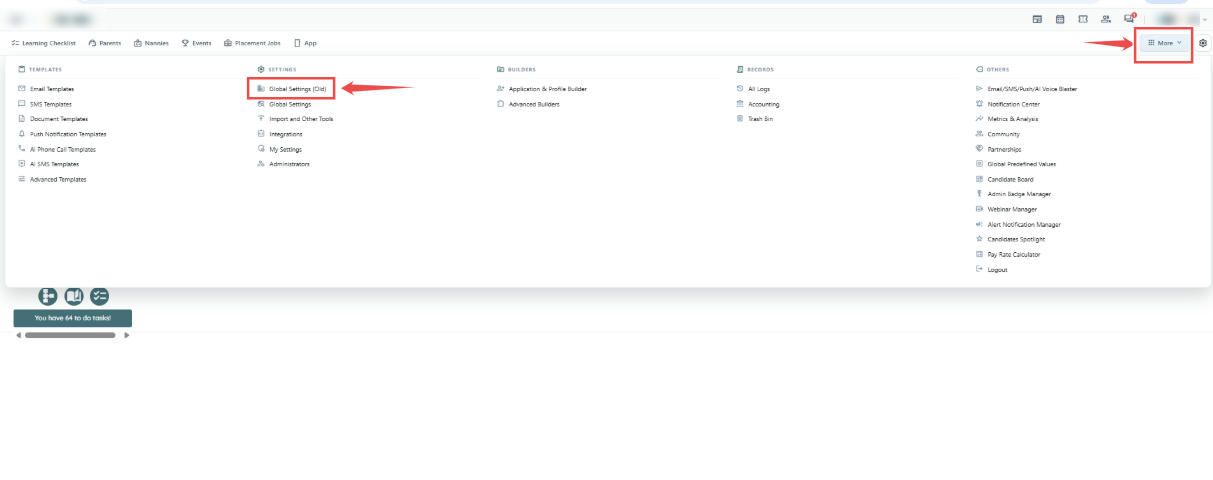
Step 1: Navigate to More Drop-Down and Select Global Settings(Old).
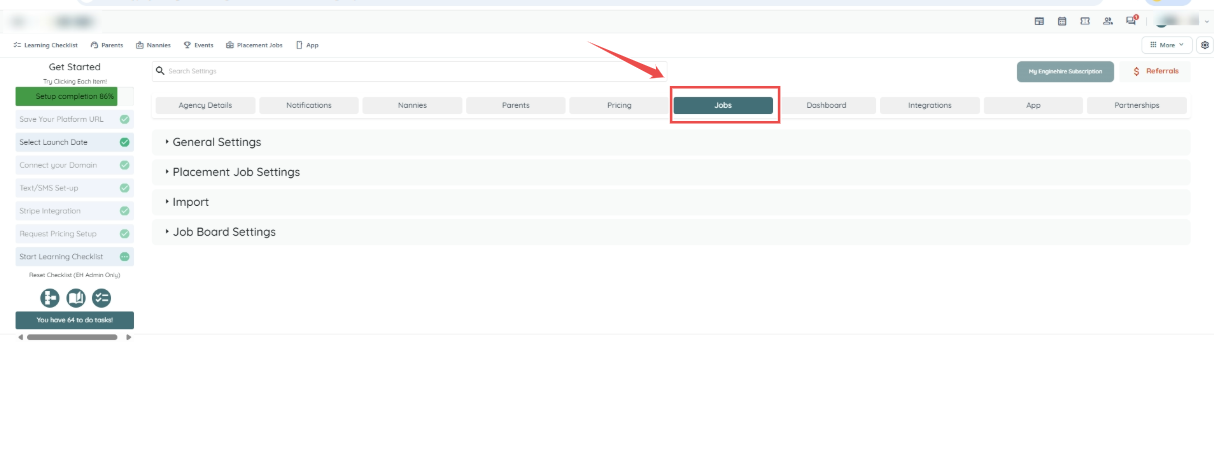
Step 2: Select Jobs Tab.
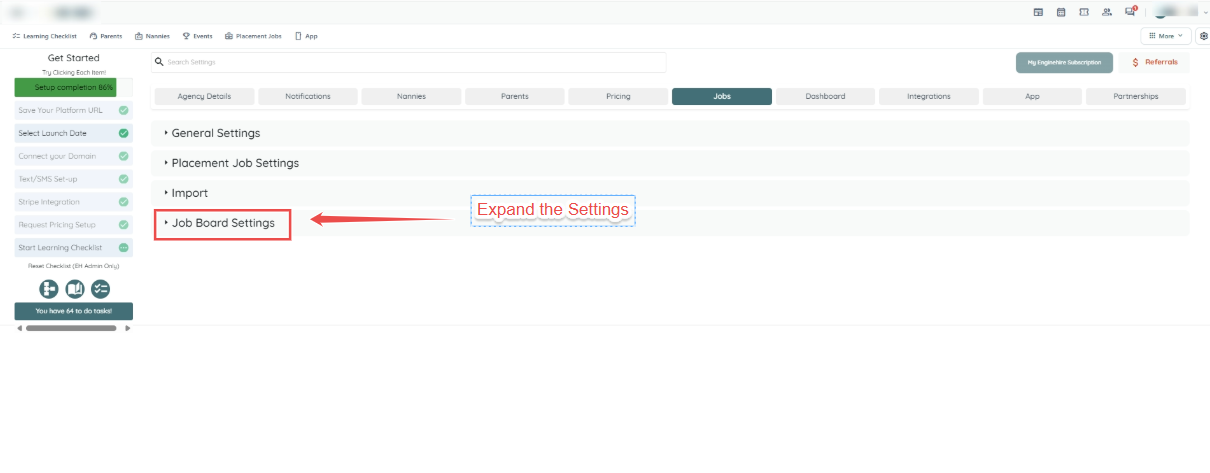
Step 3: Select Job Board Settings.
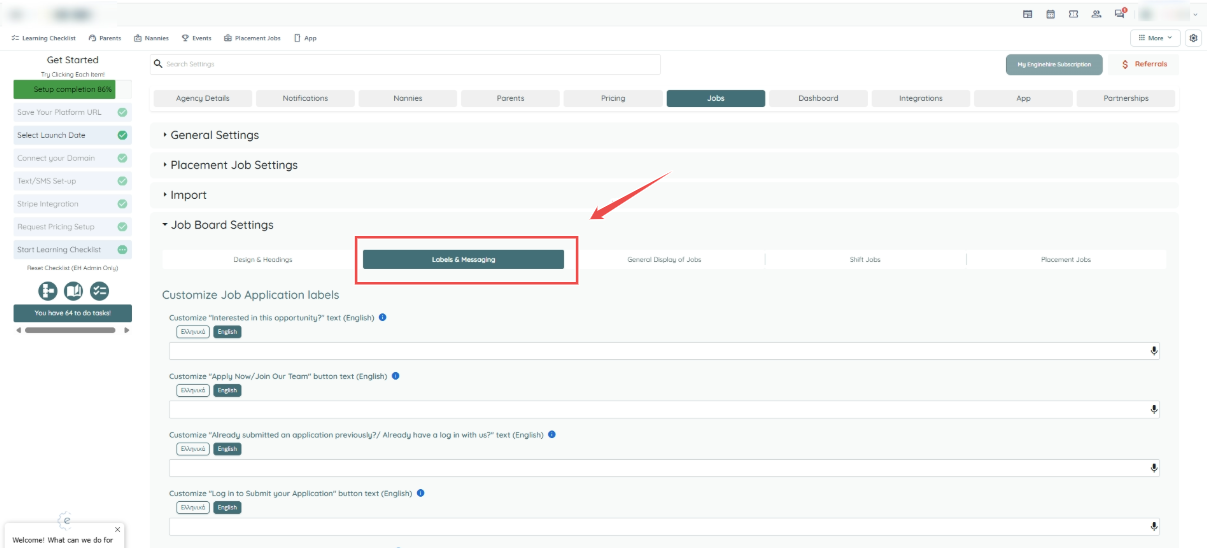
Step 4: Navigate to Label & Messaging Tab.
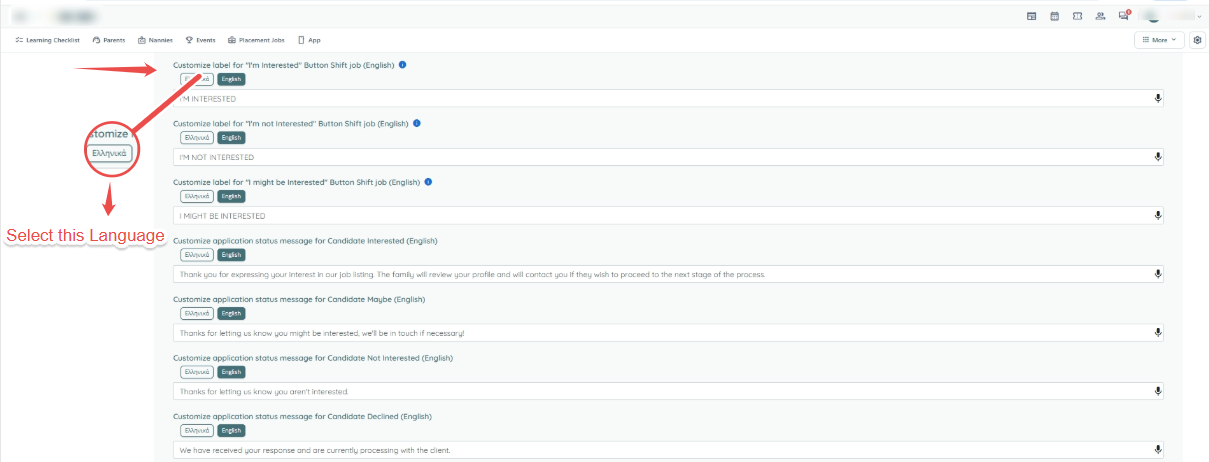
Step 5: Let's pick any field. For Ex: Customize label for "I'm Interested" Button Shift job (English) and Select the other language i.e. Greek displayed along with English Language.
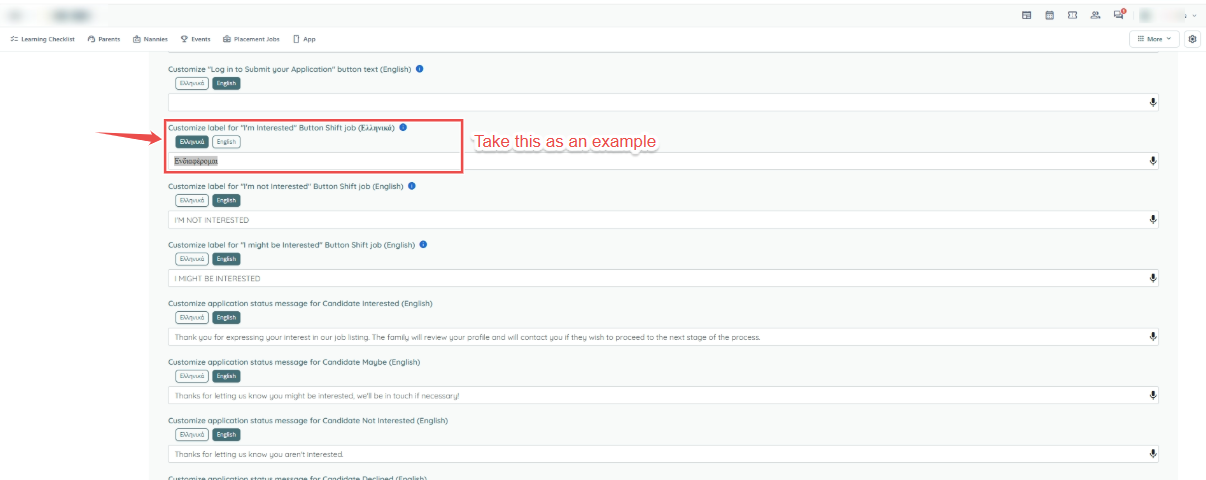
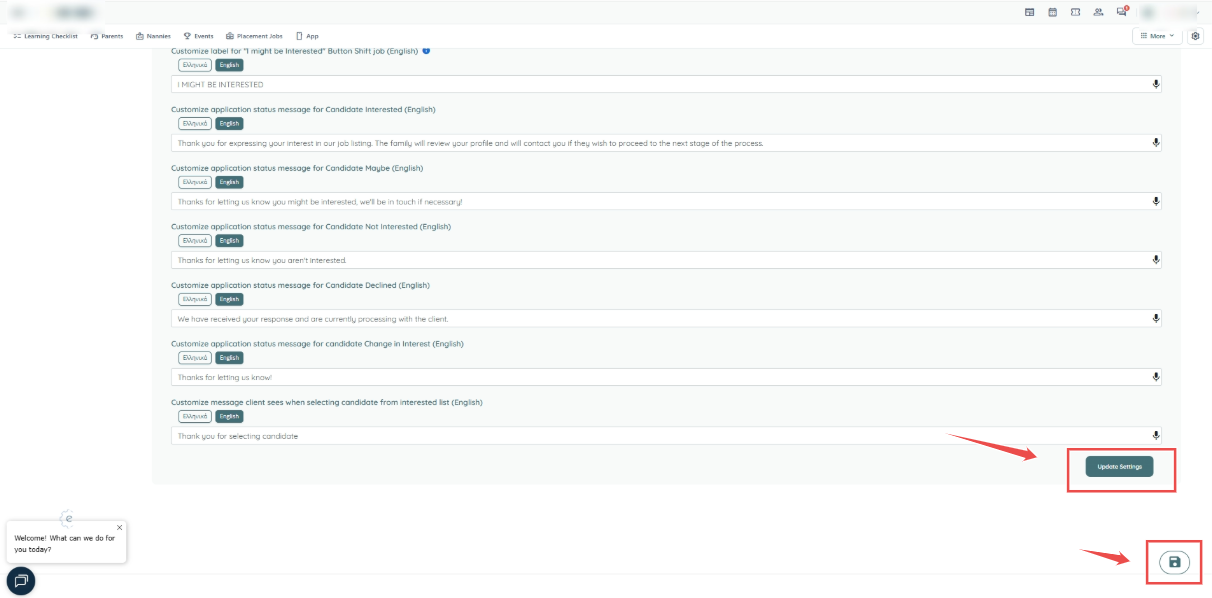
Step 6: Now click to Update Settings Button and Save icon.
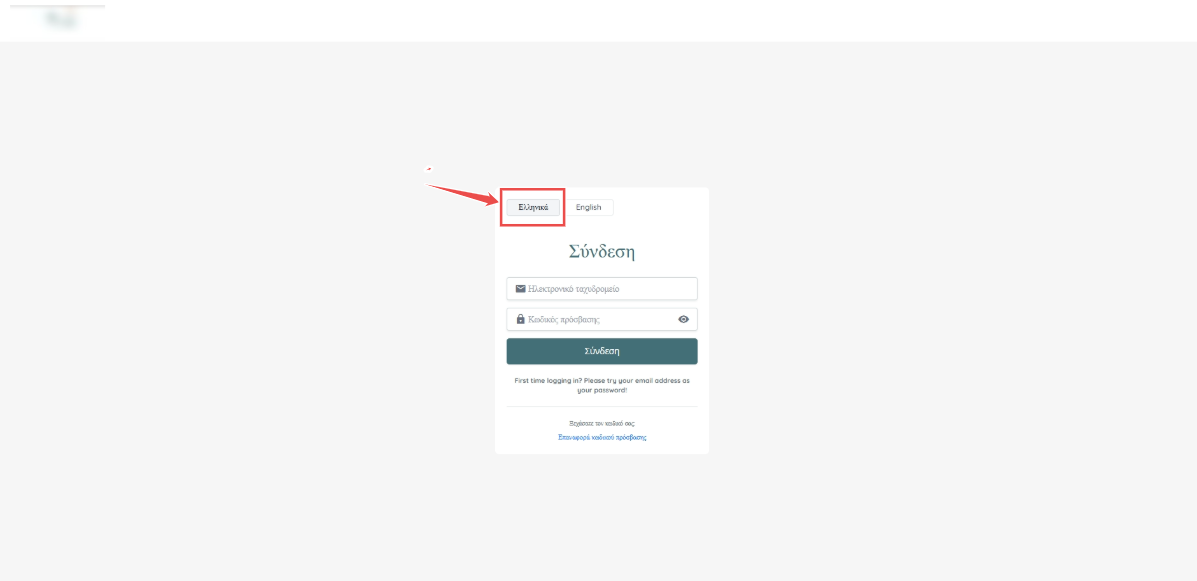
Step 7: When logging in as a candidate, select the language configured in agency.
Step 8: Open any Placement Job.
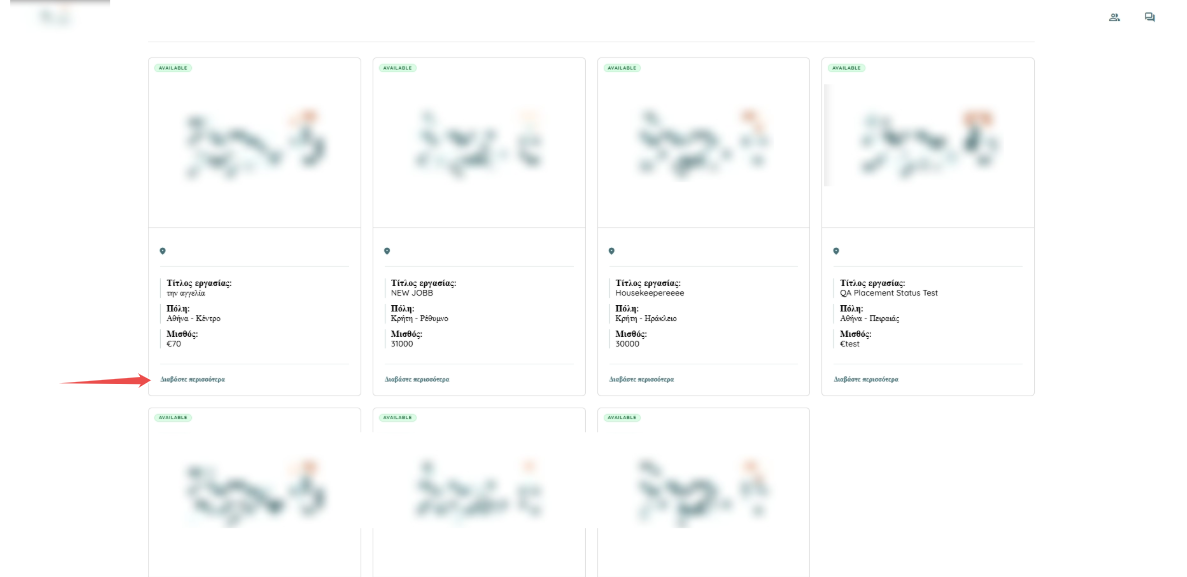
Step 9: Verify that the label is displayed in the configured language.
Step 1: Navigate to More Drop-Down and Select Global Settings(Old).
Step 2: Select Jobs Tab.
Step 3: Select Job Board Settings.
Step 4: Navigate to Label & Messaging Tab.
Step 5: Let's pick any field. For Ex: Customize label for "I'm Interested" Button Shift job (English) and Select the other language i.e. Greek displayed along with English Language.
Step 6: Now click to Update Settings Button and Save icon.
Step 7: When logging in as a candidate, select the language configured in agency.
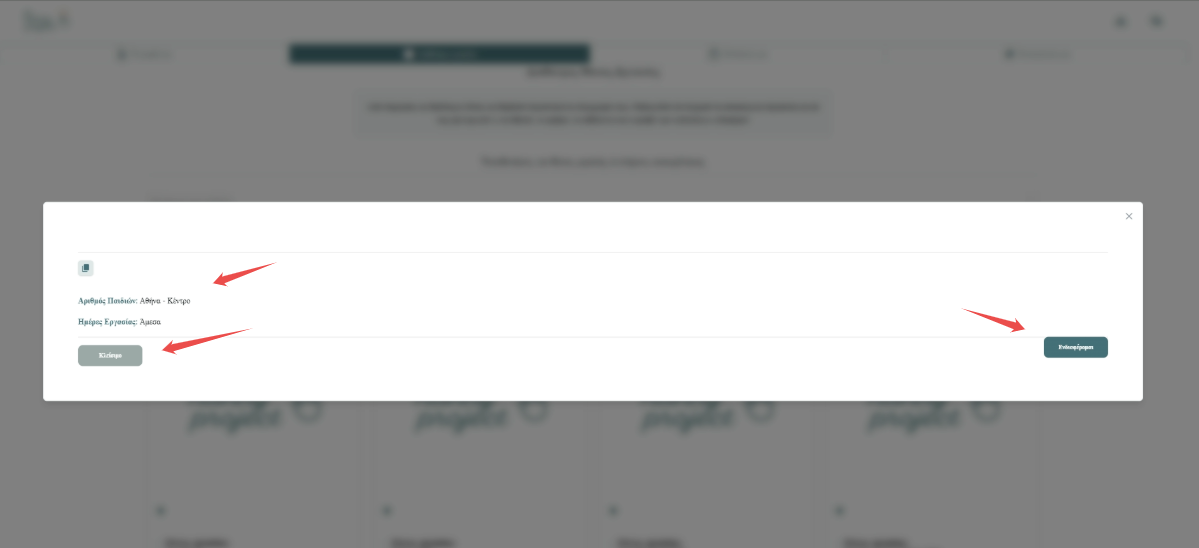
Step 8: Open any Placement Job.
Step 9: Verify that the label is displayed in the configured language.