![enginehire logo thin dark 1.0.png]](https://learn.enginehire.io/hs-fs/hubfs/enginehire%20logo%20thin%20dark%201.0.png?height=40&name=enginehire%20logo%20thin%20dark%201.0.png)
Let’s get started 🚀
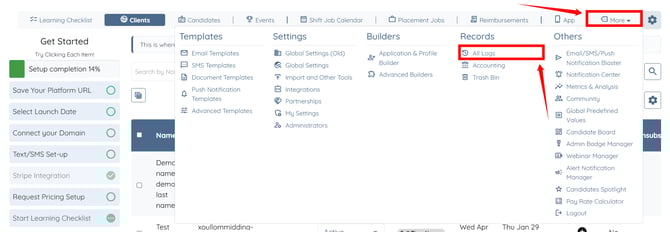
Step 1: On your agent dashboard, click More > All Logs as shown in the screenshot below.
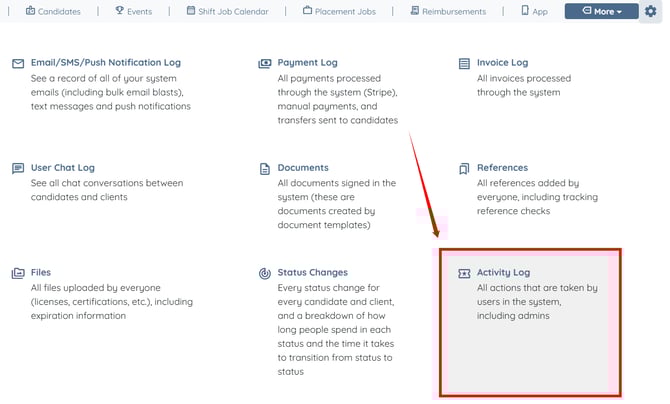
Step 2: Click the Activity Log option.
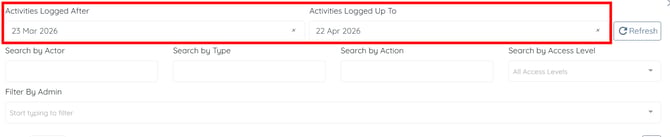
Step 3: Adjust the date range to filter the logs as needed.
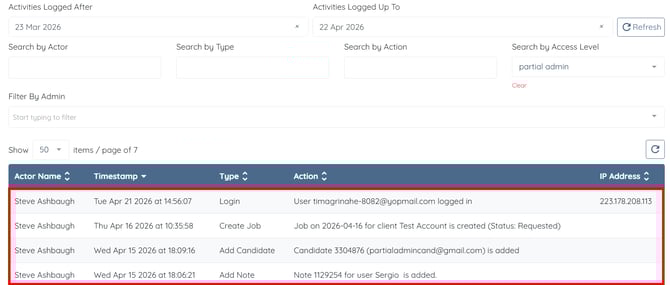
Step 4: Select the partial admin option in the Search by Access Level field.
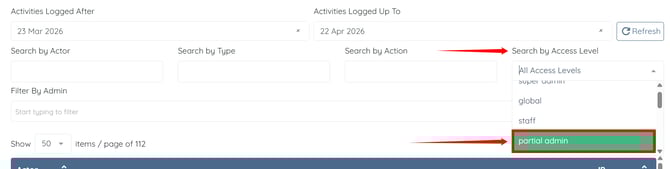
The activity logs will be filtered to display actions performed by partial admins.