![enginehire logo thin dark 1.0.png]](https://learn.enginehire.io/hs-fs/hubfs/enginehire%20logo%20thin%20dark%201.0.png?height=40&name=enginehire%20logo%20thin%20dark%201.0.png)
Let’s get started 🚀
Step 1: Navigate to:
More - Global Settings - Jobs - Shift Job Broadcast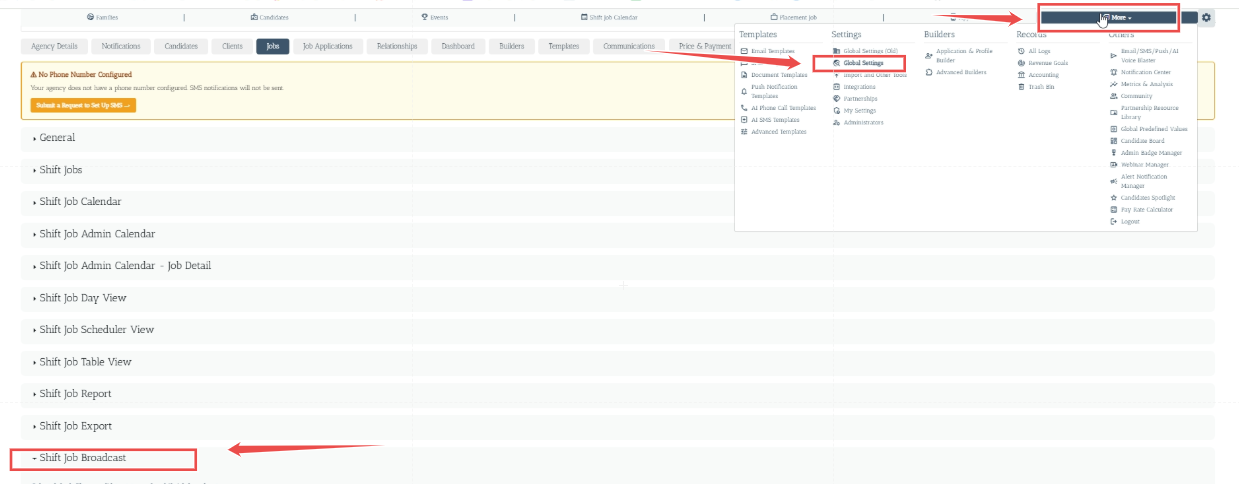
Step 2: Select the setting i.e. Default Filter Candidate Statuses for Shift Job Broadcast .

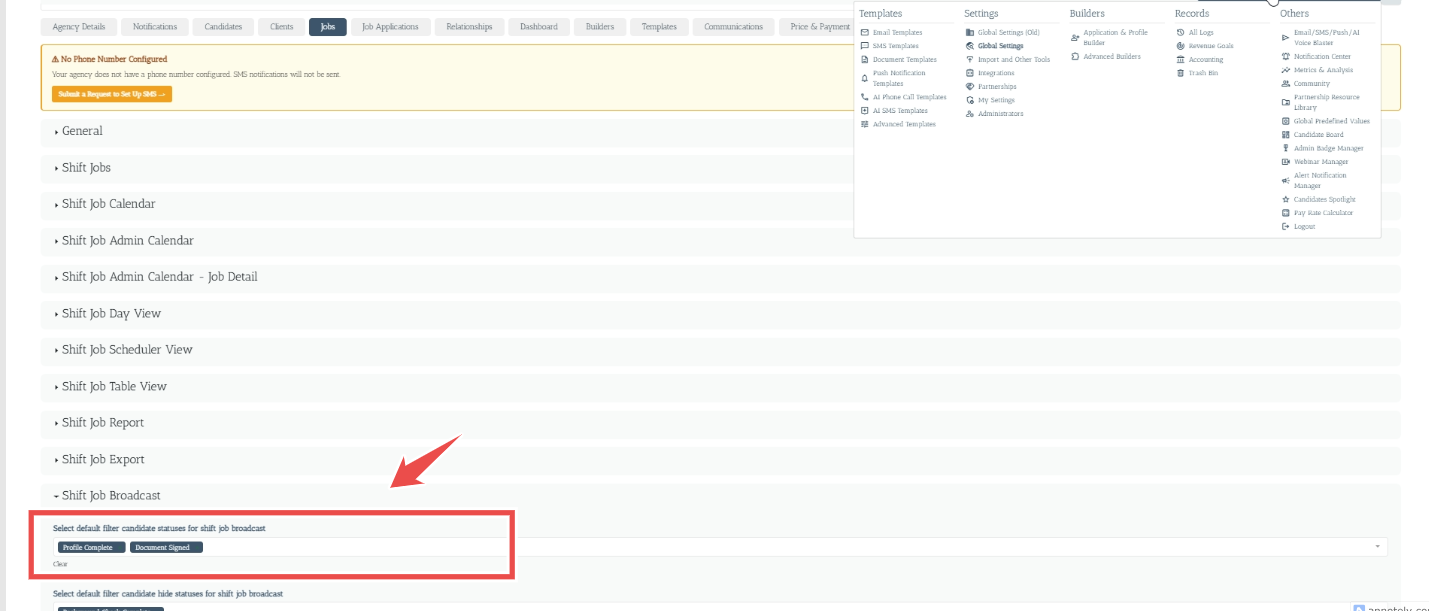
This setting allows administrators to select one or more candidate statuses that should be eligible to receive shift job broadcasts.
Example:
If the following statuses are selected:
- Profile Complete
- Document Signed
then the shift job broadcast will be sent only to candidates whose current status matches one of the selected statuses.
Candidates who do not have one of the selected statuses will not be included in the broadcast based on this filter.
Step 3: Select the setting i.e. Default Filter Candidate Hide Statuses for Shift Job Broadcast .


This setting allows administrators to specify candidate statuses that should be excluded from receiving shift job broadcasts.
Example:
If the following status is selected:
- Background Check Complete
then candidates who currently have the Background Check Complete status will be hidden/excluded from the shift job broadcast.
This provides an additional layer of control over the candidate audience.
By configuring these two settings appropriately, administrators can control the candidate audience for shift job broadcasts and ensure that job opportunities are communicated to the appropriate candidates.