![enginehire logo thin dark 1.0.png]](https://learn.enginehire.io/hs-fs/hubfs/enginehire%20logo%20thin%20dark%201.0.png?height=40&name=enginehire%20logo%20thin%20dark%201.0.png)
Let’s get started 🚀
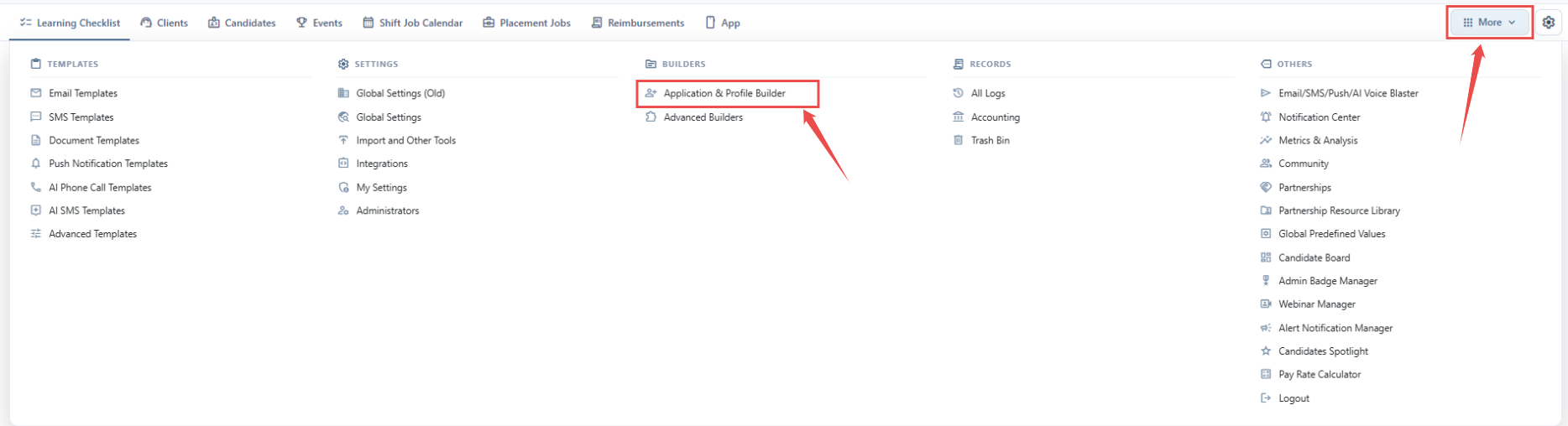
Step 1: Log in to the dashboard, navigate to More, and select Application & Profile Builder.
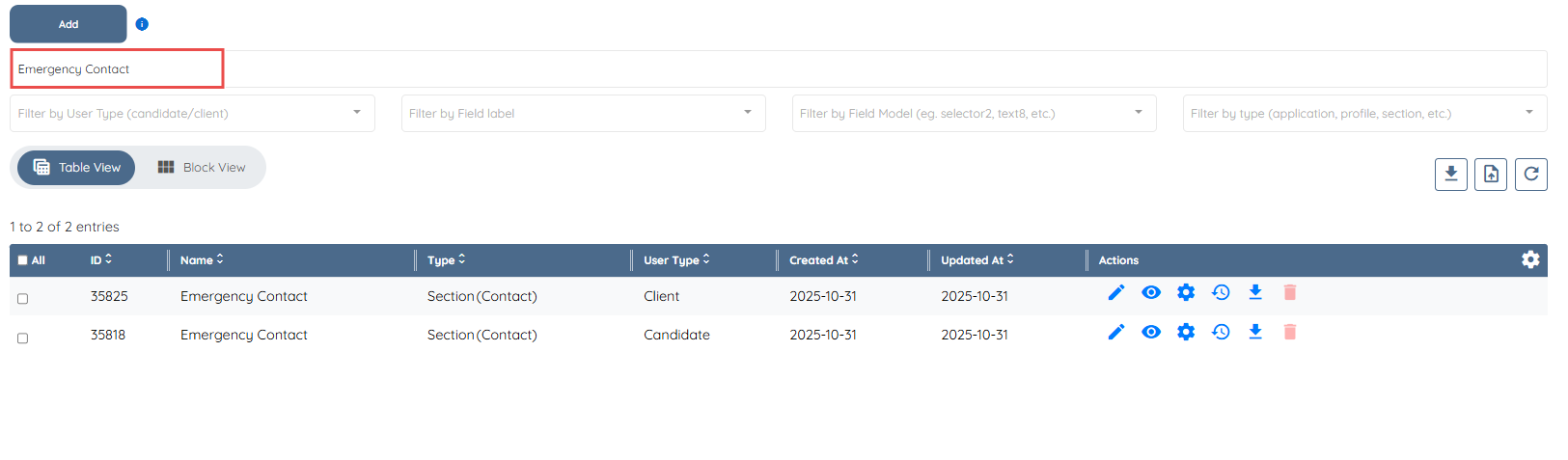
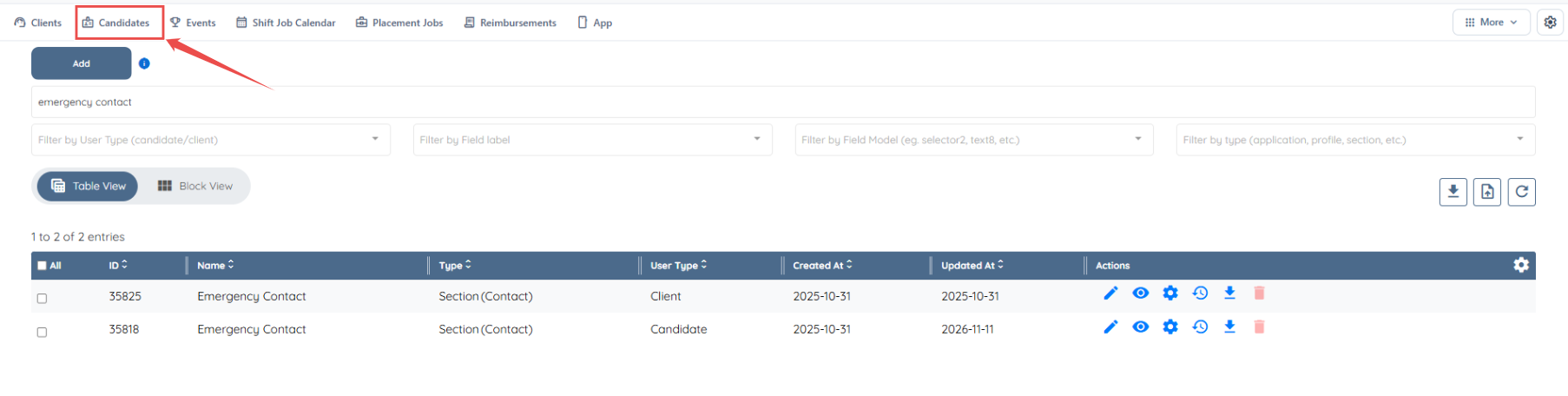
Step 2: Use the search bar to locate Emergency Contacts.
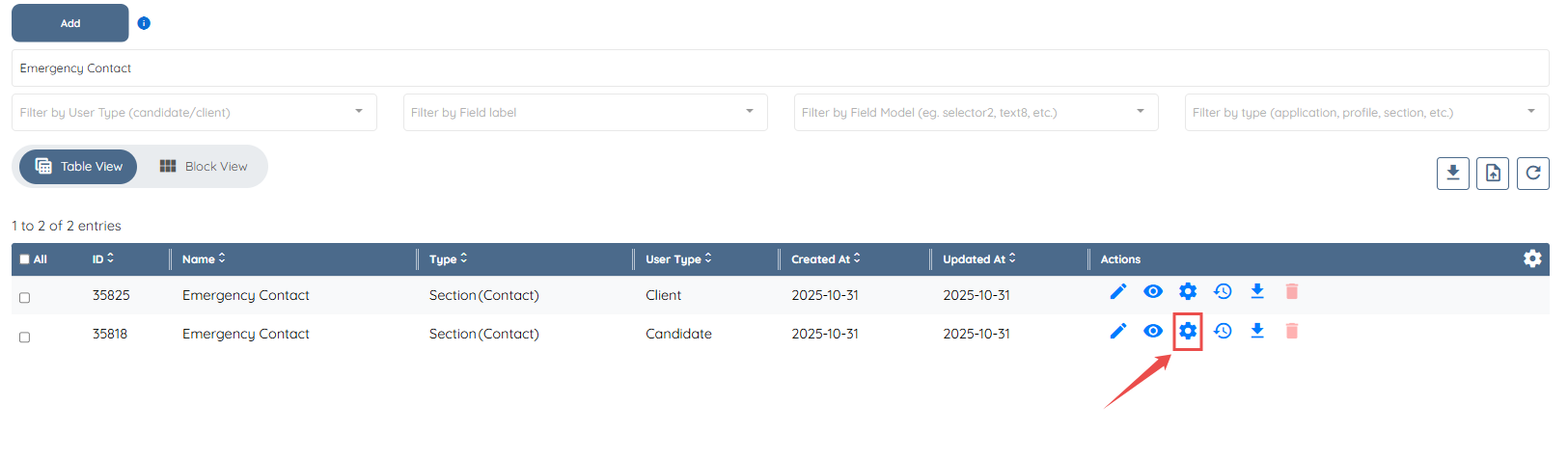
Step 3: Select the gear icon to adjust your settings.
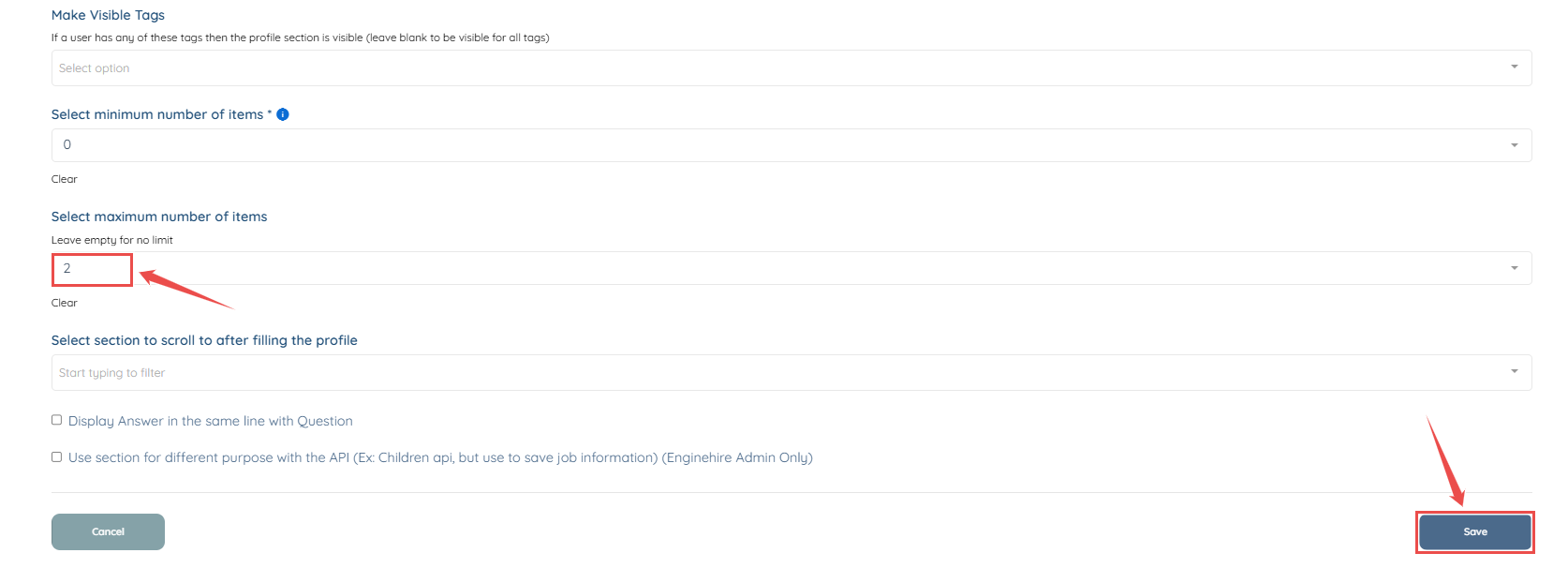
Step 4: Scroll down to view the setting Select maximum number of items.
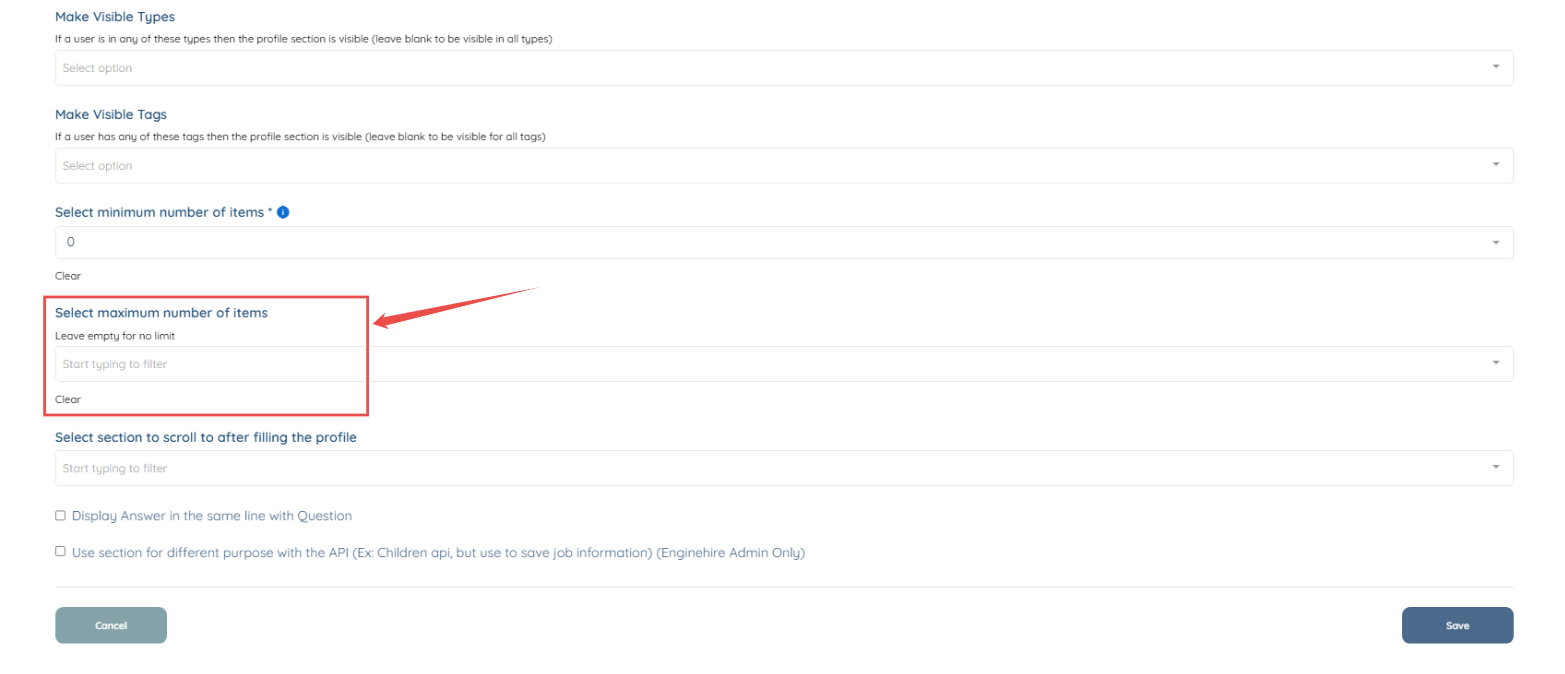
Step 5: Adjust the maximum limit in the drop-down menu to meet your requirements. Click on the Save button.
Step 6: Go to the Candidates tab and select a Candidate profile.
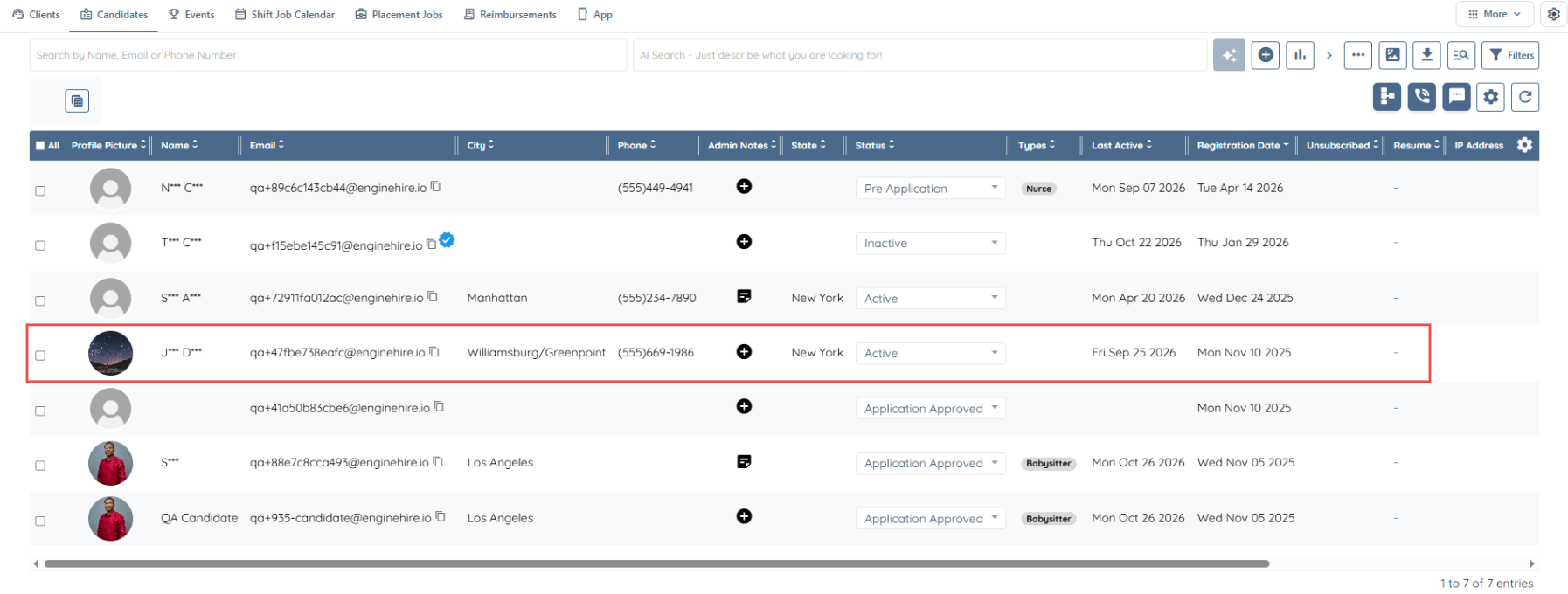
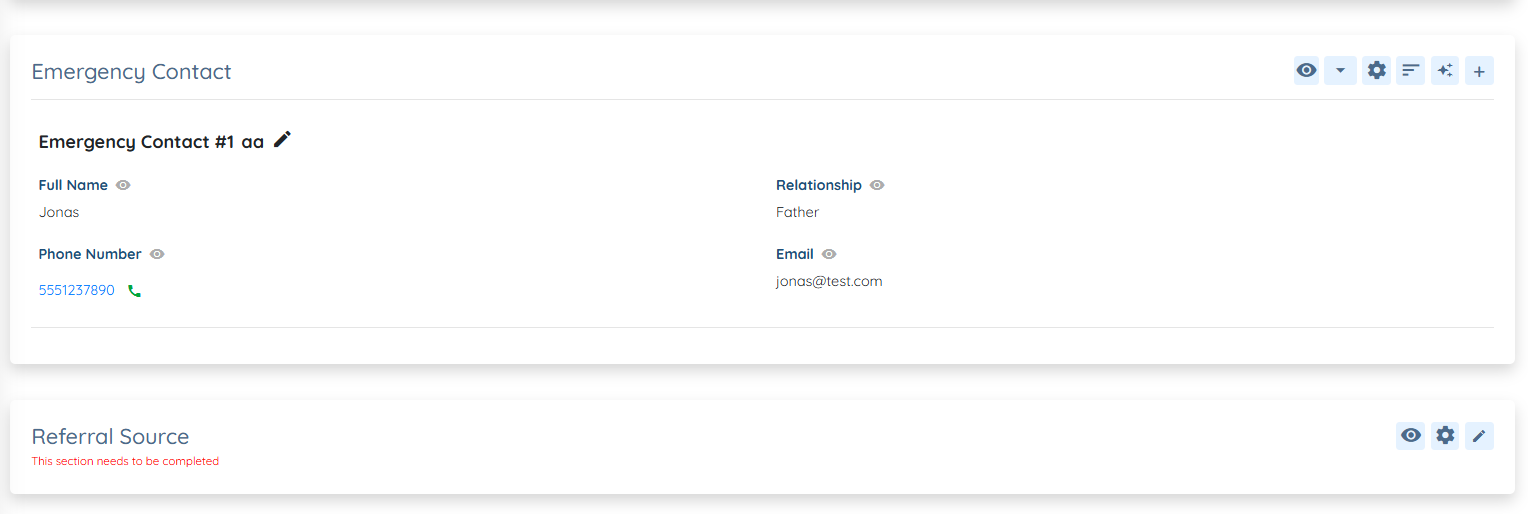
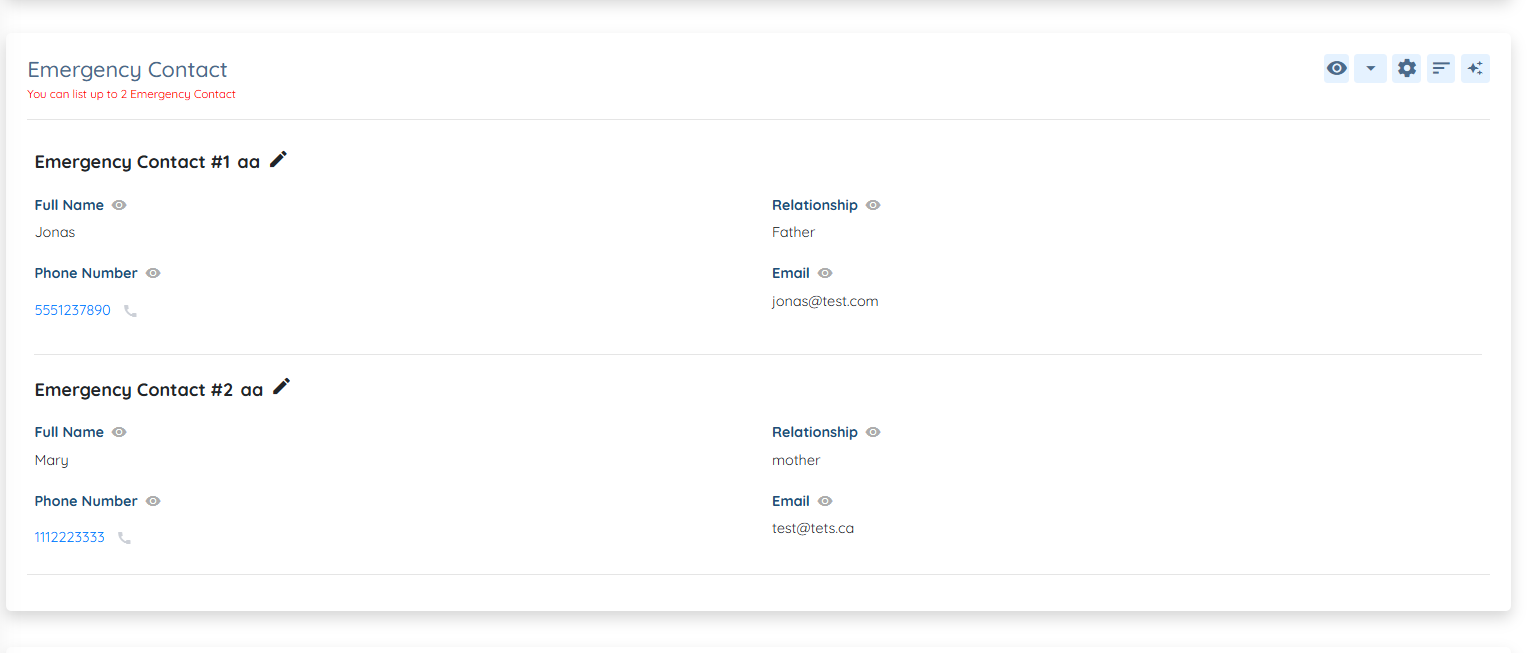
Step 7: Go to the Profile section and click on the Emergency Contacts.
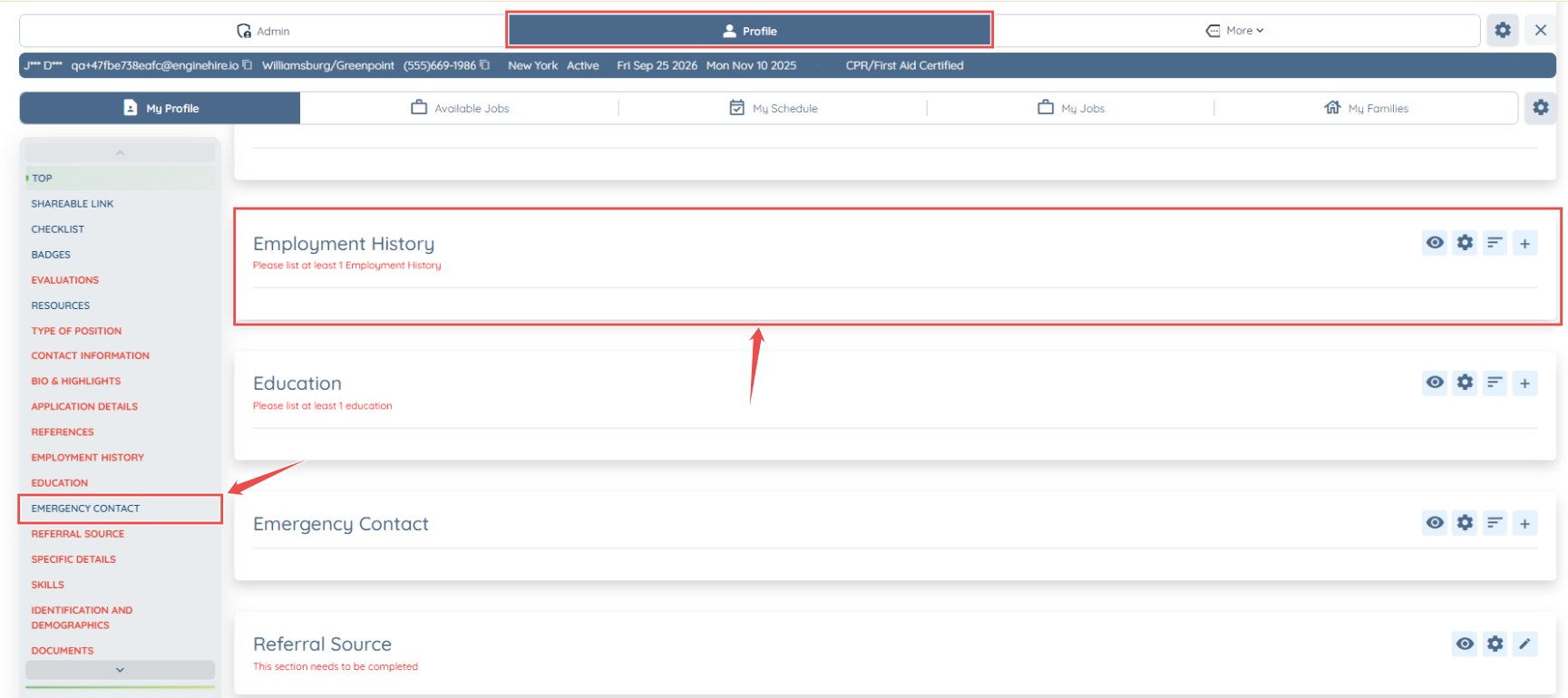
You are all set! We can only add up to 2 Emergency Contacts.
If you need any further assistance, feel free to contact our support team by clicking here: https://share.hsforms.com/1yIx2IRKyQQaVcMJW8kLbJg39wil