![enginehire logo thin dark 1.0.png]](https://learn.enginehire.io/hs-fs/hubfs/enginehire%20logo%20thin%20dark%201.0.png?height=40&name=enginehire%20logo%20thin%20dark%201.0.png)
Let’s get started 🚀
Create Video Interview Section
Create a custom video interview section with video-based questions for candidates.
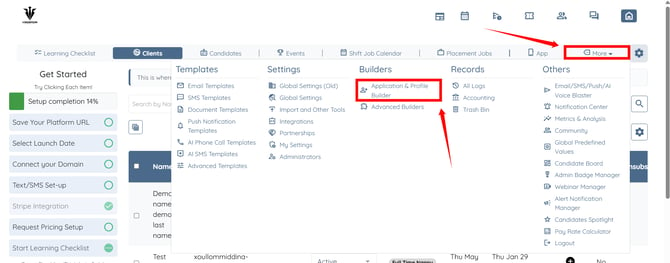
Step 1: Log in to your agent dashboard and click More > Application & Profile Builder as shown in the screenshot below.
Step 2: Click the Add button.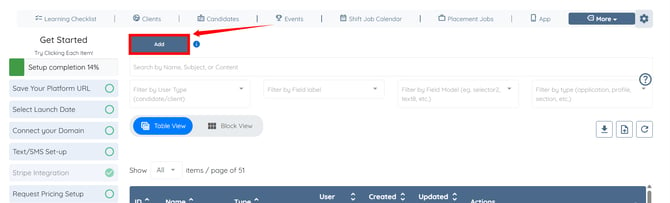
Step 3: Enter a name for your section. Then, select Section as the Builder Type and Candidate as the User Type. 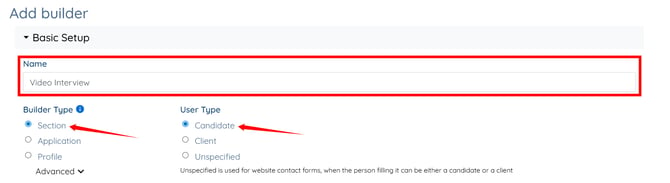
Step 4: Select General as the section type.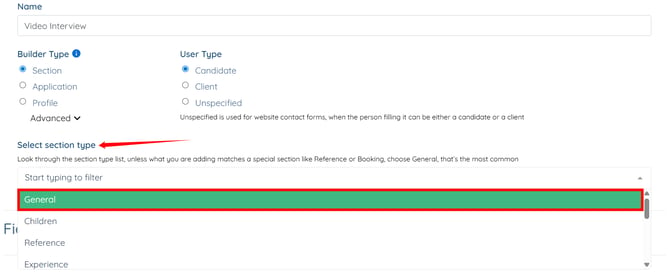
Step 5: Click the Add Field button to start adding video interview questions. 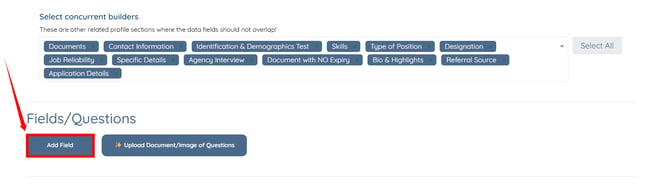
Step 6: Enter the question in the Field Label and copy the same question into the Profile Label field. 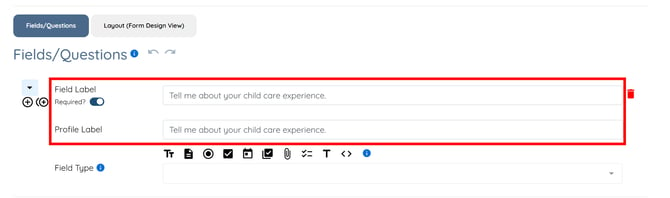
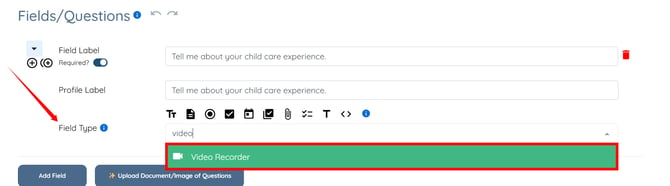
Step 7: Select the Video Recorder option from the dropdown list as the Field Type.
You need to select the Video Recorder option as the Field Type for all the questions you add.
Step 8: Select the Field Remark option from the dropdown list in the Additional Properties field.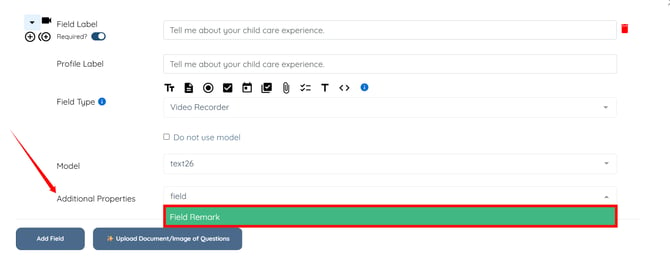
Step 9: Enter the Field Remark for the added question.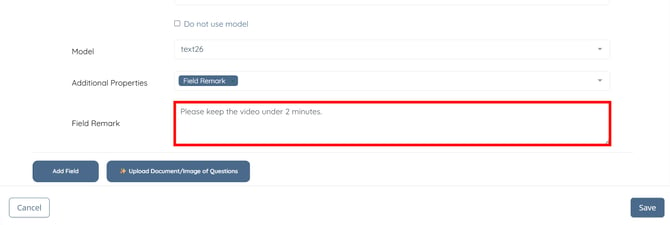
Step 10: After adding all the required questions, click the Save button.
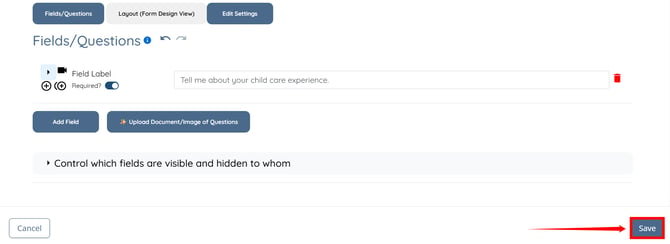
The video interview section will be created successfully.
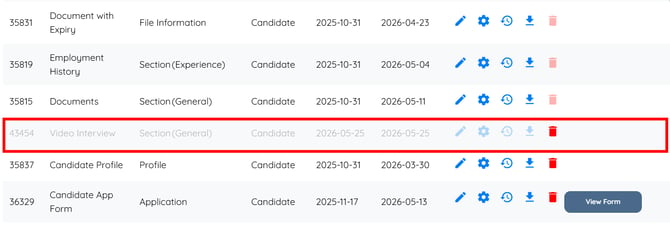
Add Video Interview Section to Candidate Profile
Add the created video interview section to the candidate profile and enable the public interview link.
Step 1: Click the Filter by type box to open the dropdown list.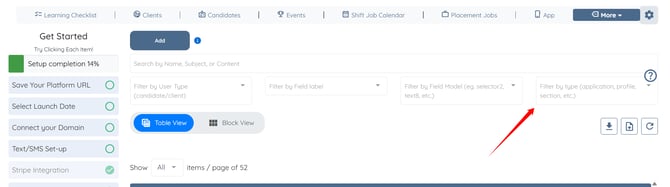
Step 2: Select the Profile option from the dropdown list.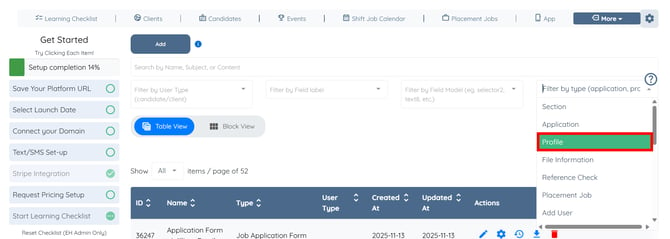
Step 3: Click the Candidate Profile builder to open it.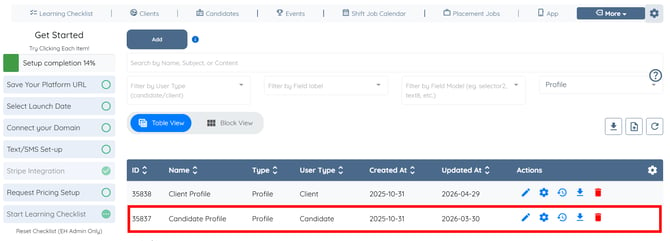
Step 4: Scroll to the bottom, and click the Add Field button.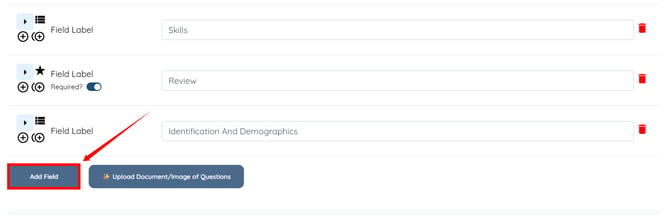
Step 5: Enter the Field Label and Profile Label.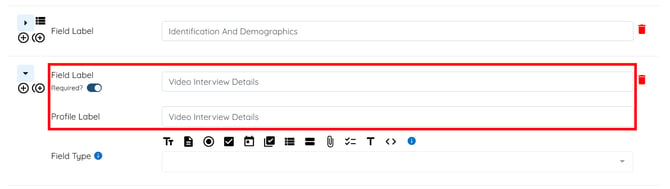
Step 6: Select Section from the dropdown list in the Field Type field.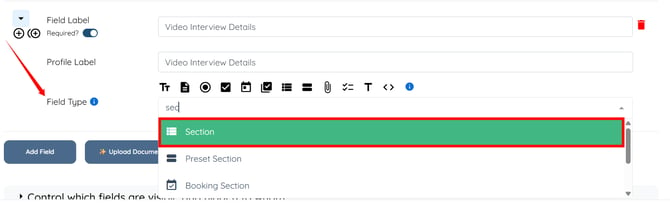
Step 7: Select the section you created for the video interview. In our case, it is Video Interview.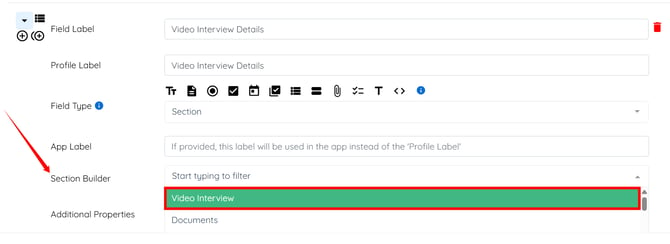
Step 8: Select the Show Public Form Link option from the dropdown list in the Additional Properties field. 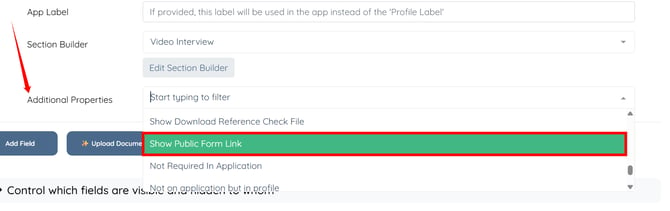
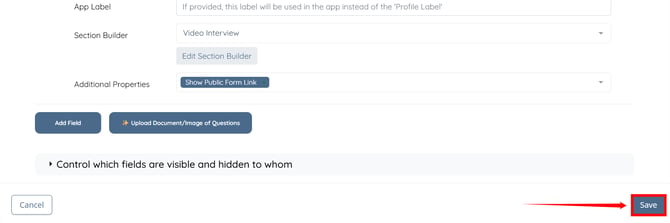
Step 9: Click the Save button.
Access the Video Interview Section
Access the video interview section, share the interview link with candidates, and collect video responses.
Step 1: On your agent dashboard, click the Candidates in the navigation bar. 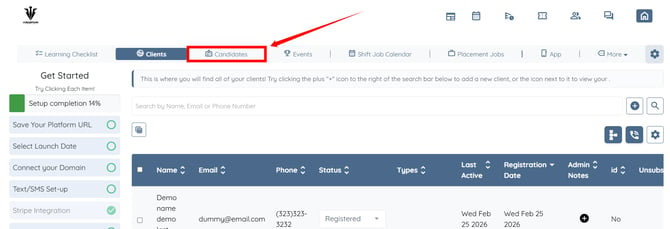
Step 2: Open any candidate from the list for whom you want to conduct the video interview. 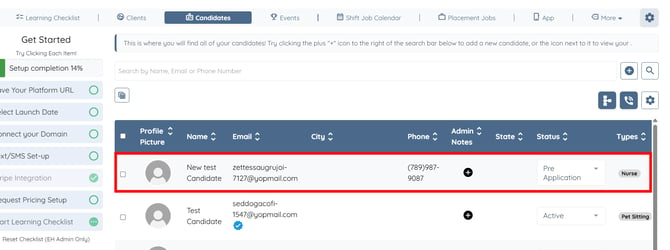
Step 3: Click the Profile tab to navigate to the candidate profile.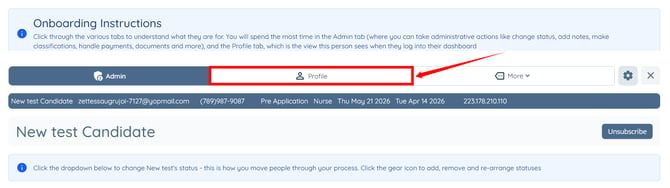
Step 4: Click the VIDEO INTERVIEW DETAILS option in the left-hand side menu.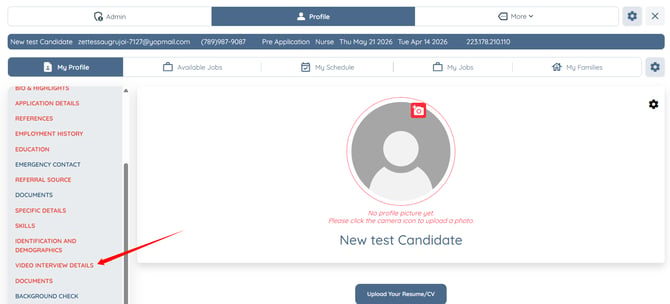
Step 5: Copy the interview link and share it with the candidate to complete the video interview. 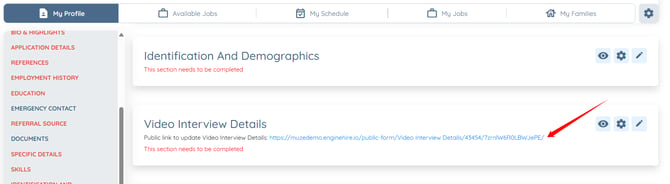
Candidates can record videos in real time using the Record Video button or upload previously recorded videos using the Upload Video button. 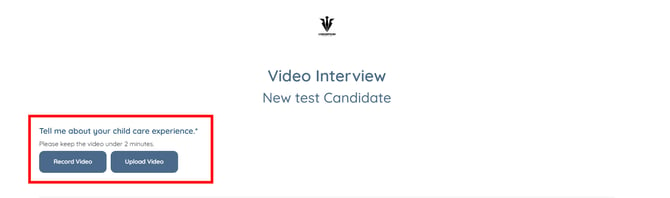
For demonstration purposes, we have used the Upload Video button to upload video responses for the interview questions. 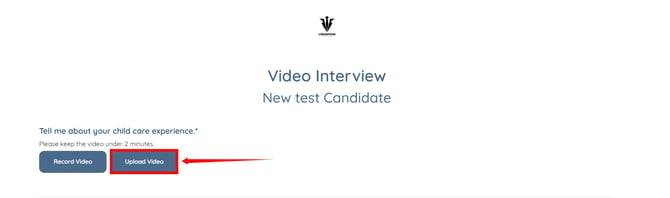
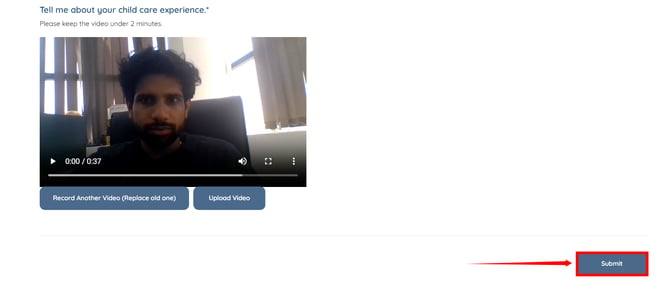
Step 6: Click the Submit button to proceed.
Run AI Analysis of Videos
Run AI analysis on submitted interview videos to review summaries, ratings, and recommendations.
Step 1: In the VIDEO INTERVIEW DETAILS section in the candidate profile, click the Run AI Analysis of Videos button.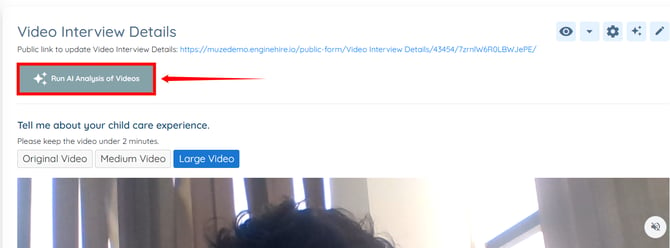
Step 2: After the AI video analysis is ready, click the View AI Analysis of Videos button.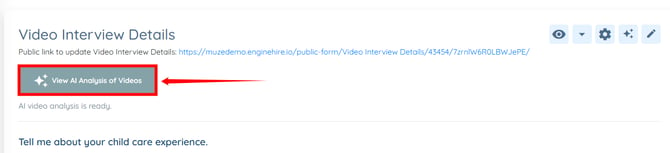
The AI analysis includes interview summaries, recommendations, and ratings based on communication, enthusiasm, and experience. It also provides detailed analysis for each candidate response, helping your team review and manage interview records more efficiently.
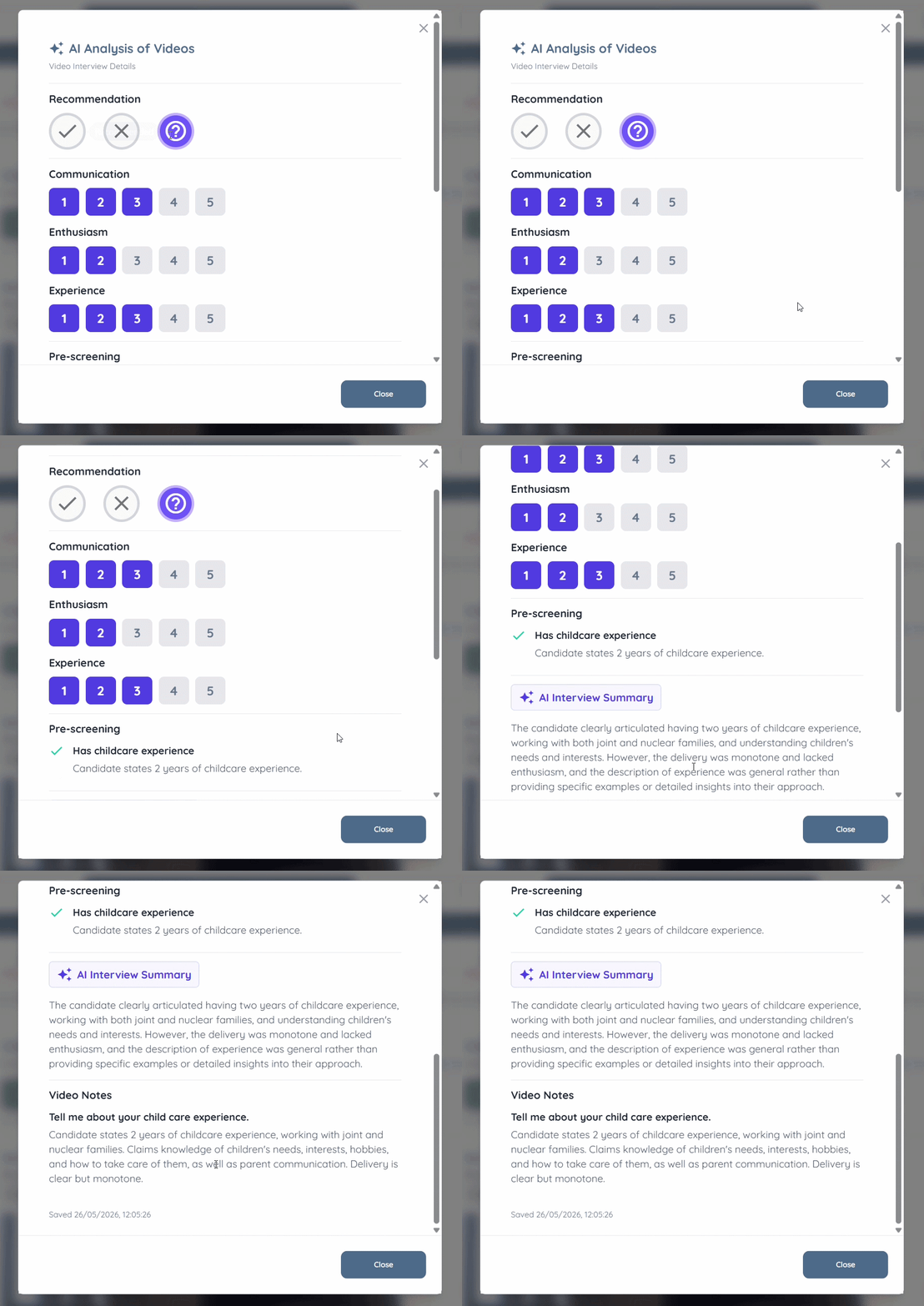
The AI analysis, interview recordings, summaries, and recommendations remain available in one place, creating a centralized interview record that the entire team can review whenever needed.
Setting up and configuring an AI Agent does not automatically activate it. After completing the configuration, please contact Support to have your system connected to the AI Agent and complete the activation process.