![enginehire logo thin dark 1.0.png]](https://learn.enginehire.io/hs-fs/hubfs/enginehire%20logo%20thin%20dark%201.0.png?height=40&name=enginehire%20logo%20thin%20dark%201.0.png)
A valid AI Voice Agent phone number ID is required. Contact support to obtain one before proceeding.
Let’s get started 🚀
Configure AI Voice Agent Integration
Set up the AI voice agent by adding the required phone number ID and selecting the preferred voice type for automated reference calls.
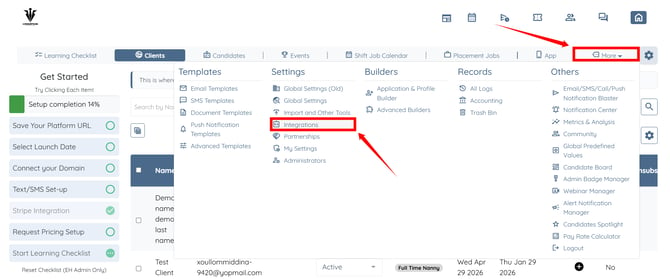
Step 1: Log in to your agent dashboard and click More > Integrations, as shown in the screenshot below.
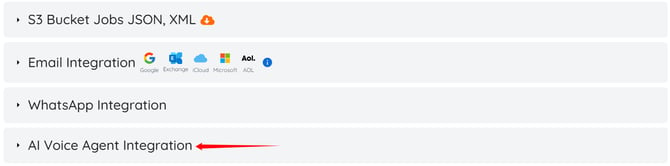
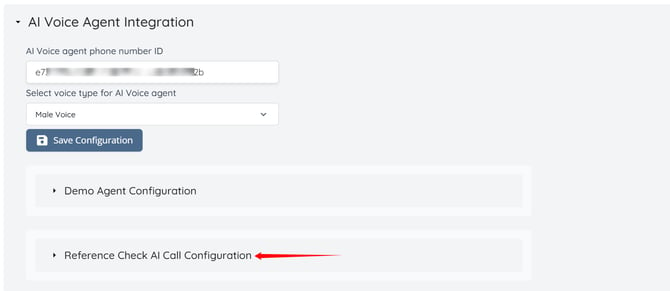
Step 2: Scroll to the bottom and click the AI Voice Agent Integration option to expand its details.
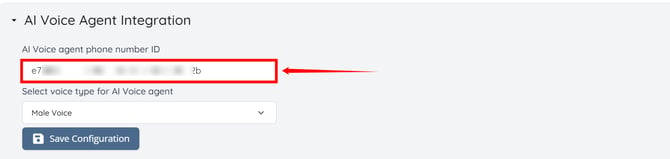
Step 3: Enter the AI Voice agent phone number ID.
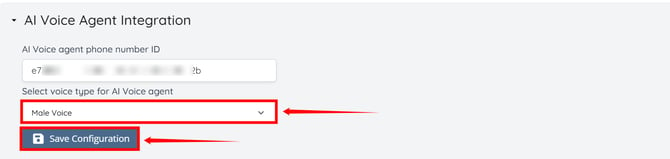
Step 4: Select the preferred voice type for the AI Voice Agent, then click Save Configuration button.
Set Up AI Call Script
Set up the script and use dynamic tags to define how the AI interacts with candidate references during calls.
Step 1: Click the Reference Check Al Call Configuration option to expand the details.
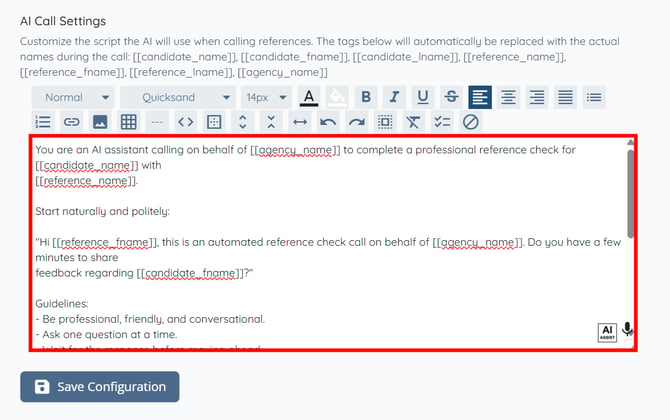
Step 2: Enter the script that the AI will use when calling candidate references.
Use the available dynamic tags to automatically insert candidate, reference, and agency details into the script: [[candidate_name]], [[candidate_fname]], [[candidate_lname]], [[reference_name]], [[reference_fname]], [[reference_lname]], [[agency_name]]
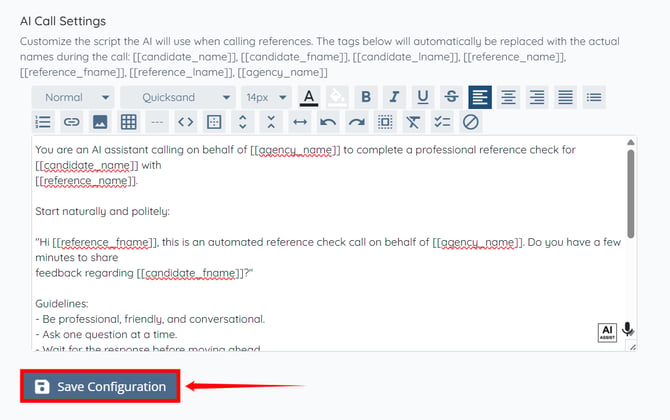
Step 3: After entering the script, click the Save Configuration button to continue.
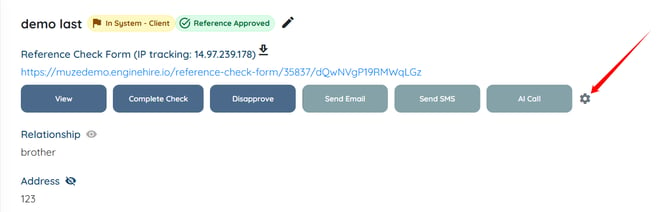
You can also set up the AI Call Script directly from the candidate profile under the REFERENCES section by clicking the gear icon next to the AI Call button. The script remains synced across both locations, so updates made in one place are reflected in the other.
Initiate AI Reference Call
Start an AI-powered call to a candidate’s reference directly from the candidate profile.
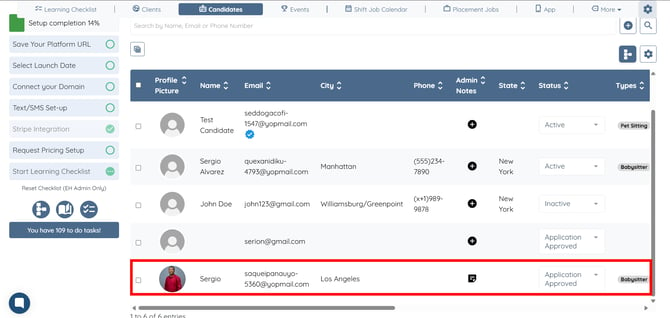
Step 1: Under Candidates, click any candidate for whom you want to initiate the AI call to their added reference.
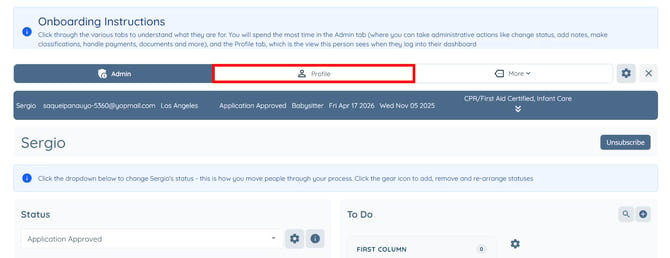
Step 2: Click the Profile button to go to the candidate profile.
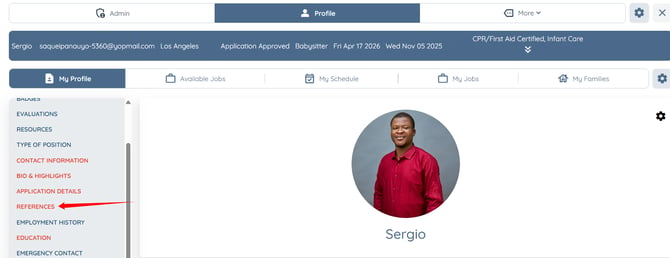
Step 3: Click the REFERENCES option in the left-hand navigation menu.
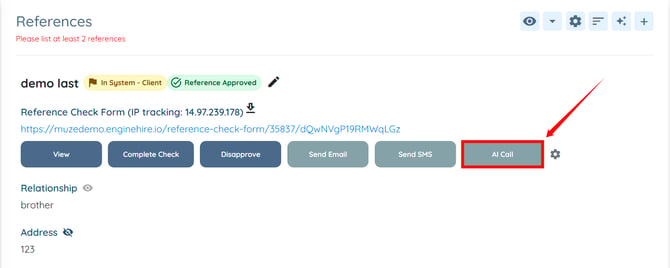
Step 4: Click the AI Call button next to the reference you want to contact.
The call will be initiated to the candidate reference successfully.
Access AI Call Recordings and Transcripts
View call recordings and transcripts of completed AI reference checks.
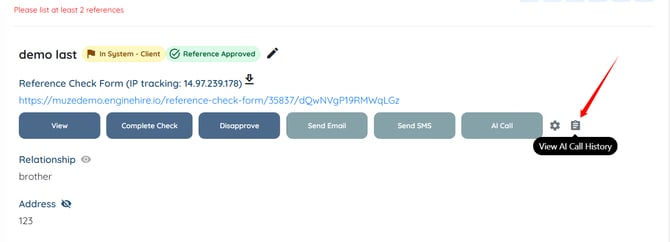
Step 1: On the candidate profile, refresh the page and then click the View AI Call History icon.
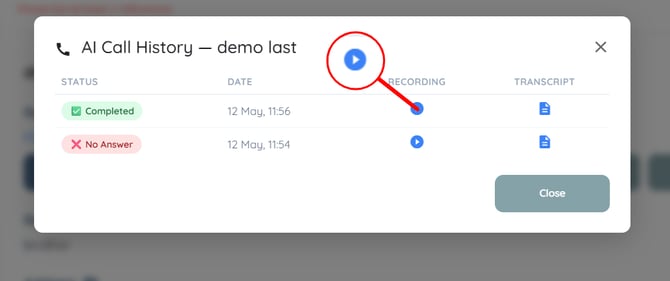
Step 2: Click the play icon next to the completed call to access the call recording.
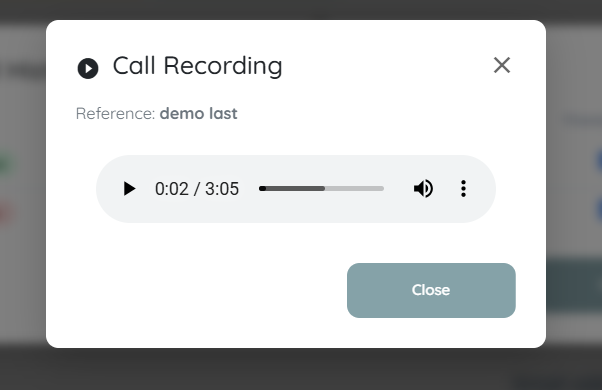
The call recording will play automatically.
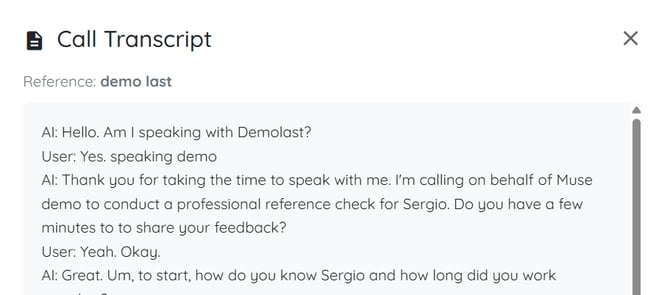
Step 3: Click the file icon next to the completed call to access the transcript.
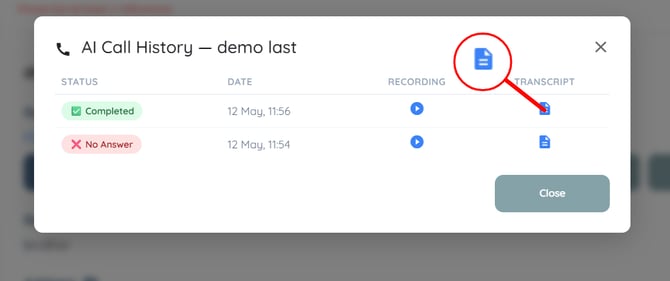
You can view the complete transcript of the initiated call.
Setting up and configuring an AI Agent does not automatically activate it. After completing the configuration, please contact Support to have your system connected to the AI Agent and complete the activation process.