![enginehire logo thin dark 1.0.png]](https://learn.enginehire.io/hs-fs/hubfs/enginehire%20logo%20thin%20dark%201.0.png?height=40&name=enginehire%20logo%20thin%20dark%201.0.png)
Let’s get started 🚀
Enable AI Receptionist
Enable and configure the AI receptionist to handle incoming candidate calls automatically.
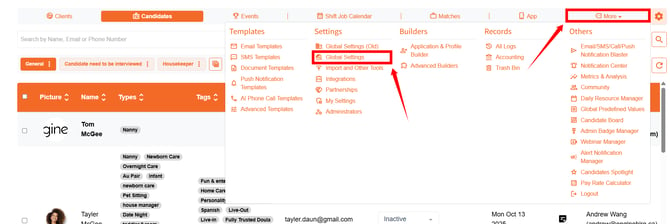
Step 1: Log in to your agent dashboard and click More > Global Settings, as shown in the screenshot below.
Step 2: Scroll to the bottom and click the Trigger a Call to the Candidate when a new Candidate is added option to expand its details.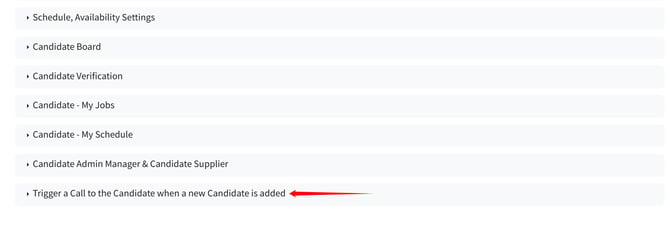
Step 3: Check the Enable trigger an AI Voice call when new candidate is created checkbox.
Step 4: Enter the email address where you want to receive a notification when a candidate completes a call. 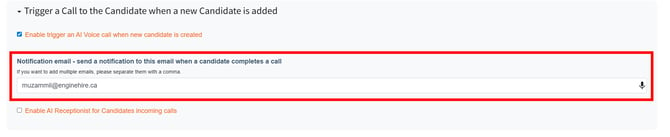
Step 5: Check the Enable Al Receptionist for Candidates incoming calls checkbox.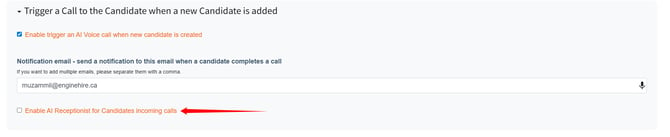
Step 6: Enter details about your agency and define how you want the AI receptionist to interact with candidates during calls.
The settings will be saved automatically.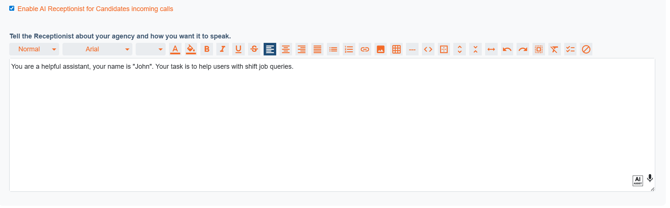
Candidates can now call the agency and receive assistance for shift-related queries through the AI receptionist.
Check AI Call Records
View all the inbound calls handled by the AI receptionist.
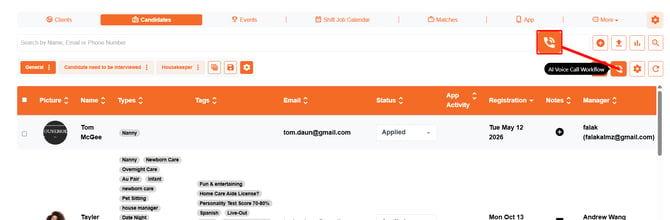
Step 1: On your agent dashboard, click the AI Voice Call Workflow button under the Candidates section.
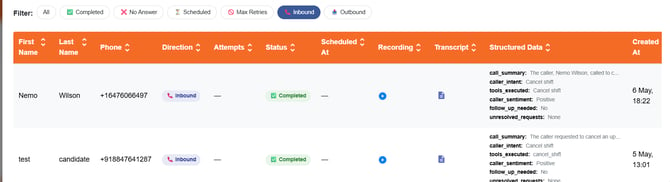
Step 2: Click the Inbound option to filter calls handled by the AI receptionist.
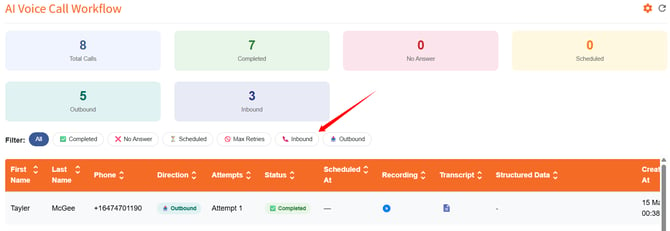
The call records display all inbound calls handled by the AI receptionist.