![enginehire logo thin dark 1.0.png]](https://learn.enginehire.io/hs-fs/hubfs/enginehire%20logo%20thin%20dark%201.0.png?height=40&name=enginehire%20logo%20thin%20dark%201.0.png)
Let’s get started 🚀
Step 1: Log in to your agent dashboard and click More > Document Templates as shown in the screenshot below.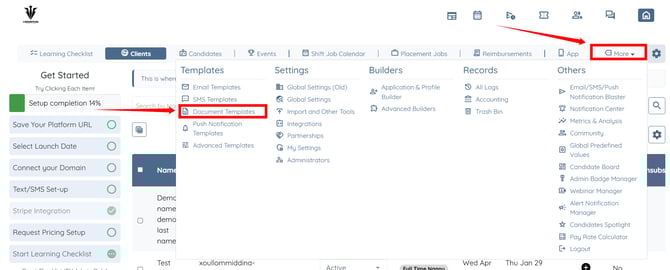
Step 2: Click the pencil icon corresponding to the document template for which you want to enable the “Expire if unsigned” setting. 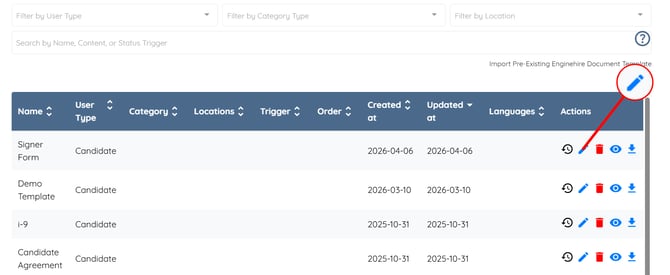
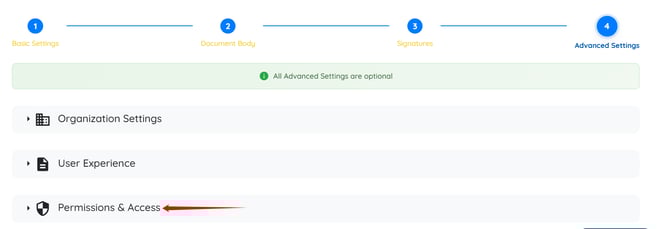
Step 3: Click the Advanced Settings option. 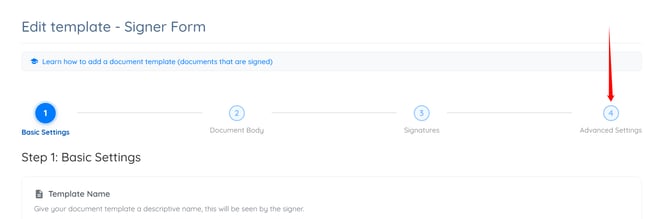
Step 4: Click the Permissions & Access option to expand its details.
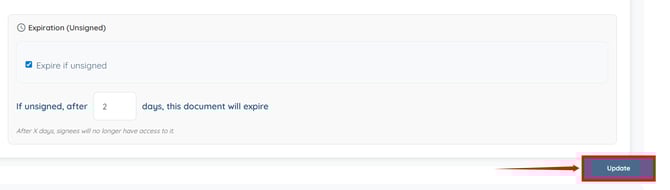
Step 5: Check the Expire if unsigned checkbox.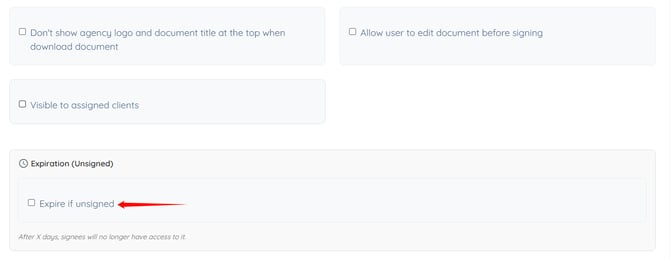
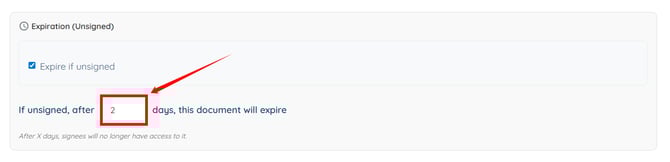
Step 6: Enter the number of days after which the document should expire if not signed.
Step 7: Click the Update button to save your changes.