![enginehire logo thin dark 1.0.png]](https://learn.enginehire.io/hs-fs/hubfs/enginehire%20logo%20thin%20dark%201.0.png?height=40&name=enginehire%20logo%20thin%20dark%201.0.png)
Let’s get started 🚀
Step 1: Log in to your agent dashboard and click More > Global Settings, as shown in the screenshot below. 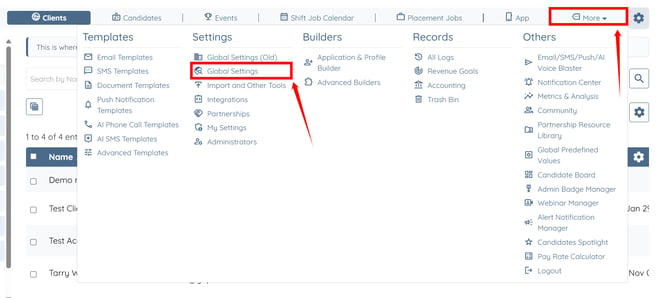
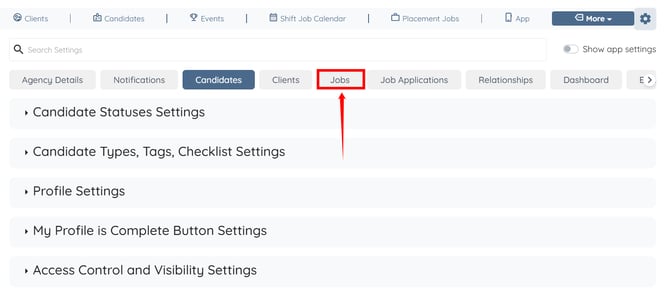
Step 2: Click the Jobs tab in the list of all available tabs.
Step 3: Click the Cancel Shift Job option to expand its details. 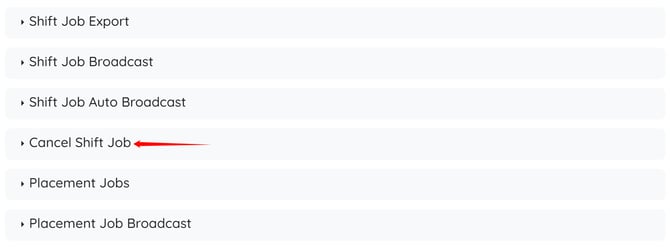
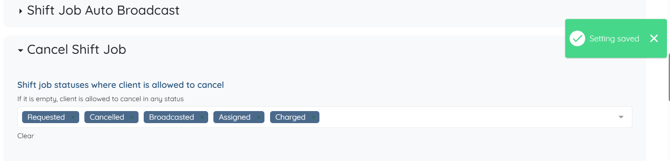
Step 4: Select the job status that allows the client to cancel the job.
Leave the status selection empty to allow clients to cancel in any status. When no statuses are selected, the Cancel button is not restricted by status and remains accessible in all scenarios.
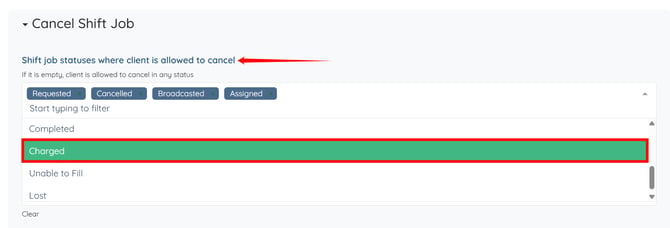
The settings will be saved automatically.