![enginehire logo thin dark 1.0.png]](https://learn.enginehire.io/hs-fs/hubfs/enginehire%20logo%20thin%20dark%201.0.png?height=40&name=enginehire%20logo%20thin%20dark%201.0.png)
Let’s get started 🚀
Step 1: Log in to your agent dashboard and click More > Global Settings as shown in the screenshot below.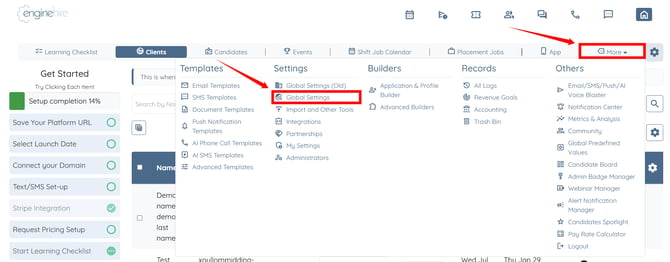
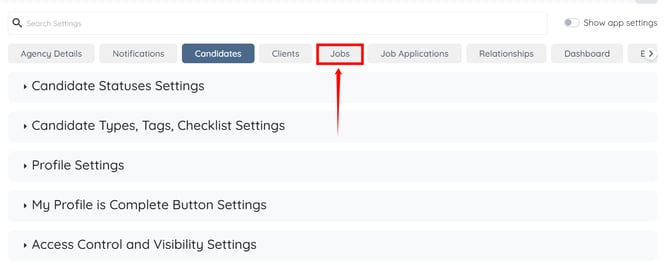
Step 2: Click the Jobs tab from the available tabs.
Step 3: Scroll down and click the Detail Shift Job Page option to expand and view its details. 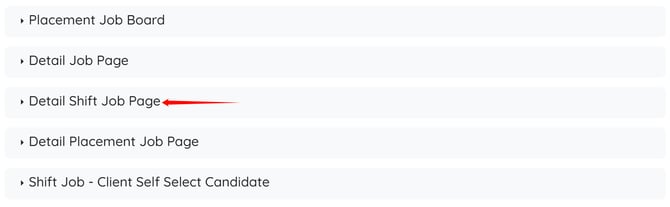
Step 4: Click the box under the Select Fields of Client Shift Job Profile field to open the dropdown list.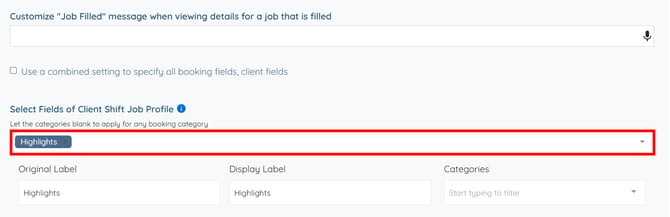
Step 5: Select the field(s) that you want to display on shift jobs. 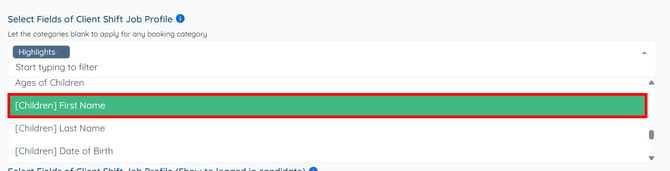
The settings will be saved automatically.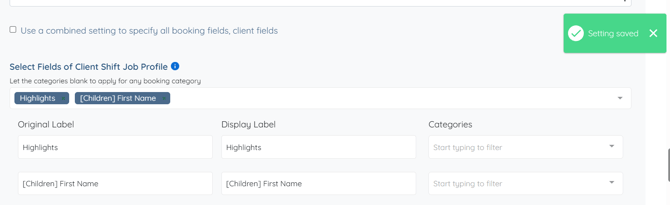
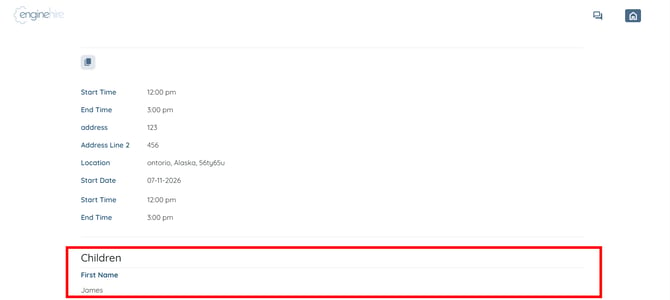
The selected fields from the client shift job profile will be displayed on shift jobs.