![enginehire logo thin dark 1.0.png]](https://learn.enginehire.io/hs-fs/hubfs/enginehire%20logo%20thin%20dark%201.0.png?height=40&name=enginehire%20logo%20thin%20dark%201.0.png)
Let’s get started 🚀
Step 1: Log in to your agent dashboard and click on Placement Jobs in the navigation bar. 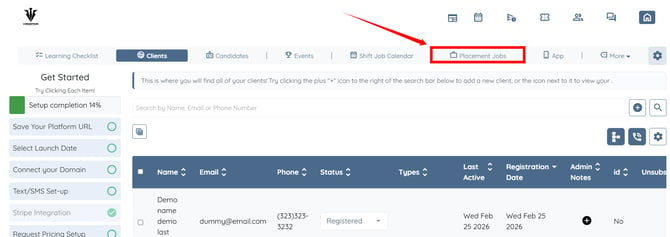
Step 2: Click the View Applicants button for the placement job in which you want to schedule an event with any candidate.
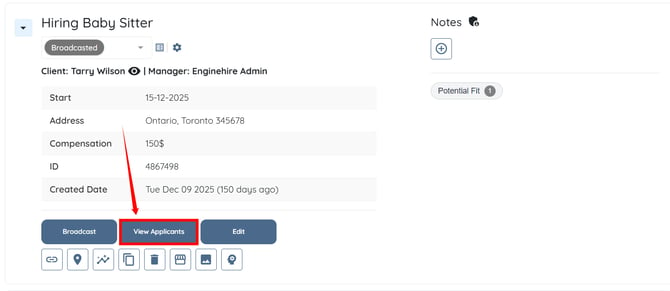
Step 3: Click the corresponding Schedule Event button for the candidate with whom you want to schedule an event. 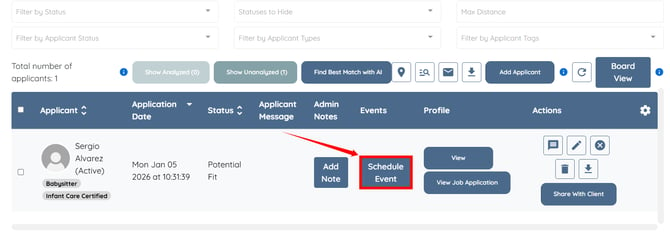
Step 4: Enter all the required details to schedule an event, including Event Title, Event Type, Date, Time, and Timezone.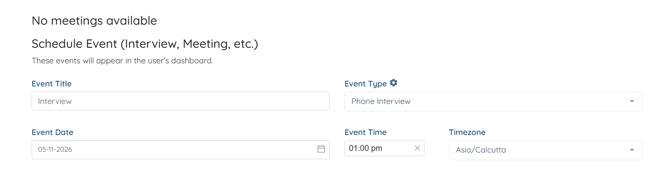
Step 5: Scroll down and click the Schedule Event button.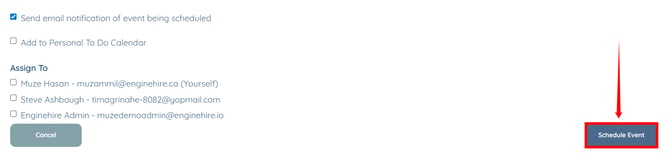
The event will be scheduled successfully with the selected applicant.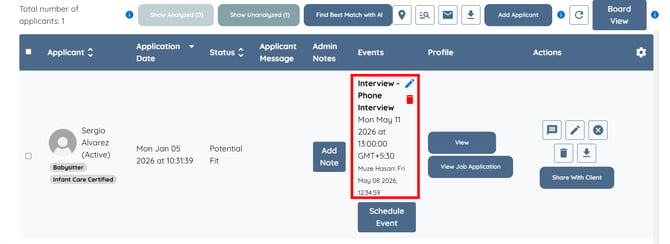
Step 6: Click the View button in the Profile column to navigate to the applicant’s profile. 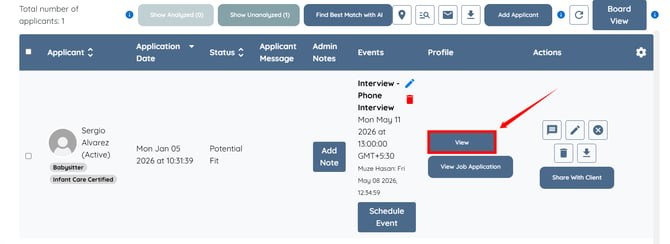
Step 7: Click the EVENTS option in the left-hand side navigation bar.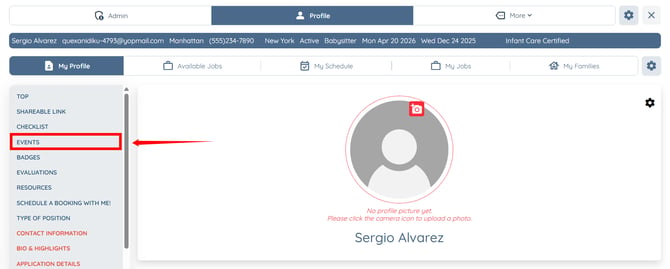
On the applicant side, the scheduled event will display the same time zone that you set.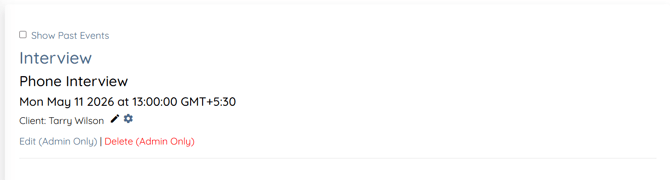
The timezone selected while scheduling the event is automatically applied to the applicant side.