![enginehire logo thin dark 1.0.png]](https://learn.enginehire.io/hs-fs/hubfs/enginehire%20logo%20thin%20dark%201.0.png?height=40&name=enginehire%20logo%20thin%20dark%201.0.png)
Let’s get started 🚀
Step 1: Log in to your agent dashboard, and click Candidates in the navigation bar.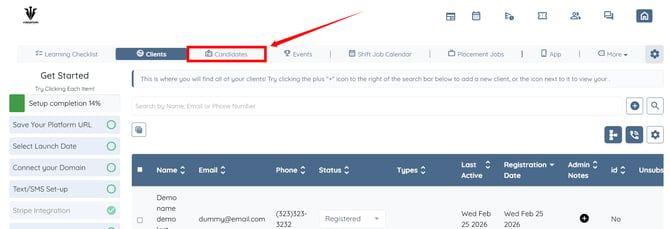
Step 2: Open any candidate from the list for whom you want to run the AI video analysis. 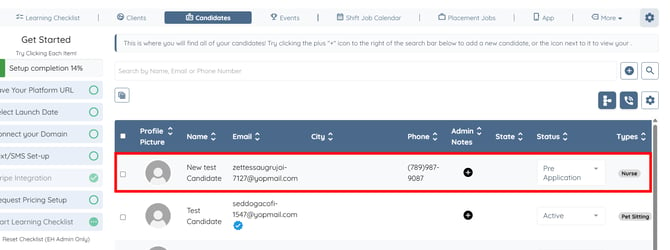
Step 3: Click the Profile tab to navigate to the candidate profile.
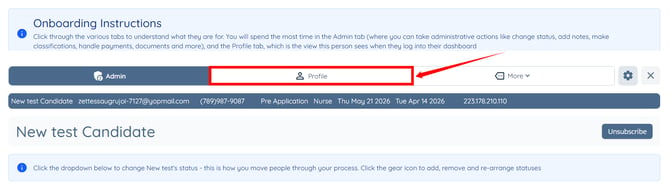
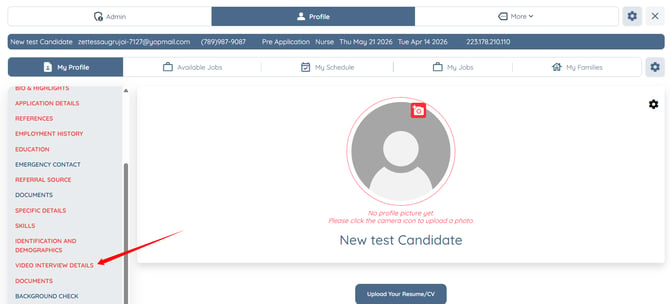
Step 4: Click the VIDEO INTERVIEW DETAILS option in the left-hand side menu.
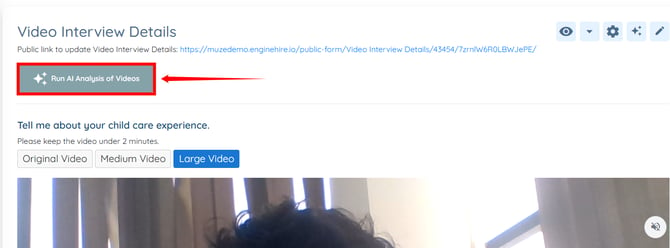
Step 5: Click the Run AI Analysis of Videos button.
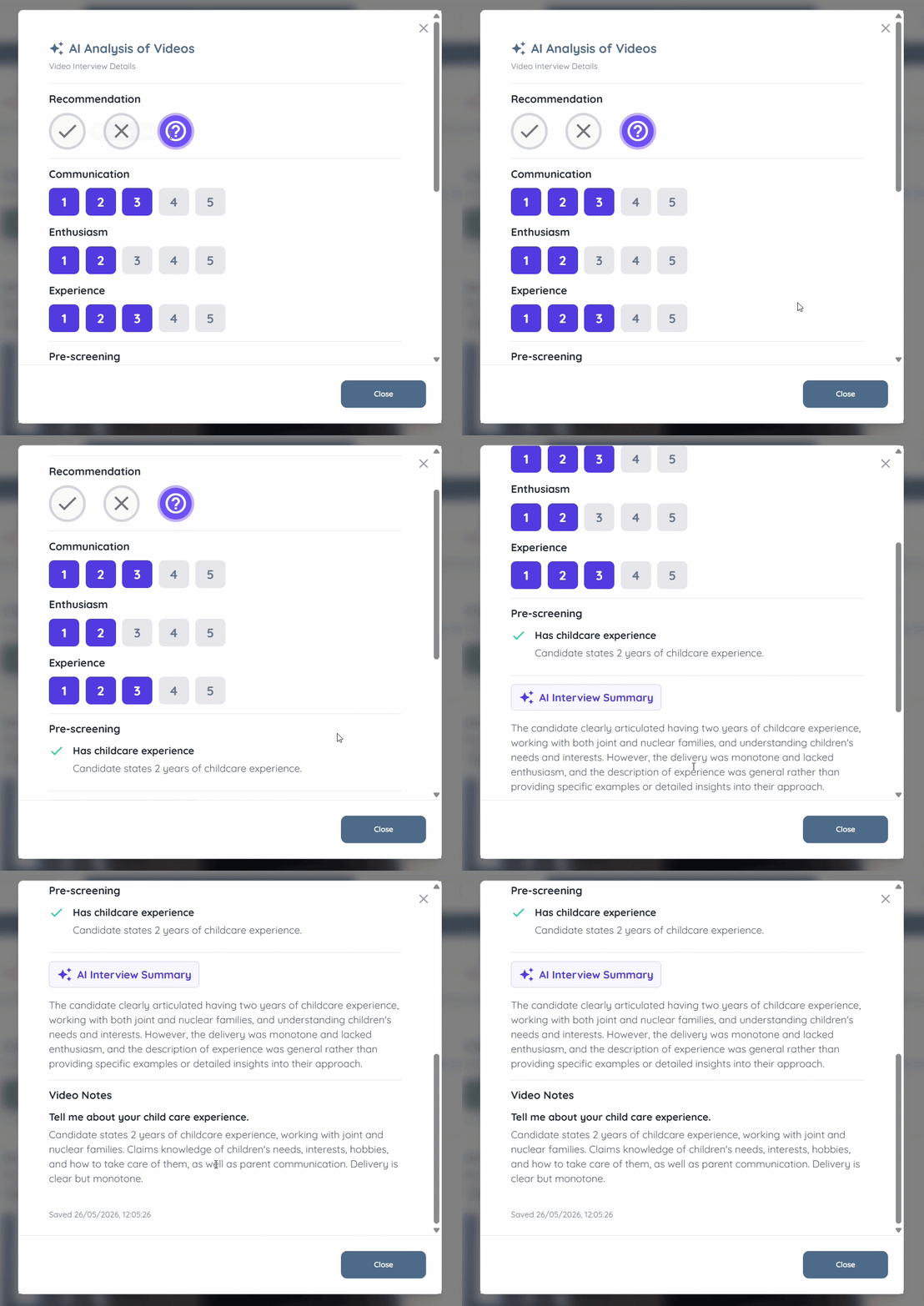
Step 6: After the AI video analysis is completed, click the View AI Analysis of Videos button. 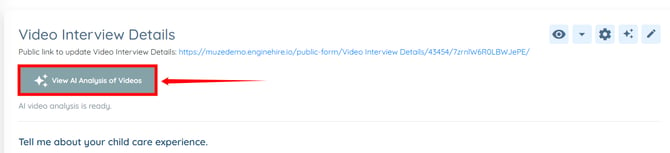
The AI analysis includes interview summaries, recommendations, and ratings based on communication, enthusiasm, and experience. It also provides detailed analysis for each candidate response, helping your team review candidate interviews more efficiently.