![enginehire logo thin dark 1.0.png]](https://learn.enginehire.io/hs-fs/hubfs/enginehire%20logo%20thin%20dark%201.0.png?height=40&name=enginehire%20logo%20thin%20dark%201.0.png)
Configure notification settings on the partner agency side to ensure shared profile notifications are received.
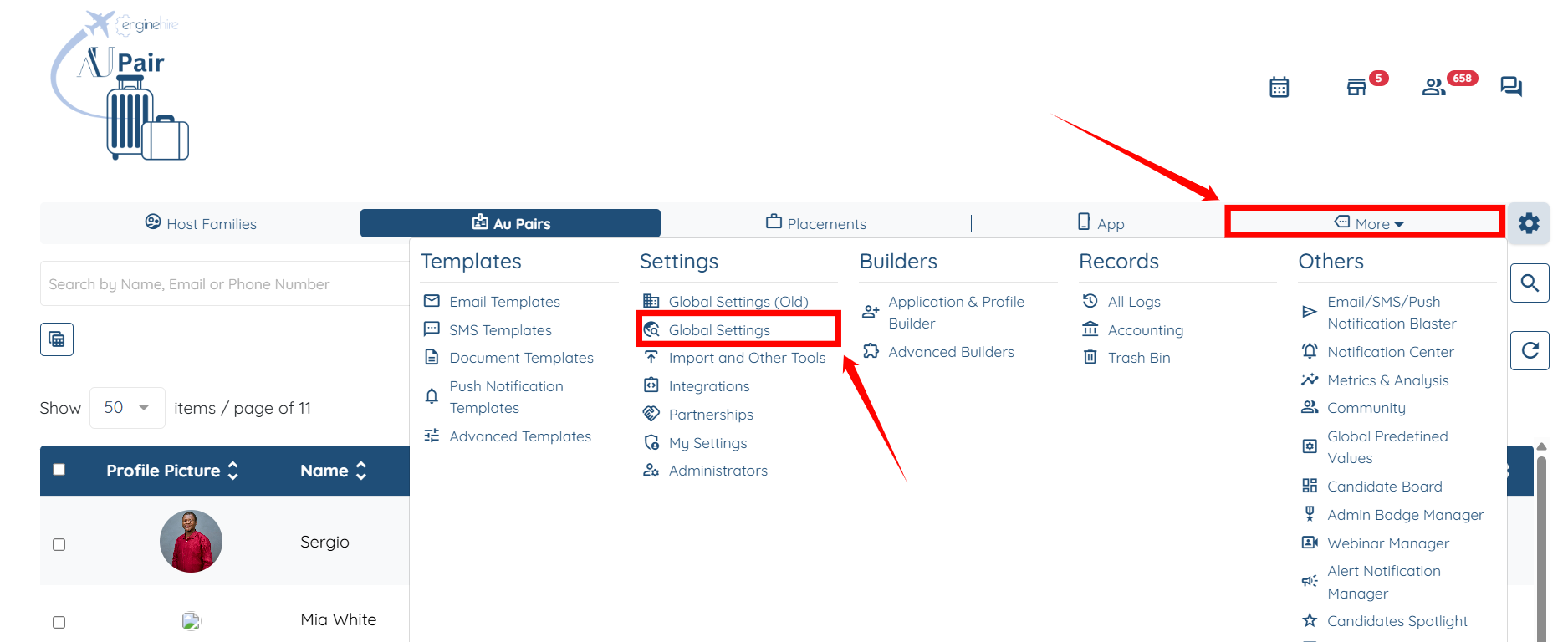
Step 1: Log in to the agent dashboard, then click More > Global Settings as shown in the screenshot below.
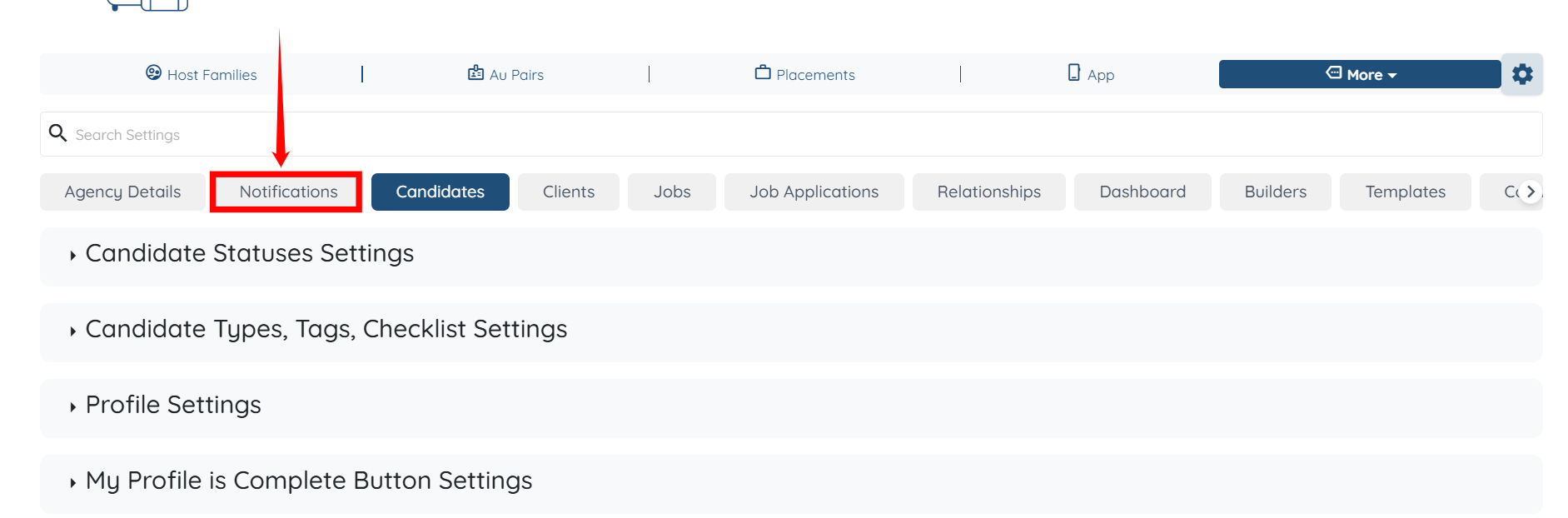
Step 2: Click the Notifications tab from the available tabs.
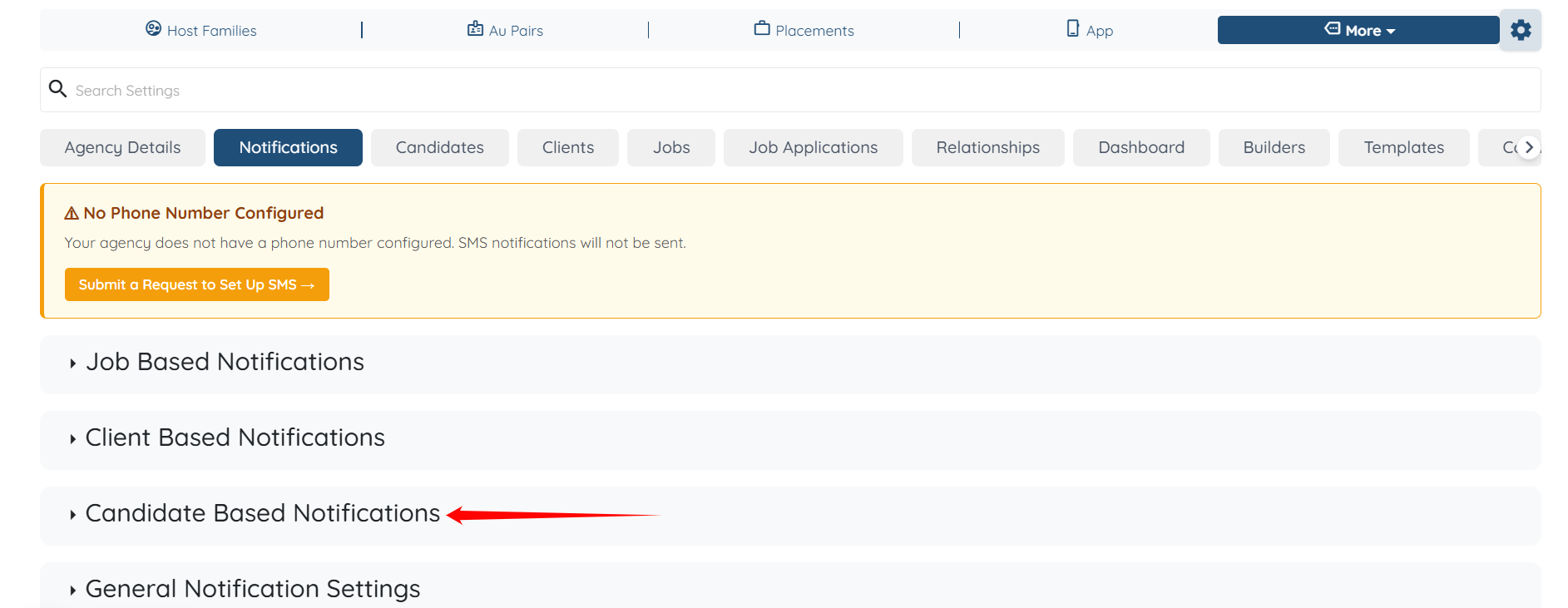
Step 3: Click the Candidate Based Notifications option to expand it and view its details.
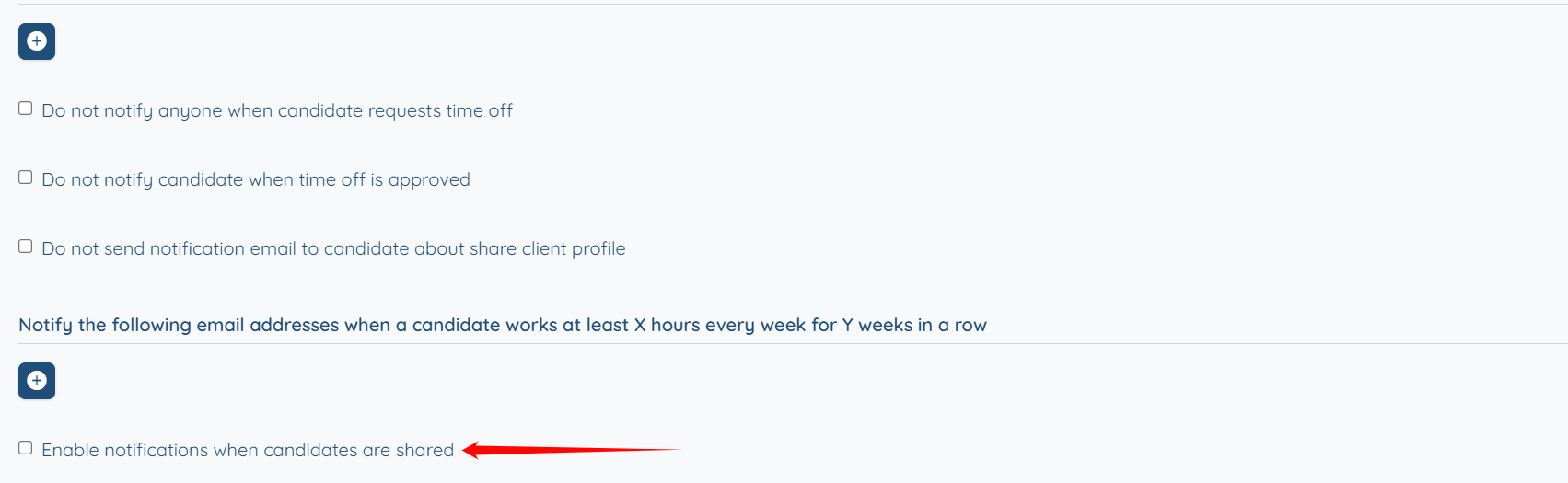
Step 4: Check the Enable notifications when candidates are shared checkbox.
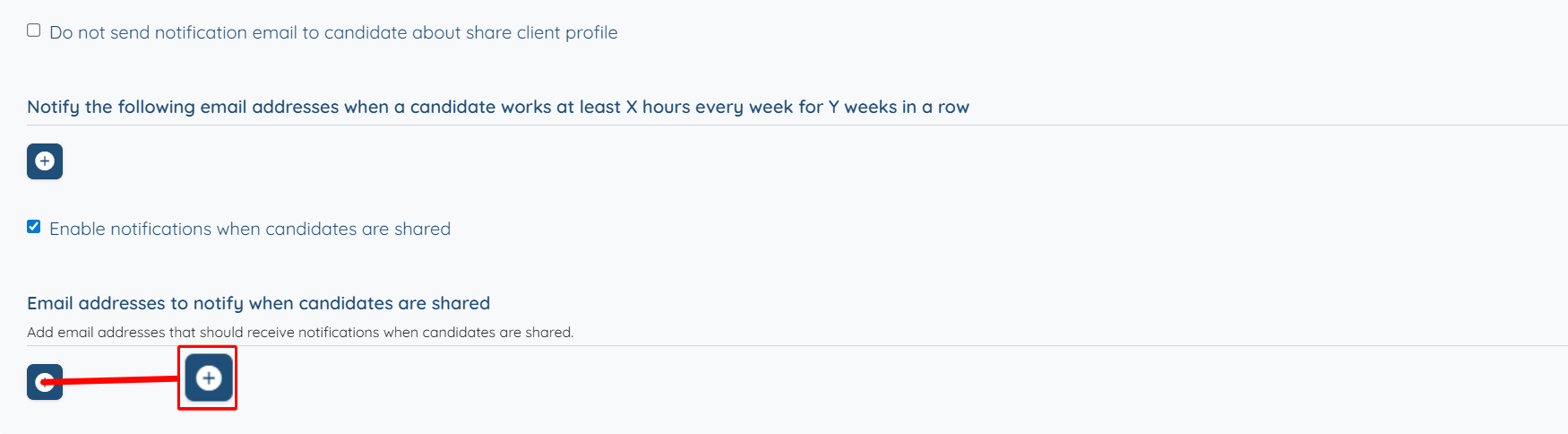
Step 5: Click the “+” button below the Email addresses to notify when candidates are shared option.
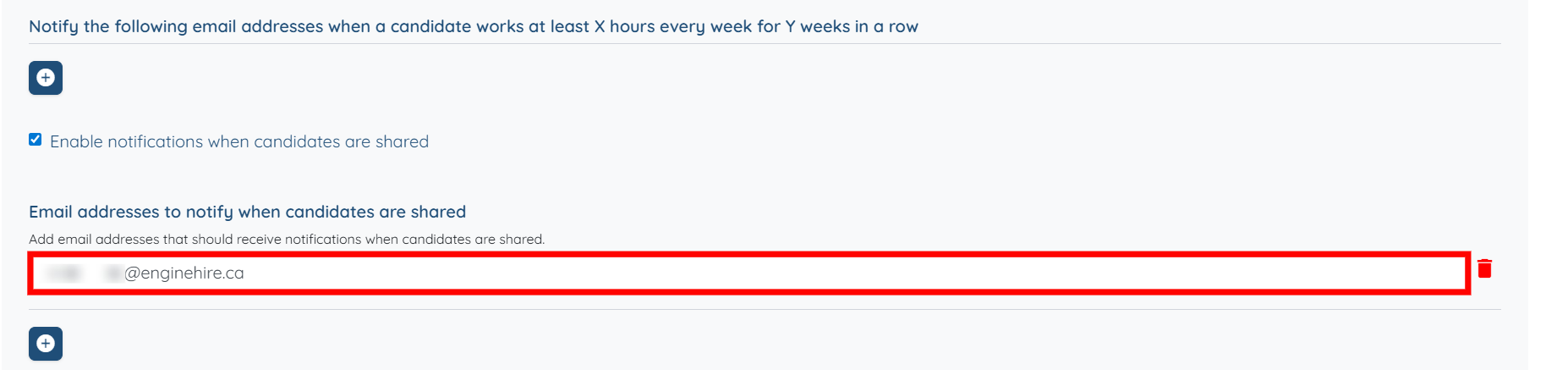
Step 6: Add the email address where you want to receive notifications when the parent agency shares any candidate profile. The settings will be saved automatically.
You can add multiple email addresses if you want to.
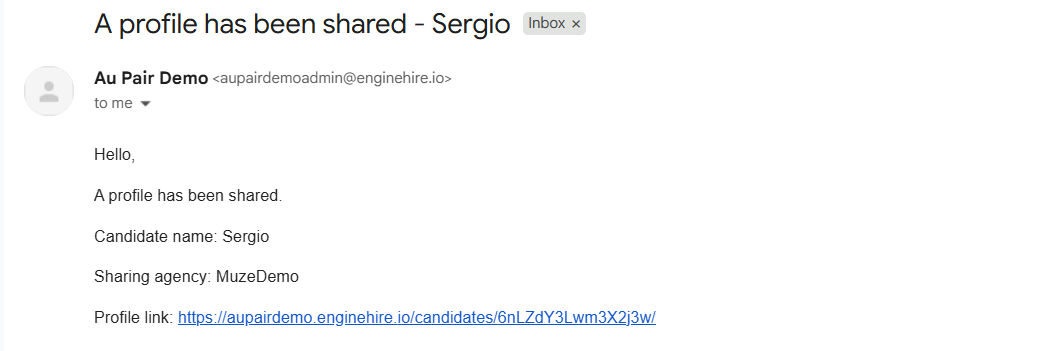
Now, when a parent agency shares a candidate profile with a partner agency, a notification will be sent to the partner agency’s email address, including the candidate name, sharing agency, and a direct link to the profile.