![enginehire logo thin dark 1.0.png]](https://learn.enginehire.io/hs-fs/hubfs/enginehire%20logo%20thin%20dark%201.0.png?height=40&name=enginehire%20logo%20thin%20dark%201.0.png)
Let’s get started 🚀
Step 1: Log in to your agent dashboard and click More > Application & Profile Builder, as shown in the screenshot below.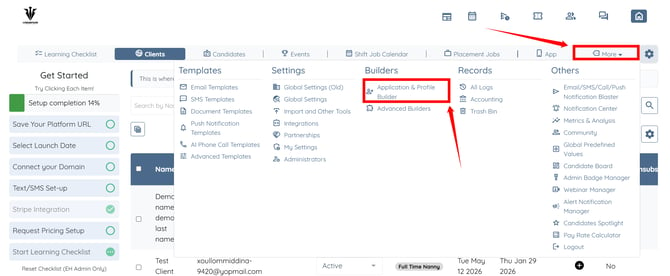
Step 2: Click the Filter by type box to open the dropdown list.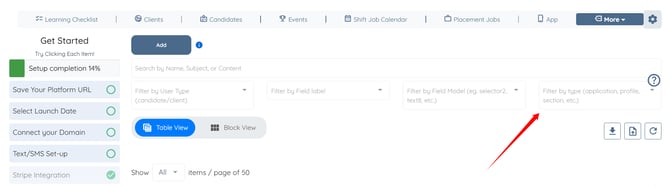
Step 3: Click the Application option to filter the Application builders.
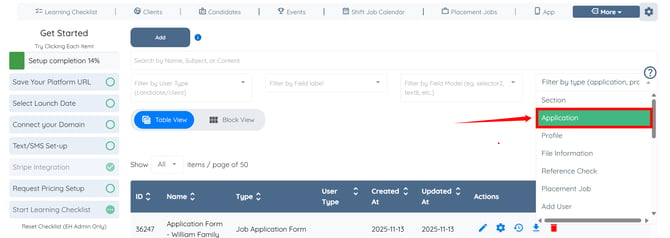
Step 4: Click the corresponding gear icon of the application form in which you want to enable this setting.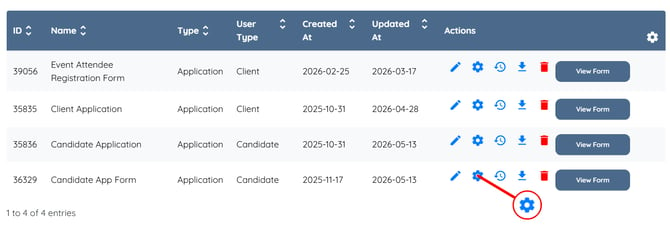
Step 5: Scroll to the bottom and check the Do not allow to use duplicated phone numbers checkbox, and then click the Save button to confirm the changes. 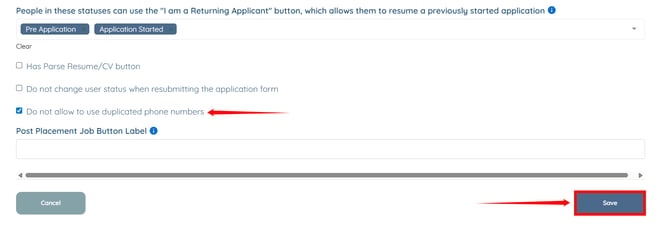
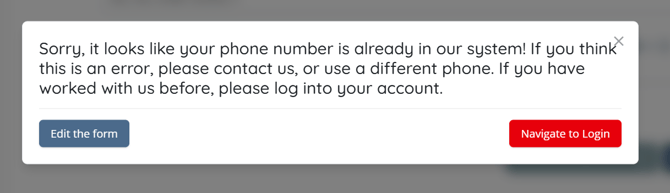
Applicants will receive a warning and will not be able to submit the application if the phone number already exists in the system.