![enginehire logo thin dark 1.0.png]](https://learn.enginehire.io/hs-fs/hubfs/enginehire%20logo%20thin%20dark%201.0.png?height=40&name=enginehire%20logo%20thin%20dark%201.0.png)
Let’s get started 🚀
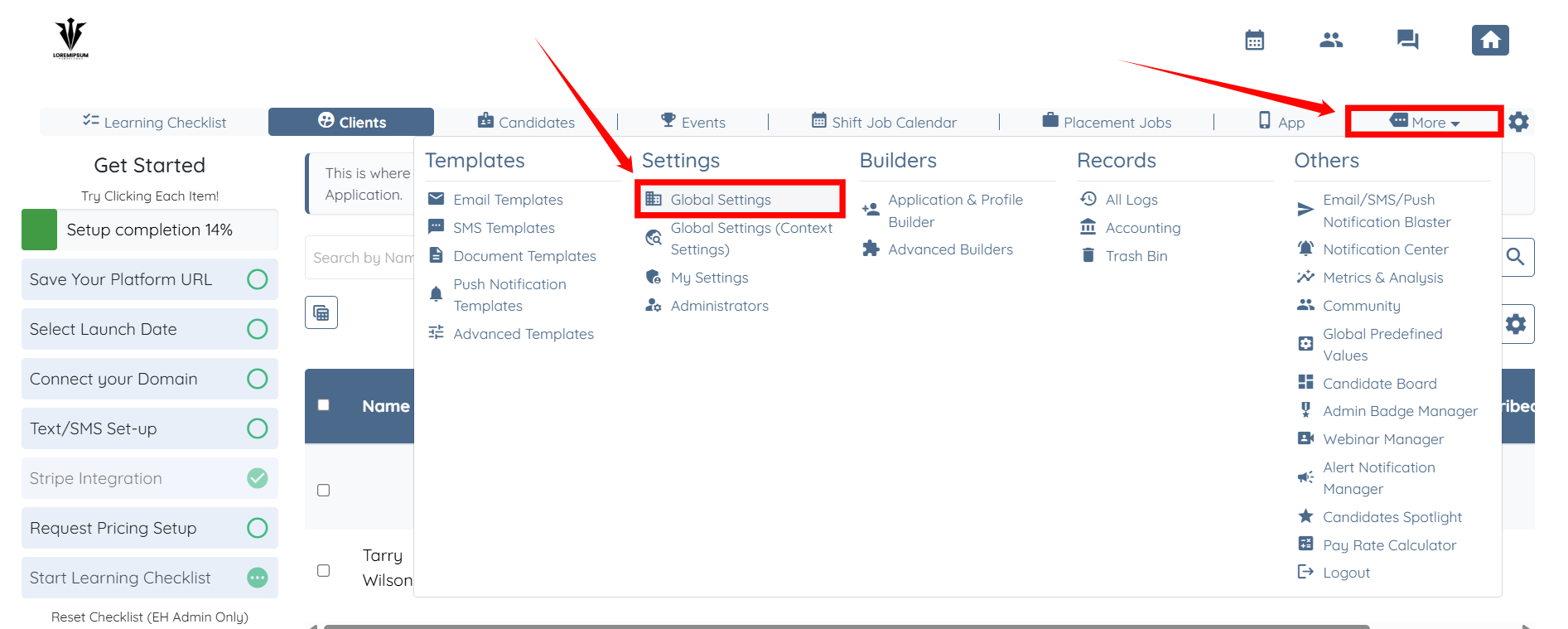
Step 1: Log in to your agent dashboard and click More > Global Settings, as shown in the screenshot below.
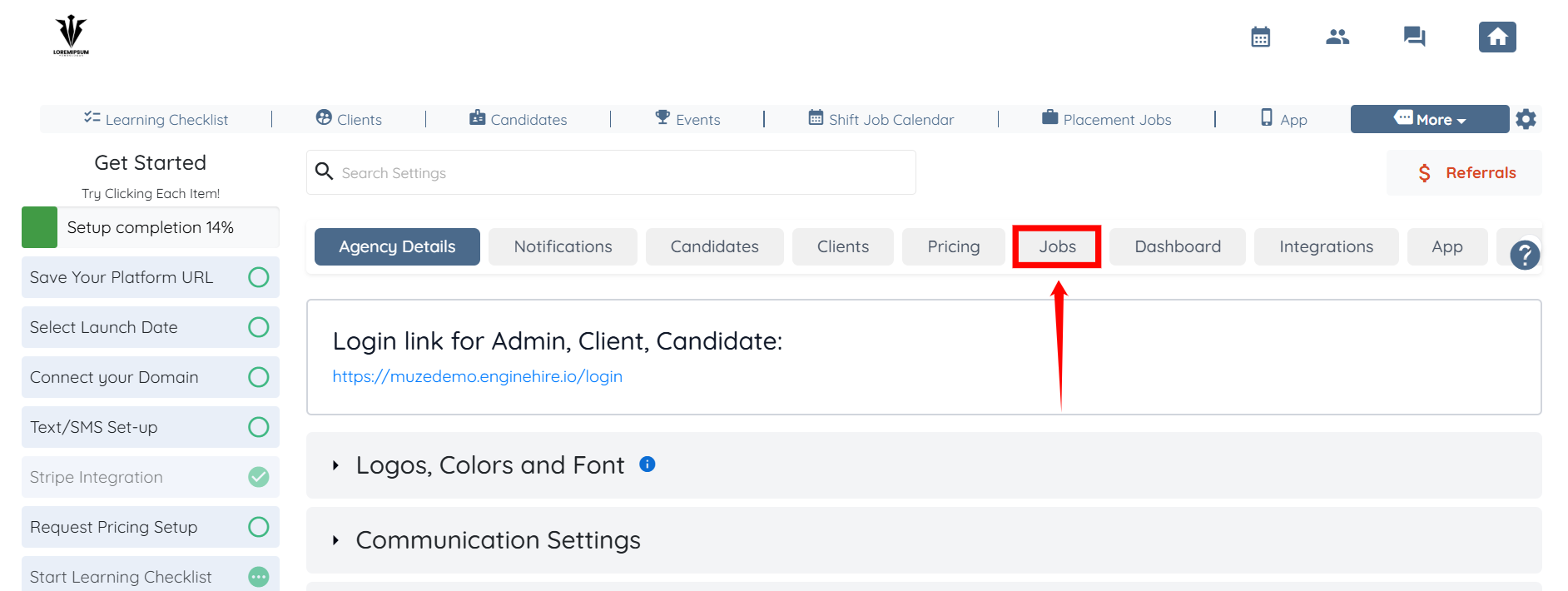
Step 2: From the list of available tabs, click the Jobs tab.
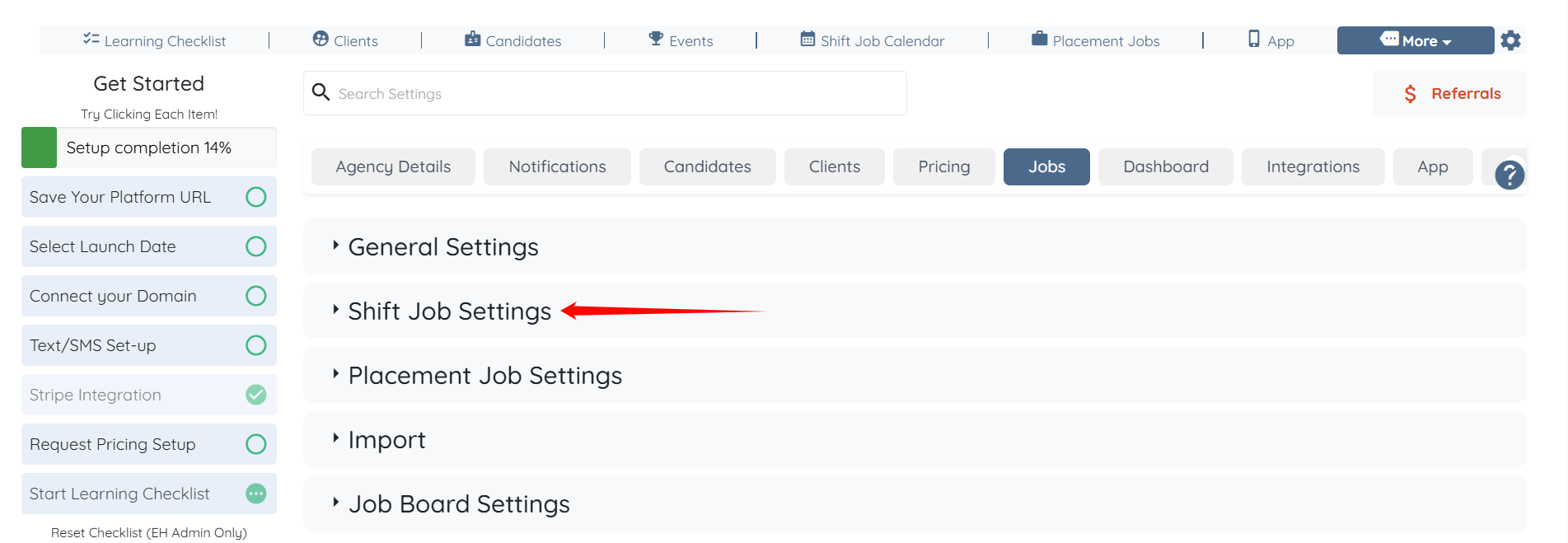
Step 3: Click the Shift Job Settings option to expand its details.
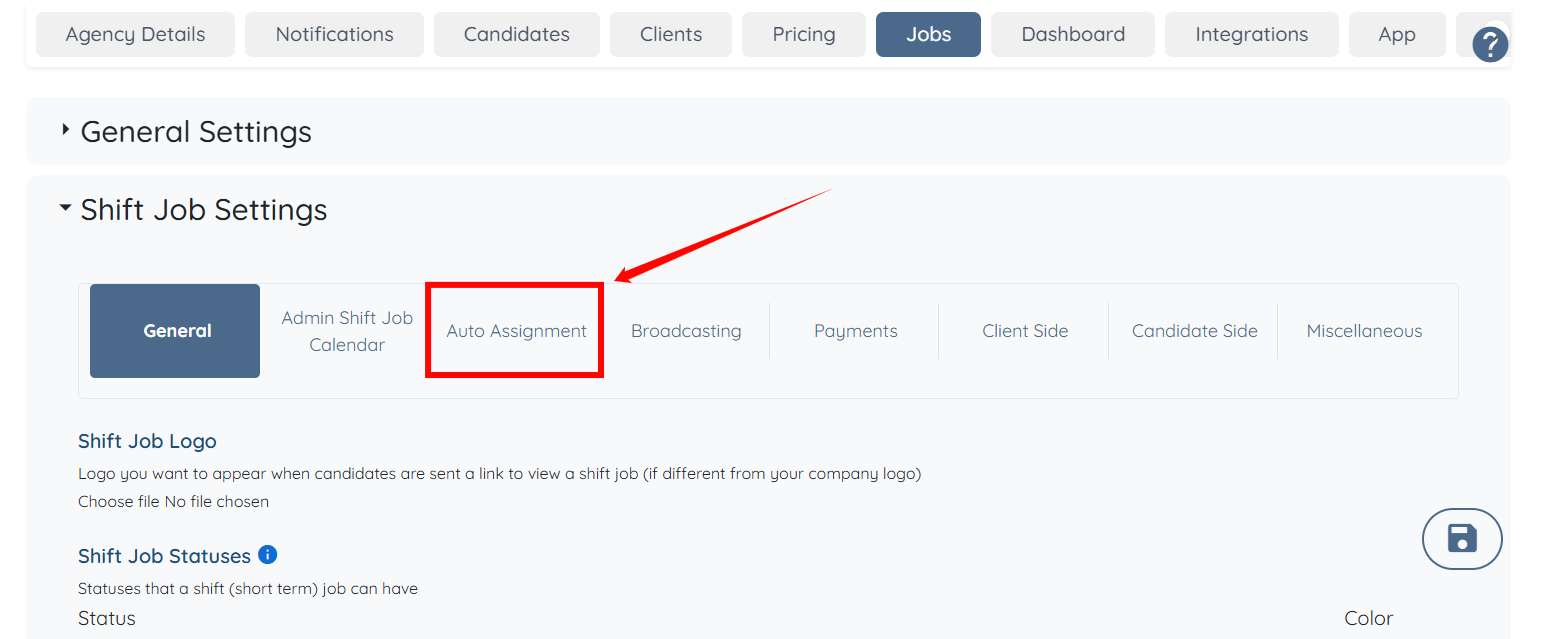
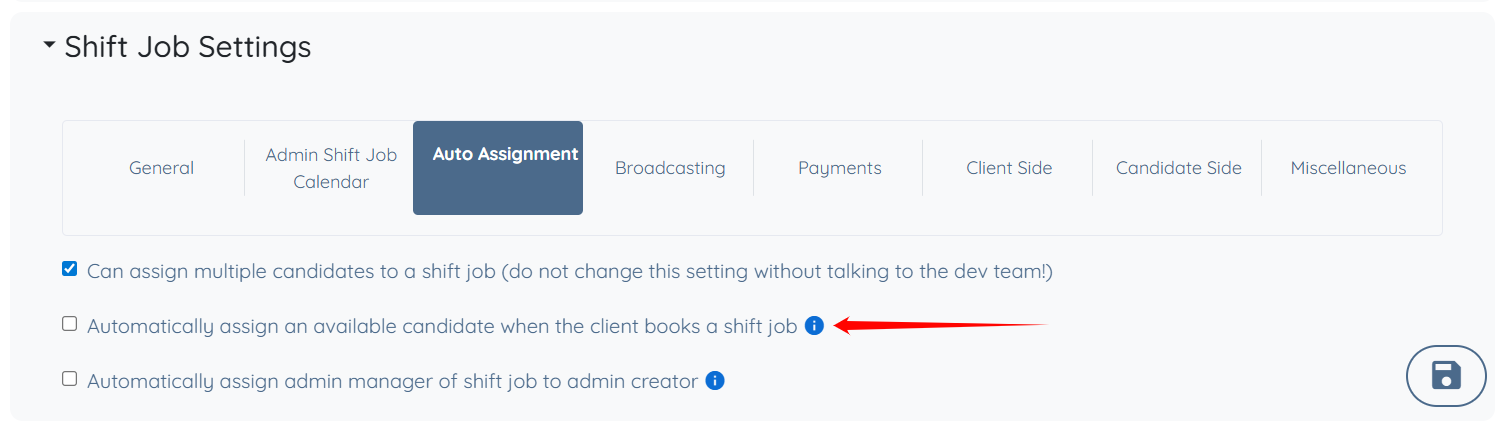
Step 4: Click the Auto Assignment option from the list of available options.
Step 5: Check the Automatically assign an available candidate when the client books a shift job checkbox.
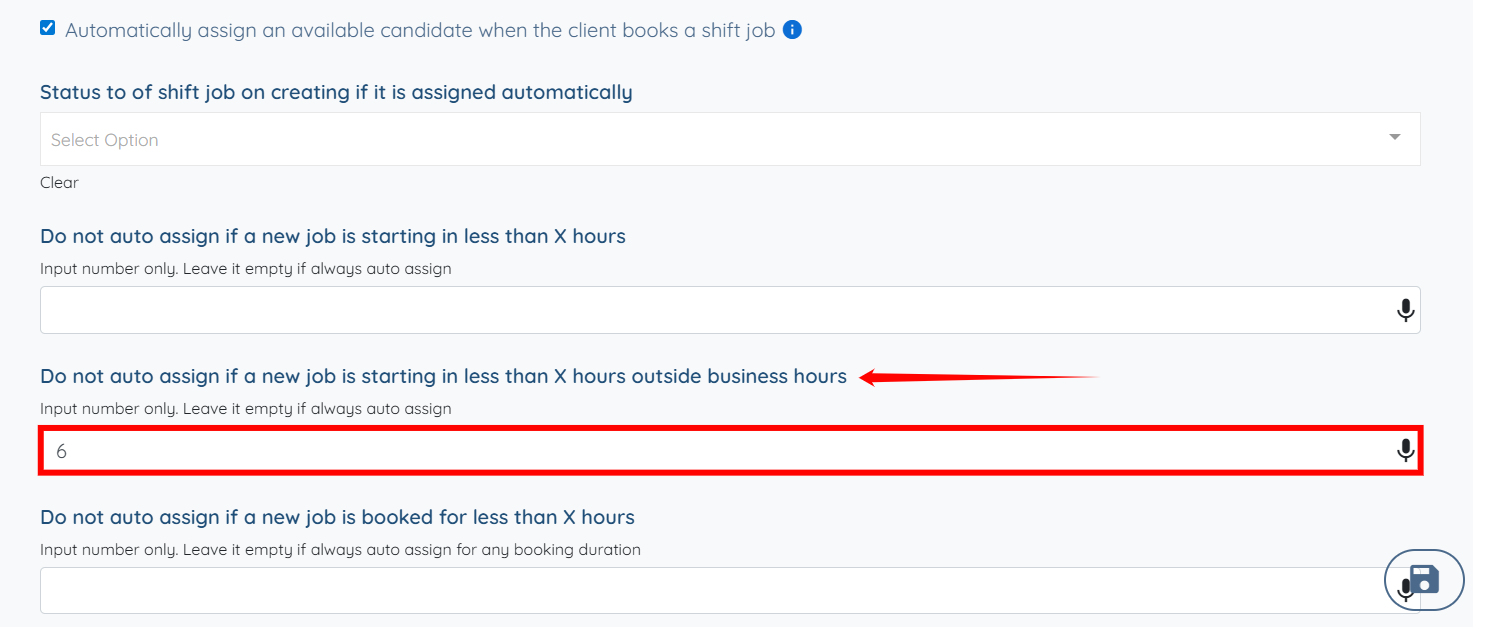
Step 6: Scroll down and enter the number of hours under the Do not auto assign if a new job is starting in less than X hours outside business hours field to define how close to the job start time auto-assignment is restricted.
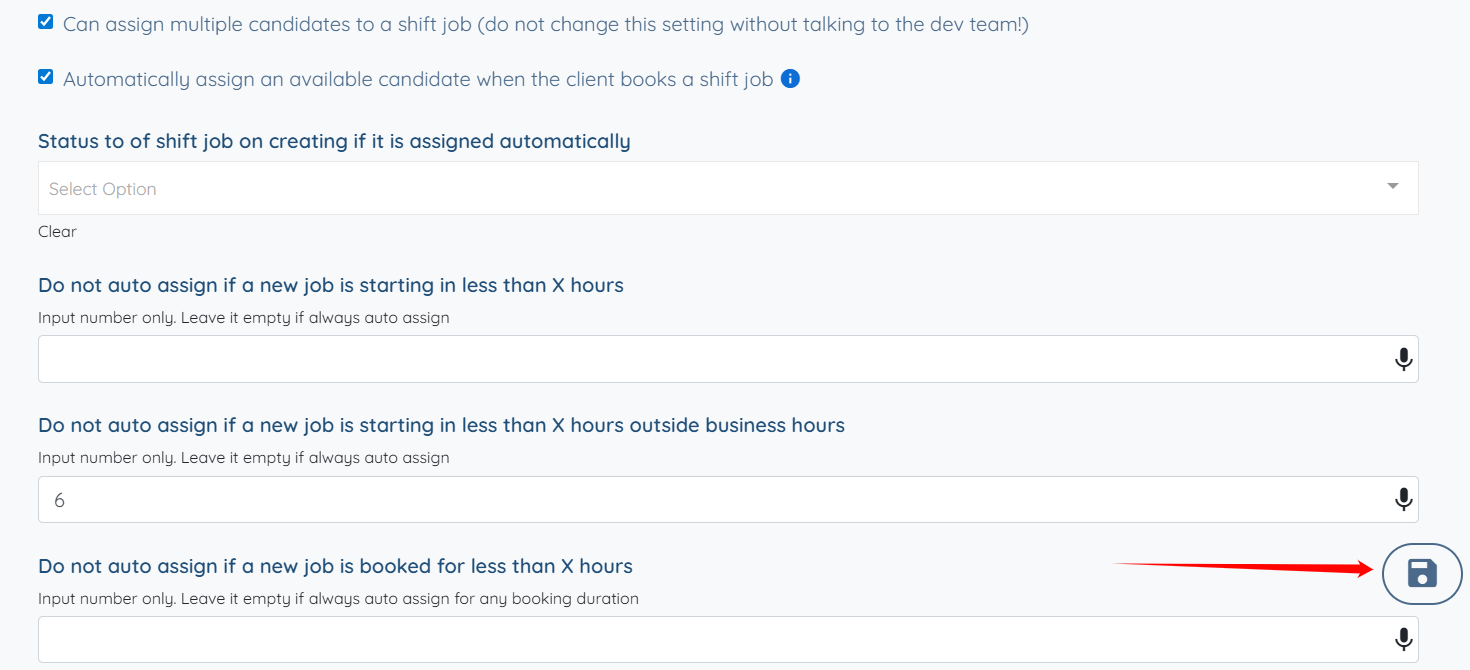
Step 7: Click the Save icon to proceed.
If you want to learn how to set the business hours for your agency, you can refer to the Set Business Hours article.