![enginehire logo thin dark 1.0.png]](https://learn.enginehire.io/hs-fs/hubfs/enginehire%20logo%20thin%20dark%201.0.png?height=40&name=enginehire%20logo%20thin%20dark%201.0.png)
Let’s get started 🚀
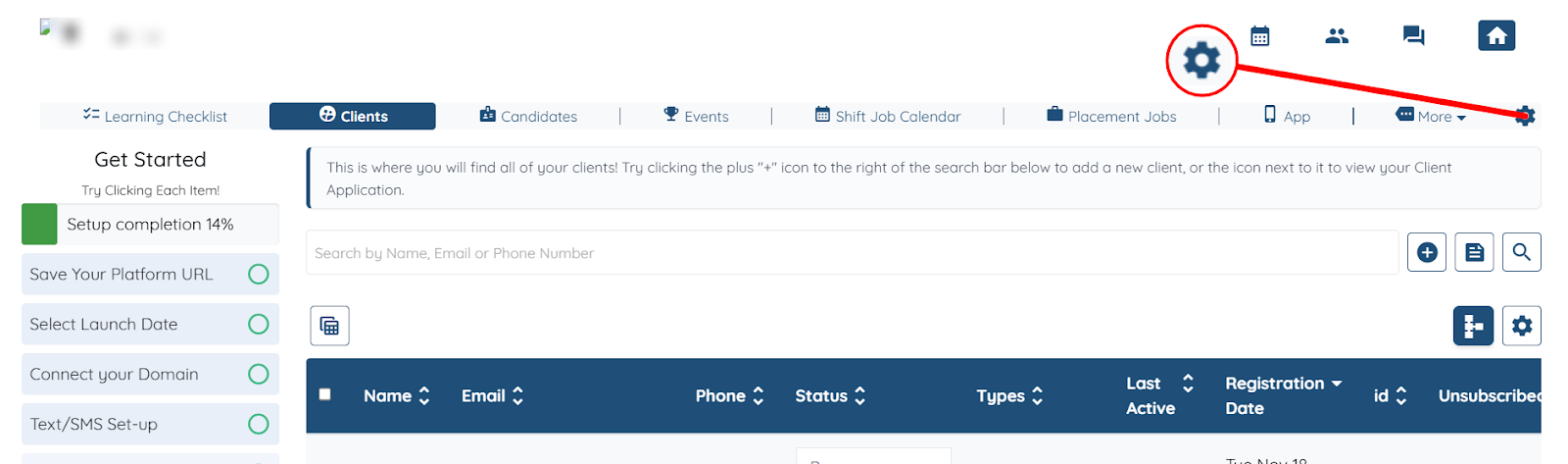
Step 1: Log in to your dashboard, and click the Gear icon as shown in the screenshot below.
Step 2: You can customize the following terms to better match the language your agency uses:
|
Default Term |
Description |
How You Might Customize It |
|
Candidate |
Refers to applicants or individuals looking for work. |
Use terms like Applicant, Worker, Professional, or any label that fits your agency’s workflow. |
|
Client |
Refers to people or organizations hiring candidates (your customers). |
Replace with Family, Customer, Employer, Company, or any term you use internally. |
|
Shift Job Calendar |
Represents short-term or temporary jobs you schedule. |
Customize this to Temp Jobs, Short-Term Shifts, Hourly Shifts, or whatever term aligns with your services. |
|
Placement Job |
Refers to long-term job postings or positions you fill. |
Update this to Full-Time Roles, Long-Term Positions, Permanent Jobs, etc., based on your hiring structure. |
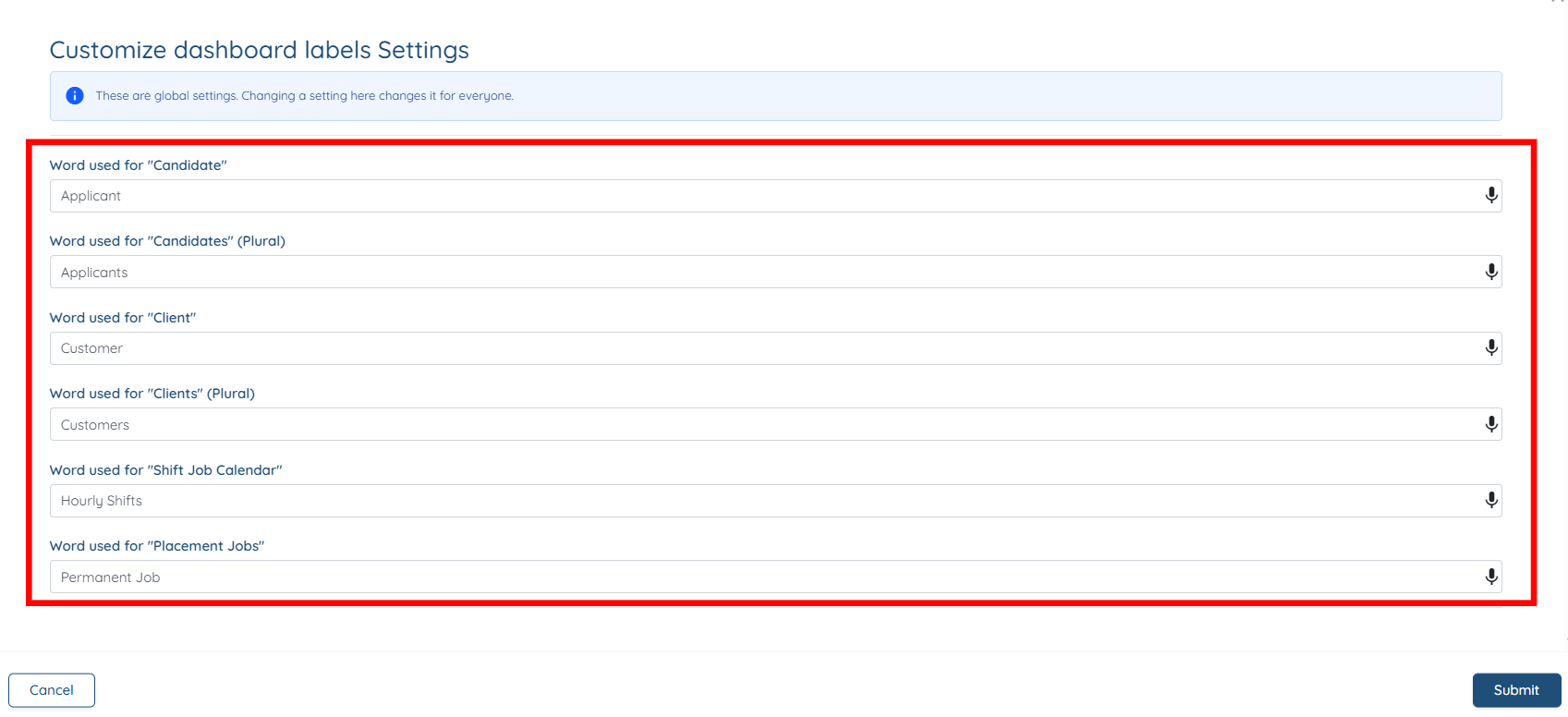
The settings will be saved automatically and the dashboard will successfully display the updated terminology.