![enginehire logo thin dark 1.0.png]](https://learn.enginehire.io/hs-fs/hubfs/enginehire%20logo%20thin%20dark%201.0.png?height=40&name=enginehire%20logo%20thin%20dark%201.0.png)
Let’s get started 🚀
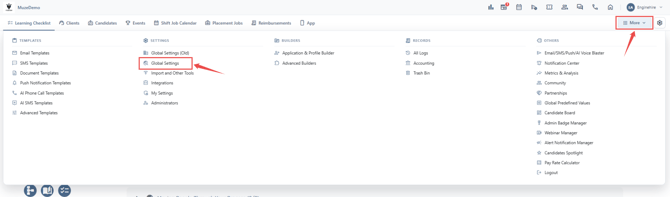
Step 1: From the dashboard, select More → Global Settings.
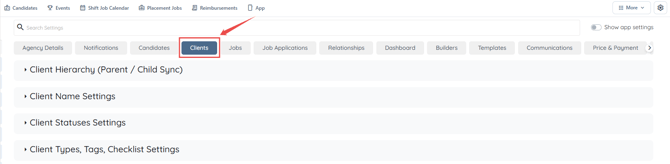
Step 2: Navigate to the Client tab.
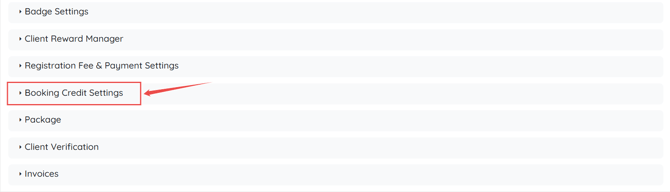
Step 3: Scroll down to locate Booking Credit Settings.
Step 4: Within the Booking Credit Settings, scroll to find and select Notify client and admin when booking credits reach threshold. 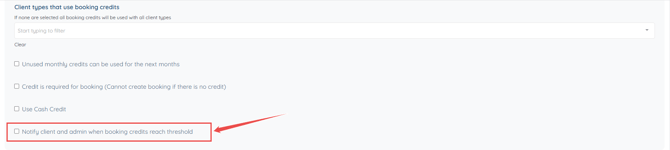
Step 5: The settings menu will open.The Booking Credit notification threshold defaults to 1, but you can adjust this number to any custom value.

The notification threshold value can be set to any positive integer.
Step 6: Select Add to input the designated agency email address for alerts. Your changes will save automatically.

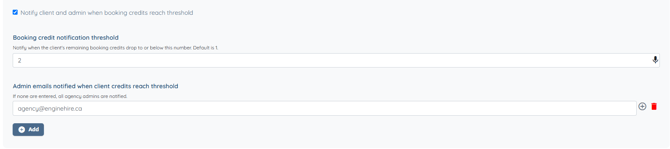
The setting applies to both booking credits and cash credits.
Step 7: To configure the email template, go to More and select Email Templates. 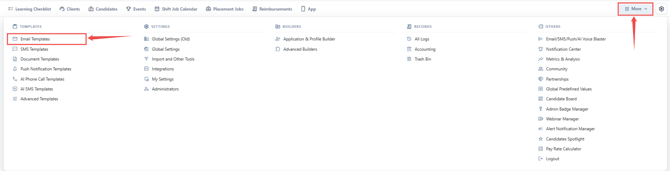
Step 8: Click on the Add Template button.
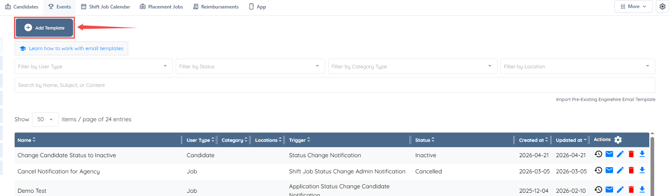
Step 9: Complete each required field to proceed.
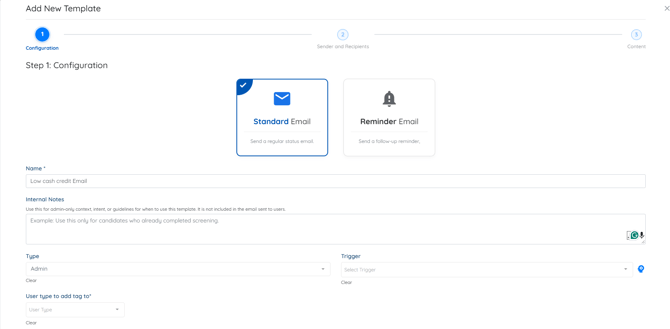
Step 10: Under the Trigger drop-down, locate and select the option Cash Credit Low.
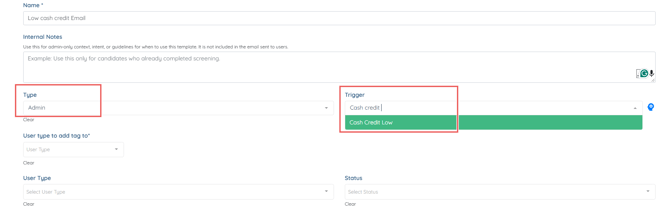
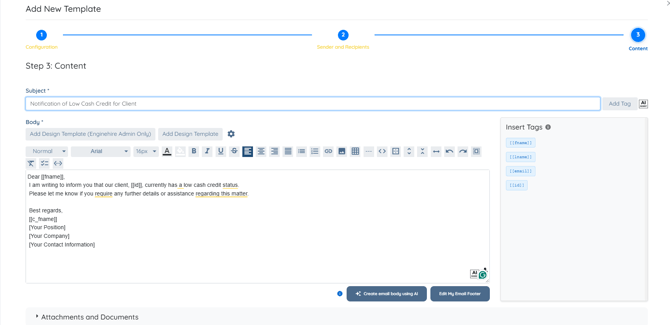
To set up the same alert for clients, select Client from the Types drop-down and follow the same steps.
You are all set! For when the client will have a lower or equal to the threshold number set for the low cash credit, the email will be sent out to the respective admin or client.
If you need any further assistance, feel free to contact our support team by clicking here: https://share.hsforms.com/1yIx2IRKyQQaVcMJW8kLbJg39wil