![enginehire logo thin dark 1.0.png]](https://learn.enginehire.io/hs-fs/hubfs/enginehire%20logo%20thin%20dark%201.0.png?height=40&name=enginehire%20logo%20thin%20dark%201.0.png)
Let’s get started 🚀
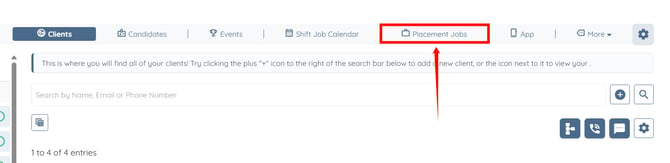
Step 1: Log in to your agent dashboard and click Placement Jobs from the navigation bar.
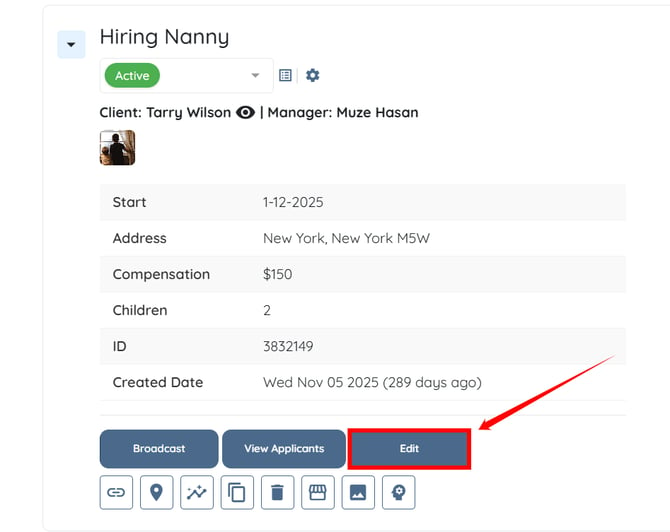
Step 2: Locate the placement job that you want to move up on the job board and click the Edit button, as shown in the screenshot below.
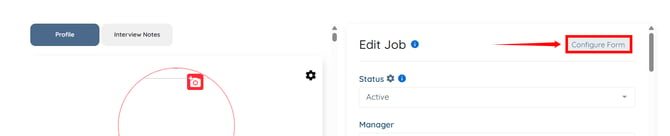
Step 3: Click the Configure Form button.
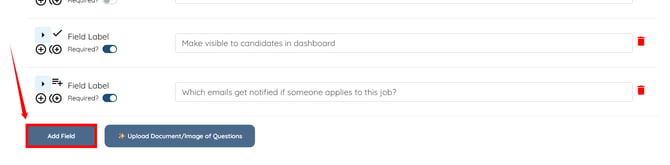
Step 4: Scroll to the bottom and click the Add Field button.
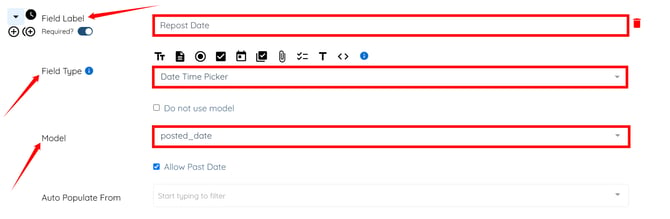
Step 5: Enter the Field Label, select Date Time Picker as the Field Type, and select posted_date as the Model.
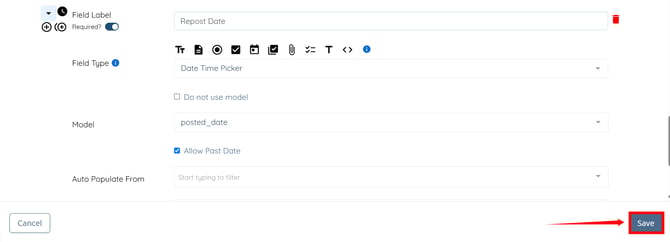
Step 6: Click the Save button to confirm the changes.
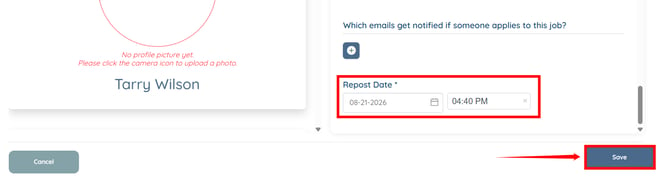
Step 7: In the newly added field, select the date and time when you want to move the placement job up on the job board. Then, click the Save button.
Step 8: Click the View Job Board button to access the job board.
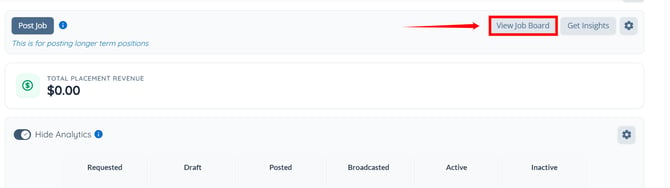
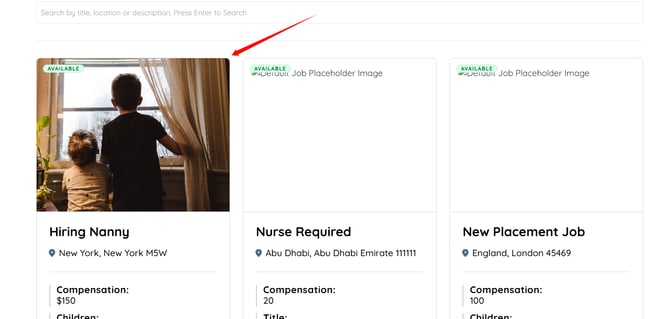
The placement job will appear higher on the job board based on the updated posted date.
Step 1: Log in to your agent dashboard and click Placement Jobs from the navigation bar.
Step 2: Locate the placement job that you want to move up on the job board and click the Edit button, as shown in the screenshot below.
Step 3: Click the Configure Form button.
Step 4: Scroll to the bottom and click the Add Field button.
Step 5: Enter the Field Label, select Date Time Picker as the Field Type, and select posted_date as the Model.
Step 6: Click the Save button to confirm the changes.
Step 7: In the newly added field, select the date and time when you want to move the placement job up on the job board. Then, click the Save button.
Step 8: Click the View Job Board button to access the job board.
The placement job will appear higher on the job board based on the updated posted date.