![enginehire logo thin dark 1.0.png]](https://learn.enginehire.io/hs-fs/hubfs/enginehire%20logo%20thin%20dark%201.0.png?height=40&name=enginehire%20logo%20thin%20dark%201.0.png)
Let’s get started 🚀
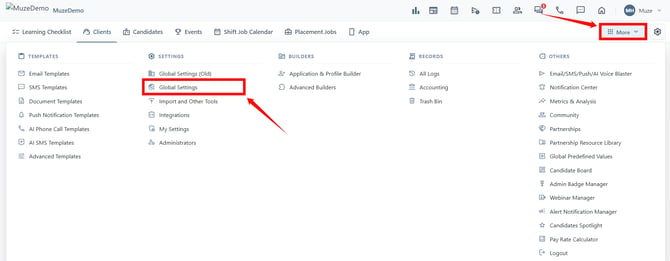
Step 1: Log in to your agent dashboard and click More > Global Settings as shown in the screenshot below.
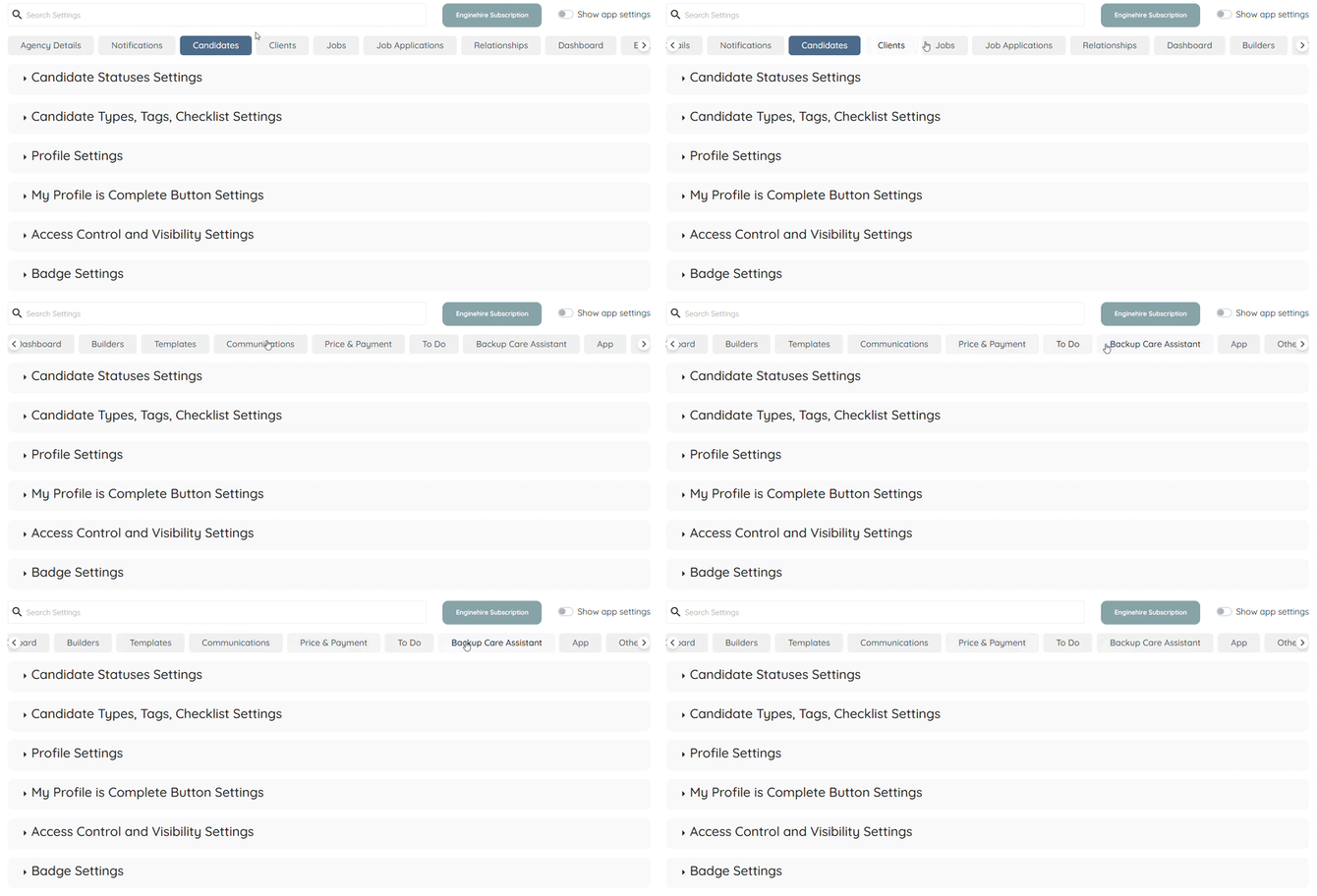
Step 2: Scroll tabs to the left and click the Backup Care Assistant tab.
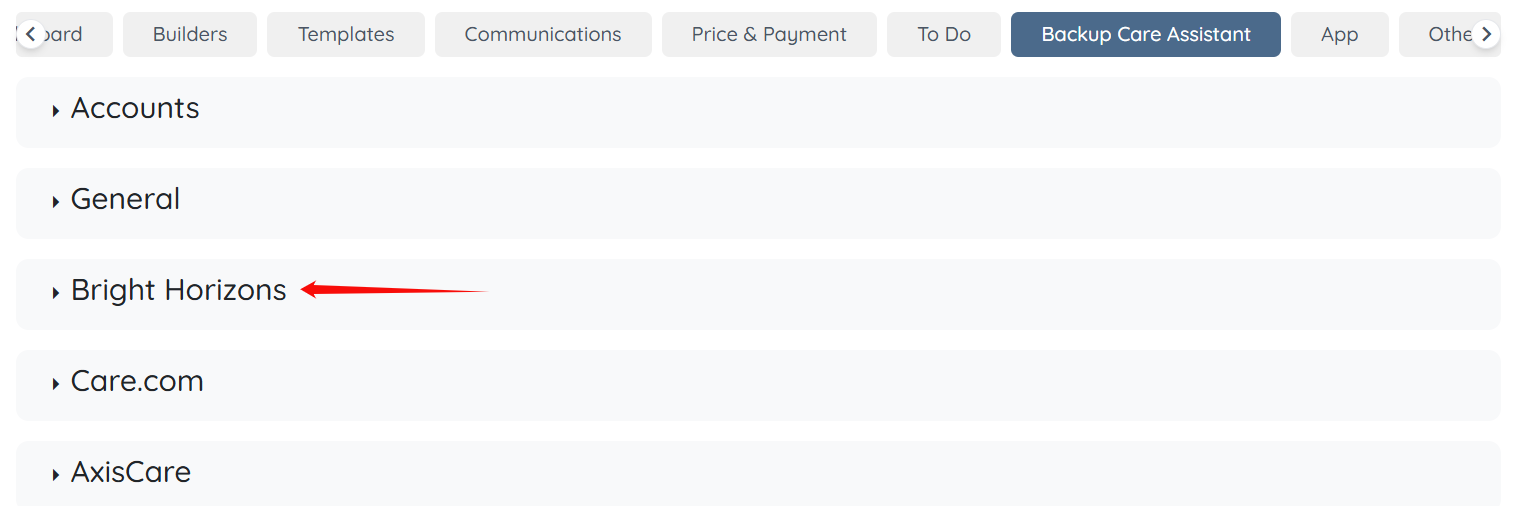
Step 3: Click the Bright Horizons option to expand and view its details.
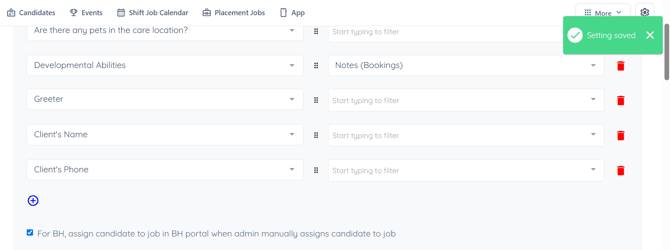
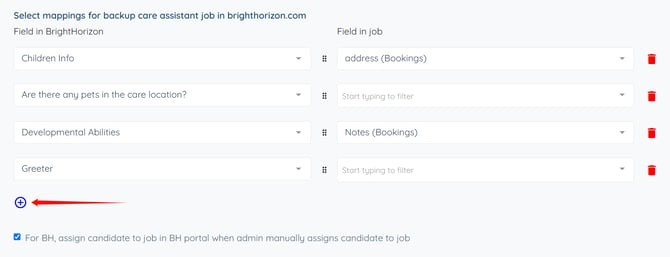
Step 4: Click the + icon in the Select mappings for backup care assistant job in brighthorizon.com section to add a new mapping field.
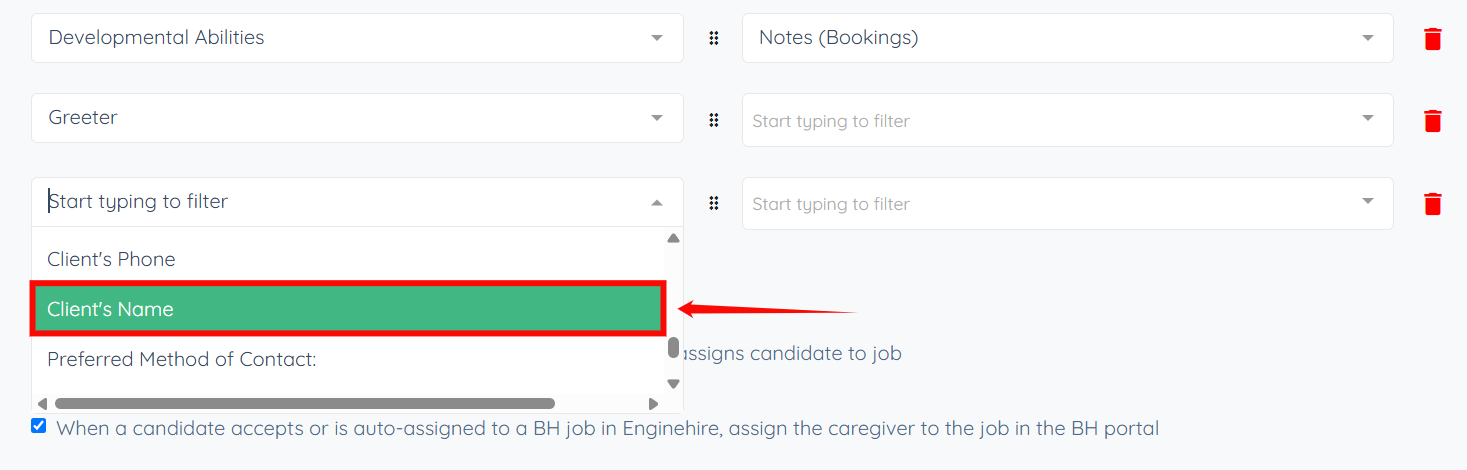
Step 5: In the Field in BrightHorizon dropdown, select Client's Name to map the parent's name.
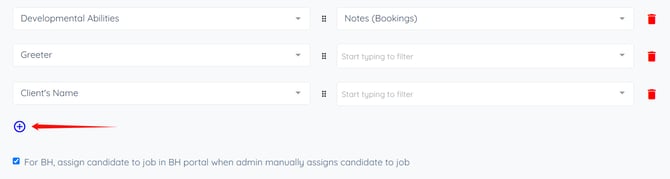
Step 6: Click the + icon again to add another mapping field.
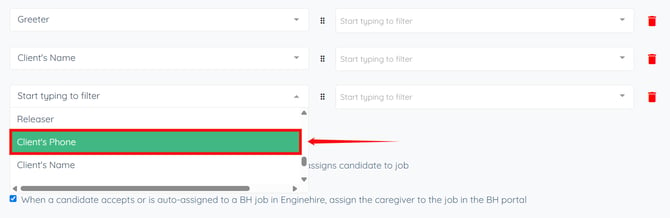
Step 7: In the Field in BrightHorizon dropdown, select Client's Phone to map the parent's phone number.
The settings will be saved automatically.