![enginehire logo thin dark 1.0.png]](https://learn.enginehire.io/hs-fs/hubfs/enginehire%20logo%20thin%20dark%201.0.png?height=40&name=enginehire%20logo%20thin%20dark%201.0.png)
Let’s get started 🚀
Step 1: Log in to your agent dashboard and click More > Application & Profile Builder as shown in the screenshot below.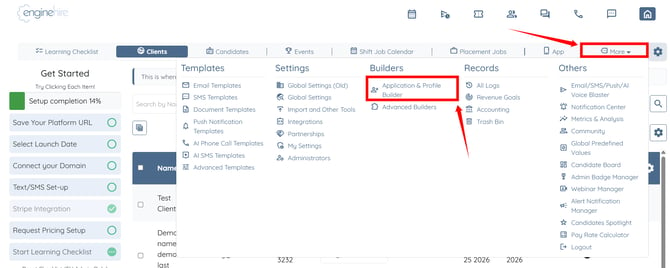
Step 2: Search for the client application builder, then click the pencil icon under the Actions column to open it. 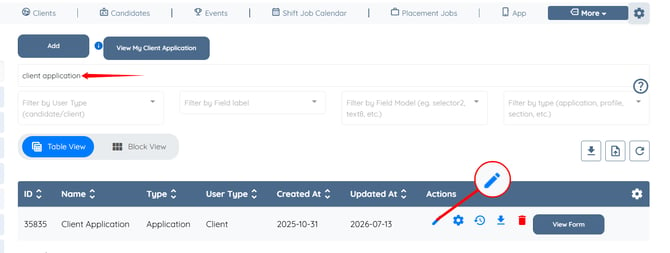
Step 3: Scroll down and click the Add Field button.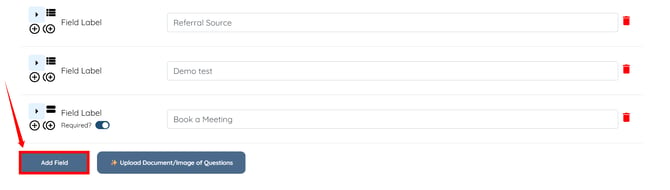
Step 4: Enter the Field Label and Profile Label. 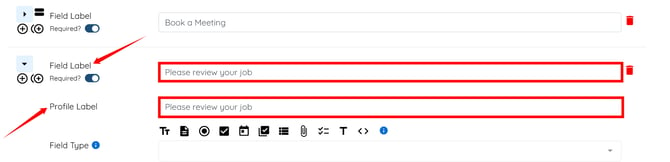
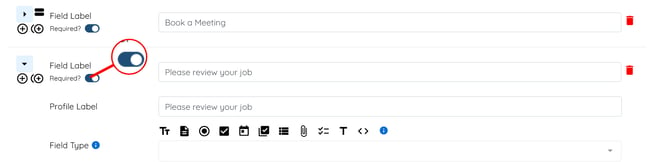
Ensure the Required? toggle is turned On so clients must create and post a placement job before they can submit the application form.
Step 5: Select Preset Section from the Field Type dropdown list. 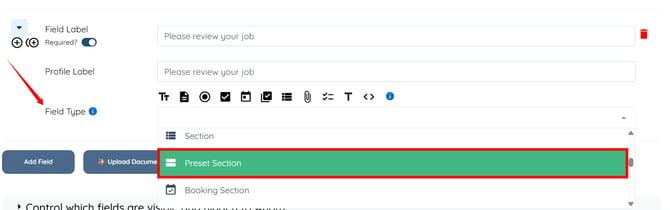
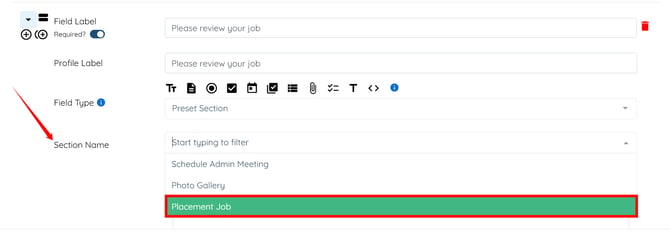
Step 6: Select Placement Job in the Section Name field.
Step 7: Click the Save button to apply the changes.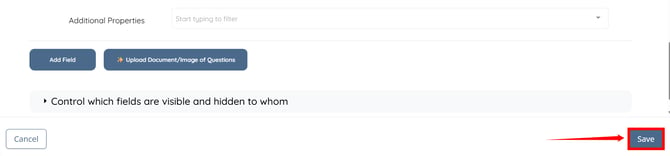
On the Client Side
Now, when a new client clicks the Submit button after entering their registration details, a message will appear stating:
"Placement Job is required. Please post at least one Placement Job before submitting." 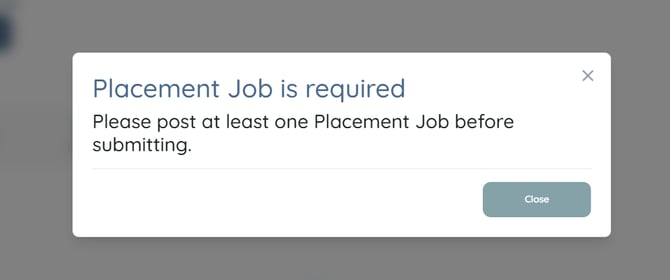
Step 8: Click the Post Placement Job button on the application form. 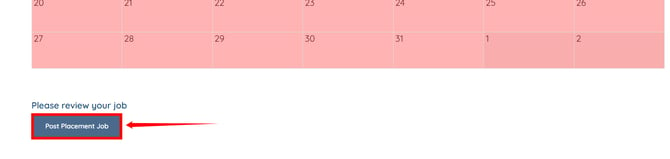
Step 9: Enter the required placement job details, then click the Post button. 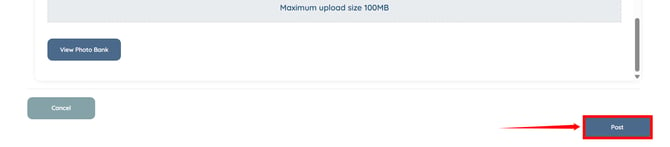
Step 10: After the placement job is posted, its details will appear as shown in the screenshot below. Click the Submit button to complete the application. 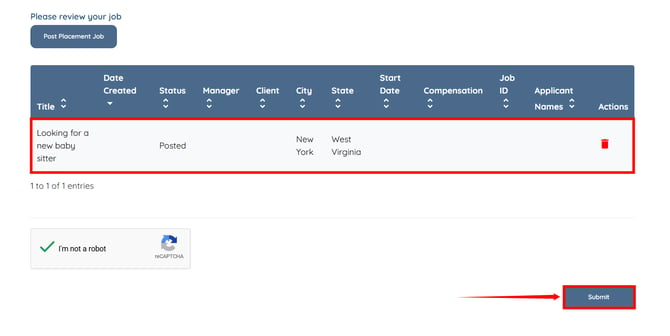
The registration will be submitted successfully.