![enginehire logo thin dark 1.0.png]](https://learn.enginehire.io/hs-fs/hubfs/enginehire%20logo%20thin%20dark%201.0.png?height=40&name=enginehire%20logo%20thin%20dark%201.0.png)
If you have not enabled the candidate public booking calendar link for your agency, refer to the Share a Candidate Public Booking Calendar Link article before proceeding.
Let’s get started 🚀
Step 1: Open the candidate's public booking link in an incognito window. Click the Click here to login link, as shown in the screenshot below. 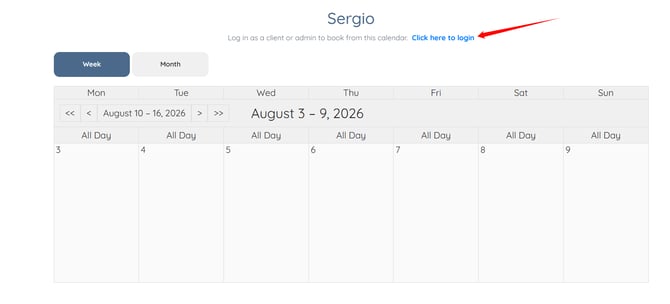
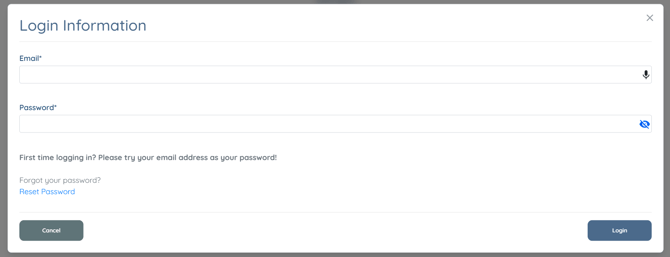
A Login Information modal will open.
The Login Information modal will also open when you select a date on the calendar without being logged in.
Step 2: Enter your login credentials in the Login Information modal, then click the Login button. 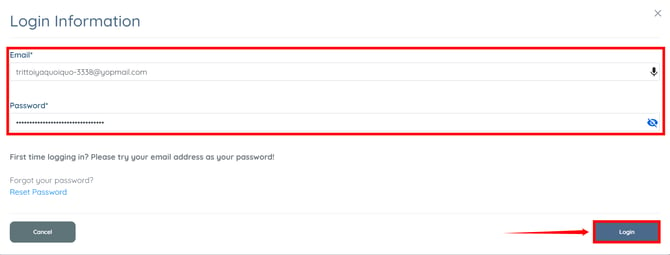
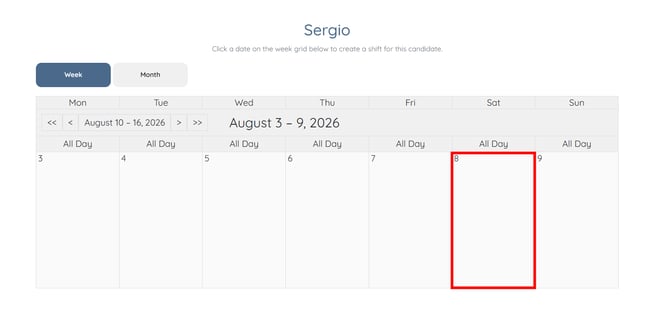
Step 3: Click the date on which you want to book the candidate, then complete the booking.