![enginehire logo thin dark 1.0.png]](https://learn.enginehire.io/hs-fs/hubfs/enginehire%20logo%20thin%20dark%201.0.png?height=40&name=enginehire%20logo%20thin%20dark%201.0.png)
Let’s get started 🚀
Step 1: Log in to your agent dashboard and click More > Application & Profile Builder as shown in the screenshot below.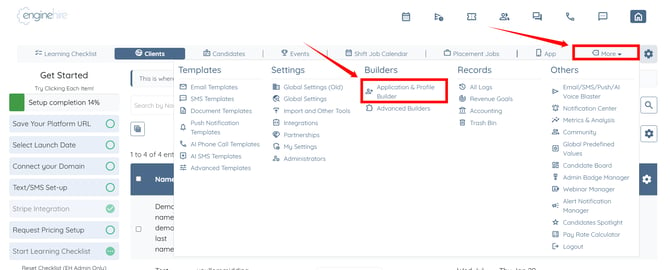
Step 2: Search for the booking form in which you want to configure the allowed job categories, then click the gear icon under the Actions column to open its settings. 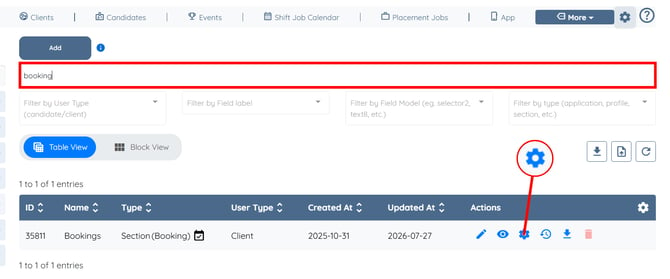
Step 3: Scroll down to the Allowed Job Categories for this booking form (Client Side Booking) option, then click the box under it to open the dropdown list. 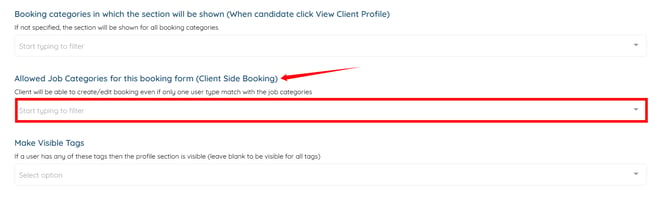
Step 4: Select the job category (or categories) that you want to allow for this booking form. 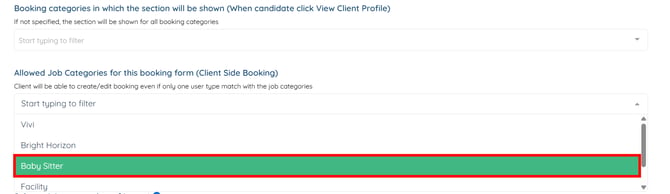
Step 5: Scroll to the bottom and click the Save button.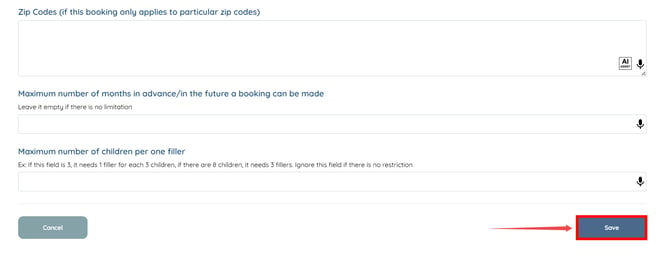
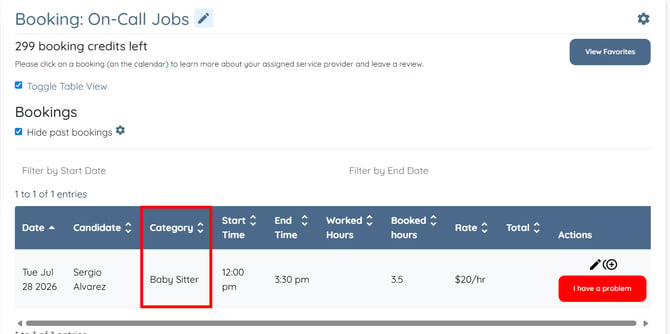
Now, the client will only be able to create bookings with the configured job categories.