![enginehire logo thin dark 1.0.png]](https://learn.enginehire.io/hs-fs/hubfs/enginehire%20logo%20thin%20dark%201.0.png?height=40&name=enginehire%20logo%20thin%20dark%201.0.png)
Let’s get started 🚀
Step 1: Open More from the top navigation. Select Global Settings.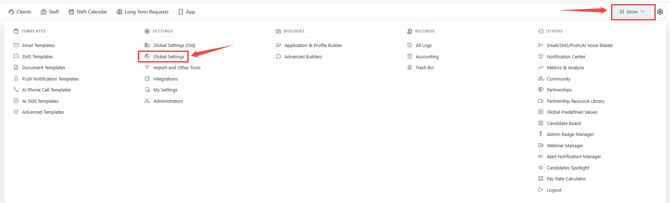
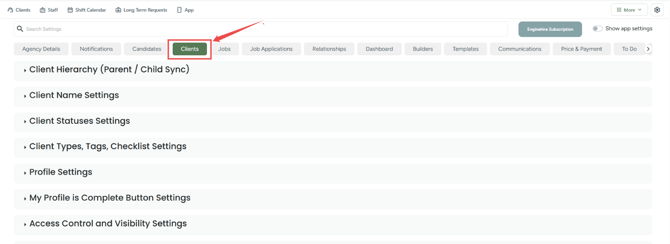
Step 3: Click to Invoices section to expand and see the settings. 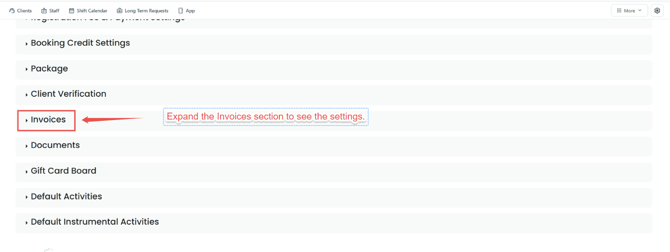
Step 4: Select Main Contact Email from the drop-down.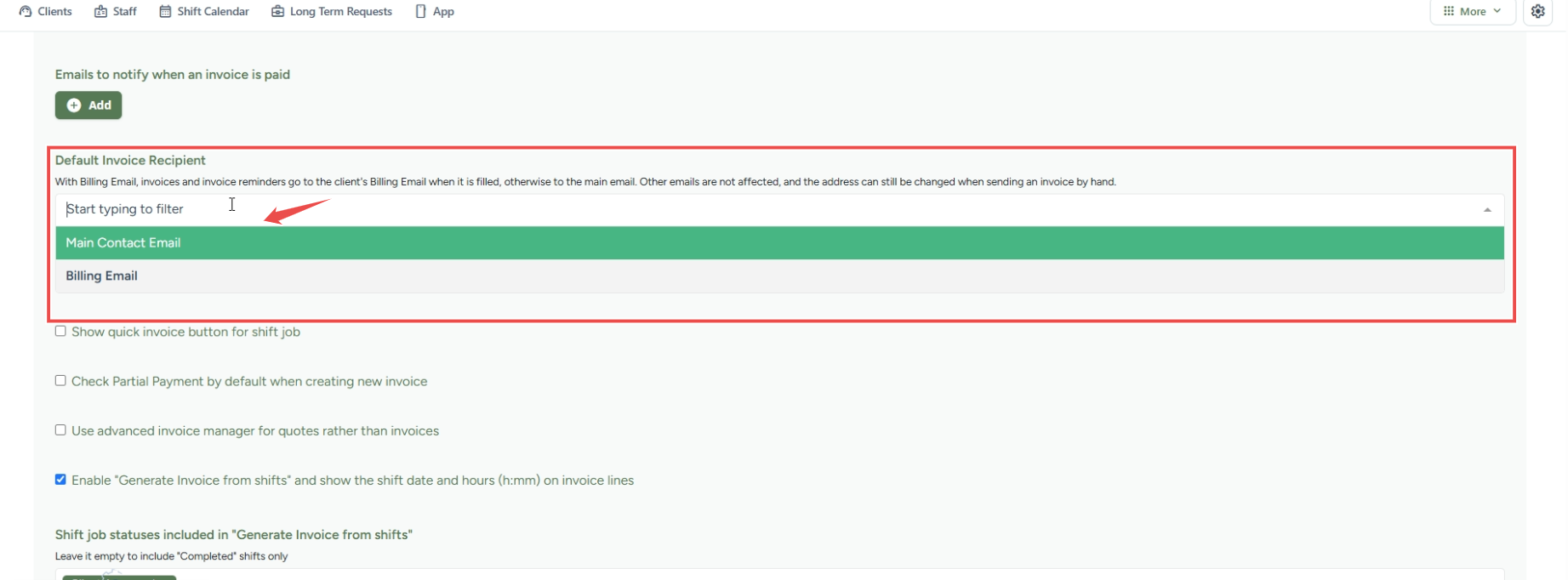
(With Main Contact Email , invoices and invoice reminders go to the client's main contact email)
Step 5 : Select Billing Email from the drop-down.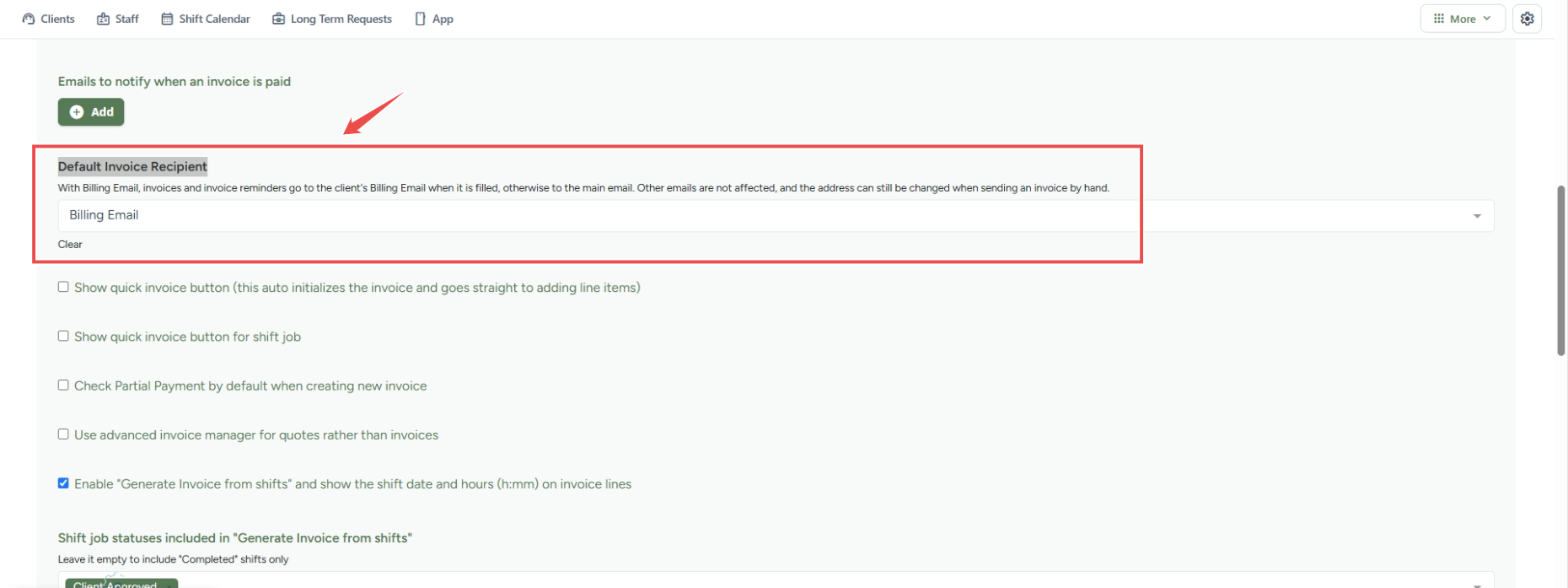
(With Billing Email , invoices and invoice reminders go to the client's billing email)