![enginehire logo thin dark 1.0.png]](https://learn.enginehire.io/hs-fs/hubfs/enginehire%20logo%20thin%20dark%201.0.png?height=40&name=enginehire%20logo%20thin%20dark%201.0.png)
Let’s get started 🚀
Search Nearby Candidates
Find candidates located near a specific placement job using the Search Nearby Candidates feature.
Step 1: Log in to your agent dashboard, then click Placement Jobs from the navigation bar.
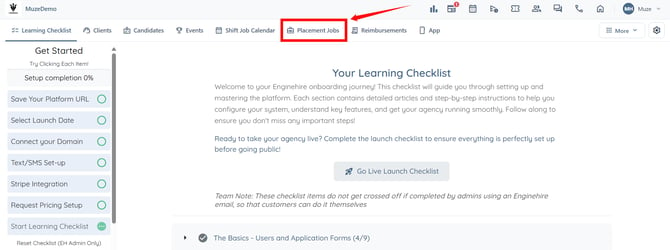
Step 2: Locate the placement job for which you want to search for nearby candidates.
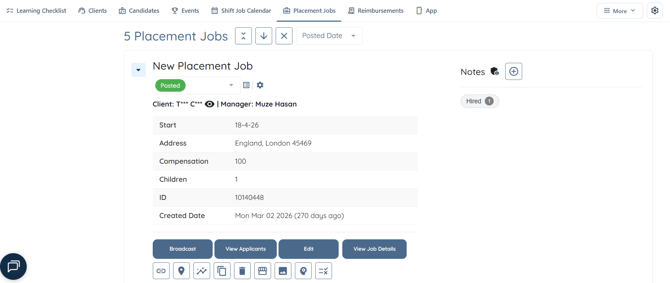
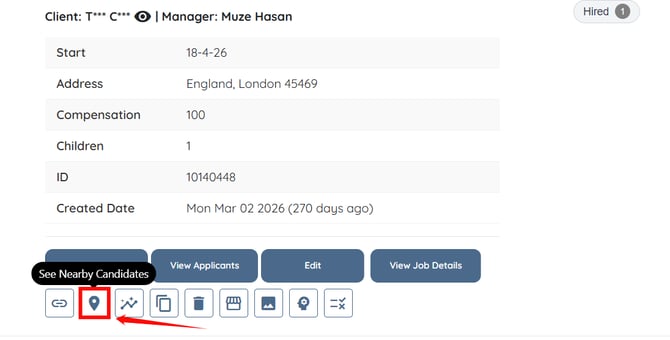
Step 3: Click on the Search Nearby Candidates button.
The list of nearby candidates will be displayed.
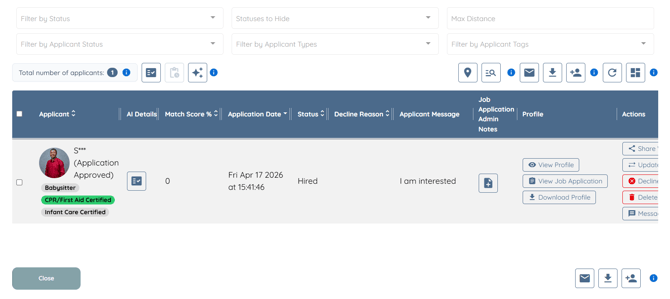
Filter Candidates Displayed on the Map
Filter the nearby candidates to display only those who have expressed interest in the selected placement job and narrow the results by distance.
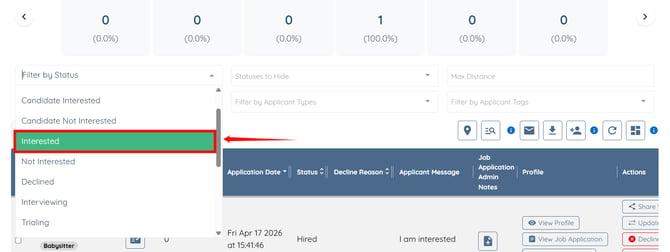
Step 1: In the nearby candidates list, select Interested from the Filter by Status dropdown.
Step 2: Enter the required distance in the Max Distance field to narrow the candidate results by distance.
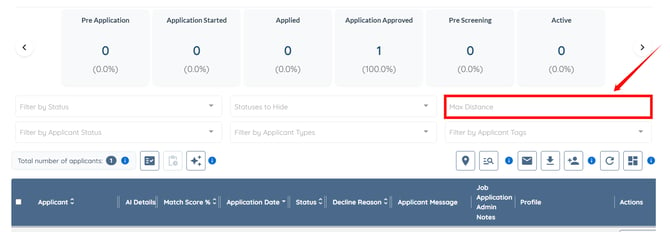
The map will display candidates who have expressed interest in the selected placement job within the specified distance.
Update Table Settings to Include or Remove Specific Columns
Customize the applicant table by removing columns that you do not need, making the relevant candidate information easier to view.
Step 1: Click the Settings icon next to the table.
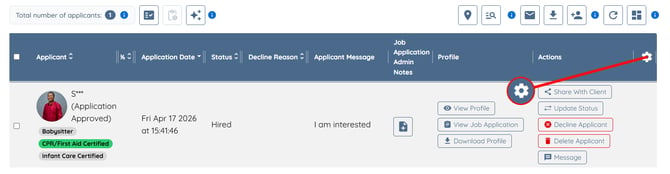
The Candidate Application Settings will appear.
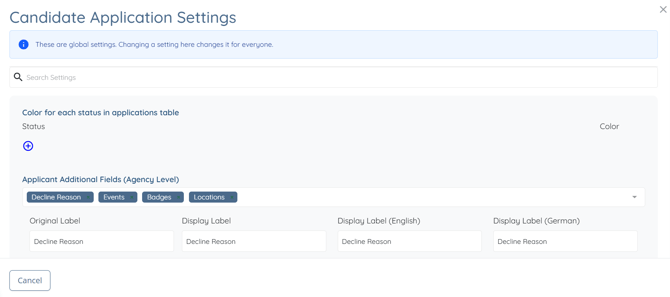
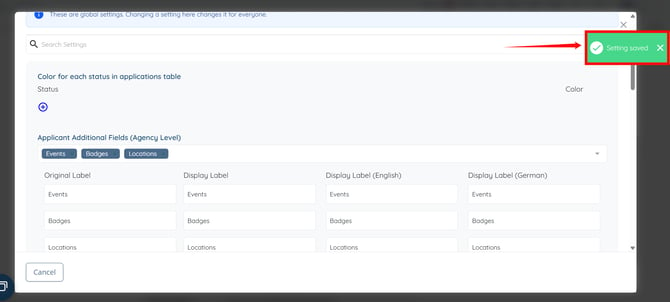
Step 2: Under Applicant Additional Fields (Agency Level), remove the column you do not want to display in the applicant table.
NOTE: For demonstration purposes, we are removing the Decline Reason column. You can remove other available fields as needed.
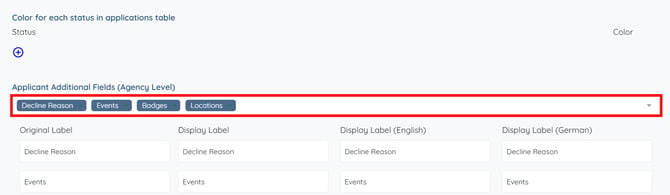
The settings will be saved automatically, and the selected column will be removed from the applicant table.