![enginehire logo thin dark 1.0.png]](https://learn.enginehire.io/hs-fs/hubfs/enginehire%20logo%20thin%20dark%201.0.png?height=40&name=enginehire%20logo%20thin%20dark%201.0.png)
Let’s get started 🚀
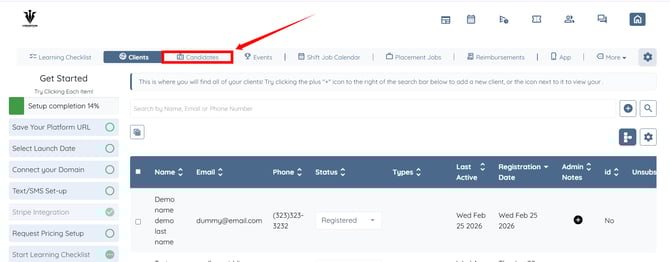
Step 1: Log in to your agent dashboard and click Candidates in the navigation bar.
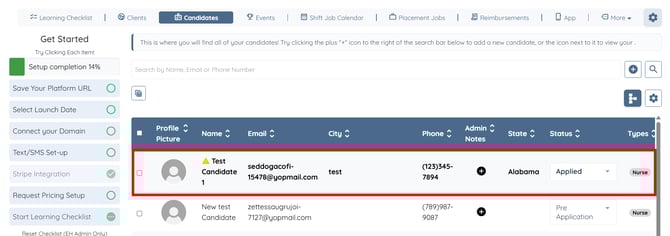
Step 2: Click any candidate from the list.
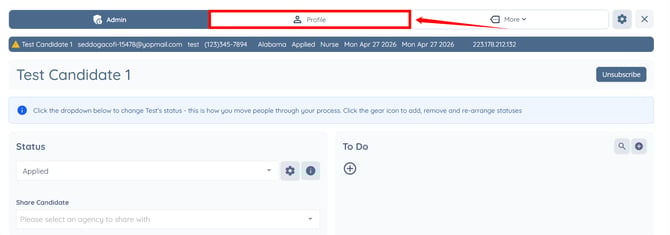
Step 3: Click the Profile tab to navigate to the candidate’s profile.
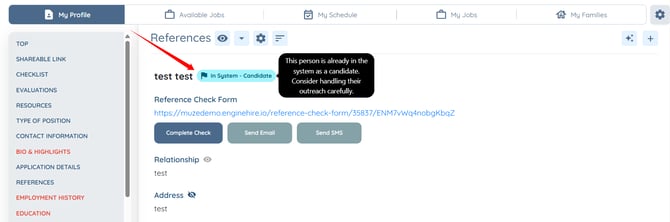
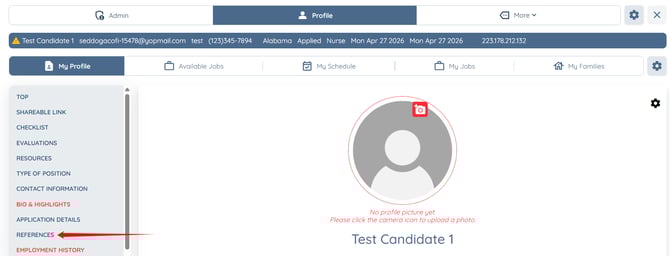
Step 4: Click the REFERENCES option in the left sidebar to navigate to the references section.
You will see an “In System – Candidate” flag indicating the person already exists in the system as a candidate.
Step 1: Log in to your agent dashboard and click Candidates in the navigation bar.
Step 2: Click any candidate from the list.
Step 3: Click the Profile tab to navigate to the candidate’s profile.
Step 4: Click the REFERENCES option in the left sidebar to navigate to the references section.
You will see an “In System – Candidate” flag indicating the person already exists in the system as a candidate.
If you see an “In System – Client” flag, it indicates the person already exists in the system as a client.