![enginehire logo thin dark 1.0.png]](https://learn.enginehire.io/hs-fs/hubfs/enginehire%20logo%20thin%20dark%201.0.png?height=40&name=enginehire%20logo%20thin%20dark%201.0.png)
Let’s get started 🚀
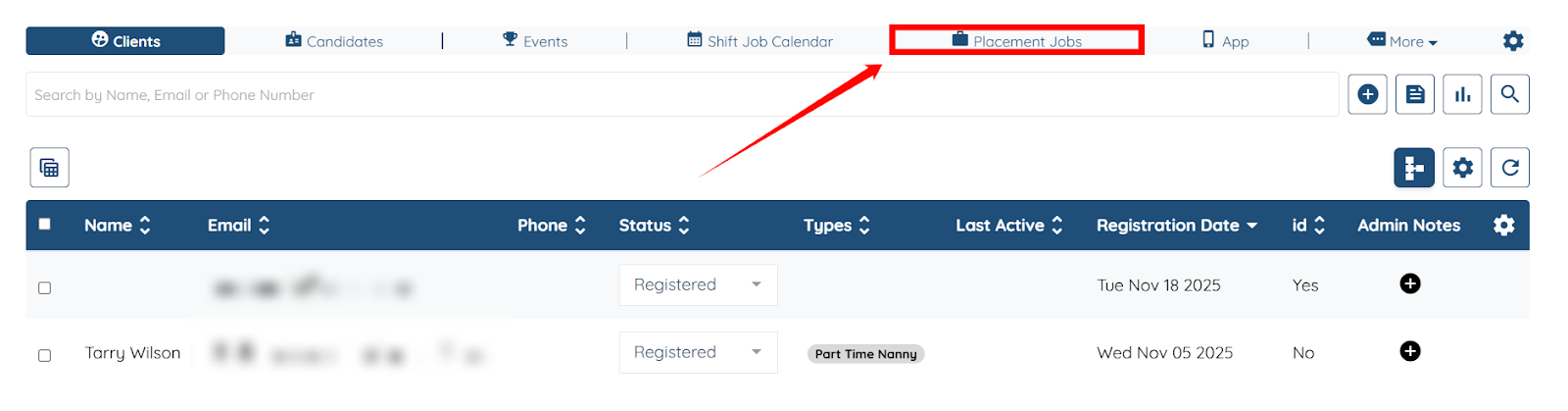
Step 1: Log into your agent dashboard, and click the Placement Jobs from the top navigation bar.
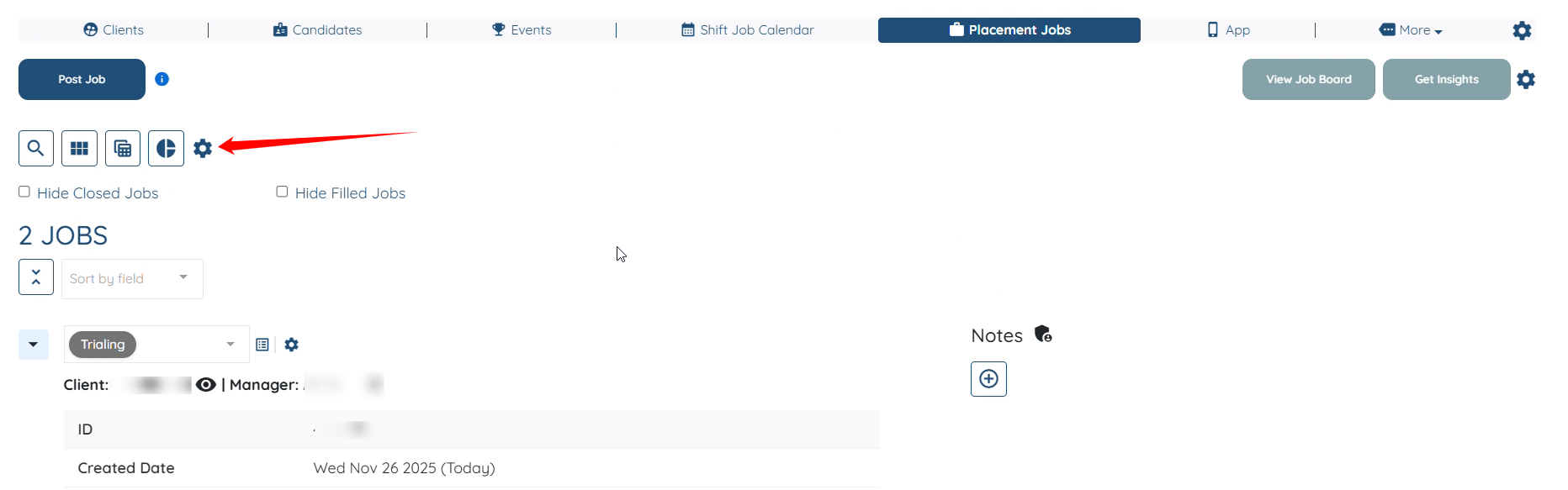
Step 2: Click the Gear icon as shown in the screenshot below.
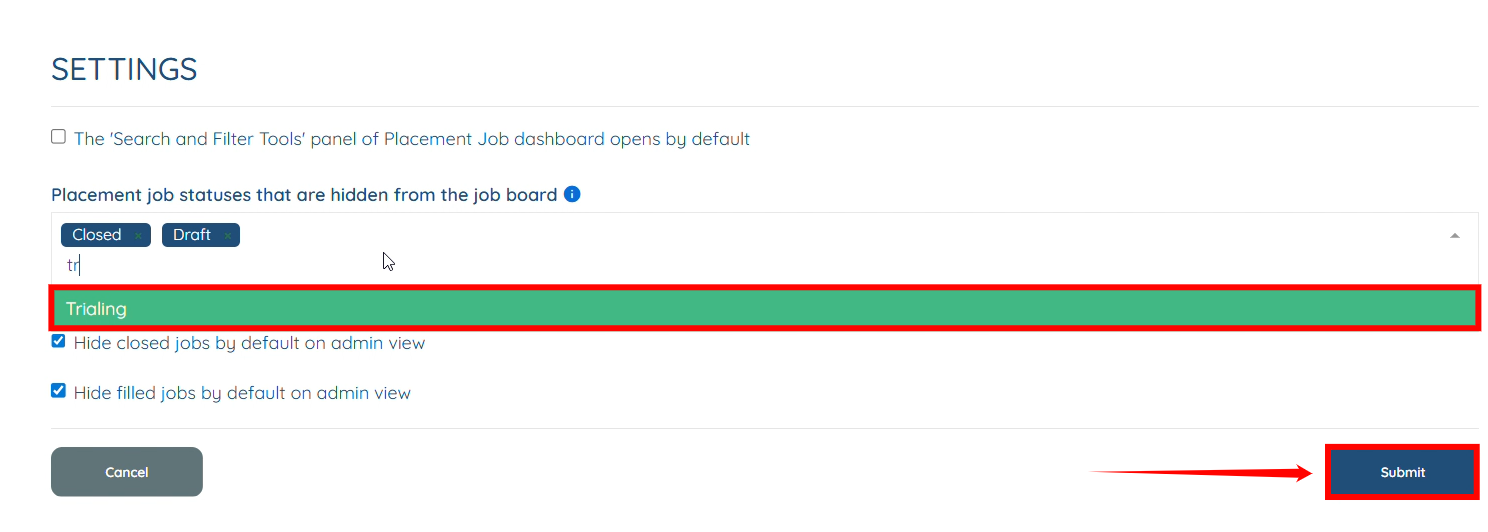
Step 3: In the Placement job statuses that are hidden from the job board field, select the job statuses you want to hide from the job board. Then click the Submit button to proceed.
To show jobs that are already hidden on the job board, you need to remove the status of those jobs from this field.
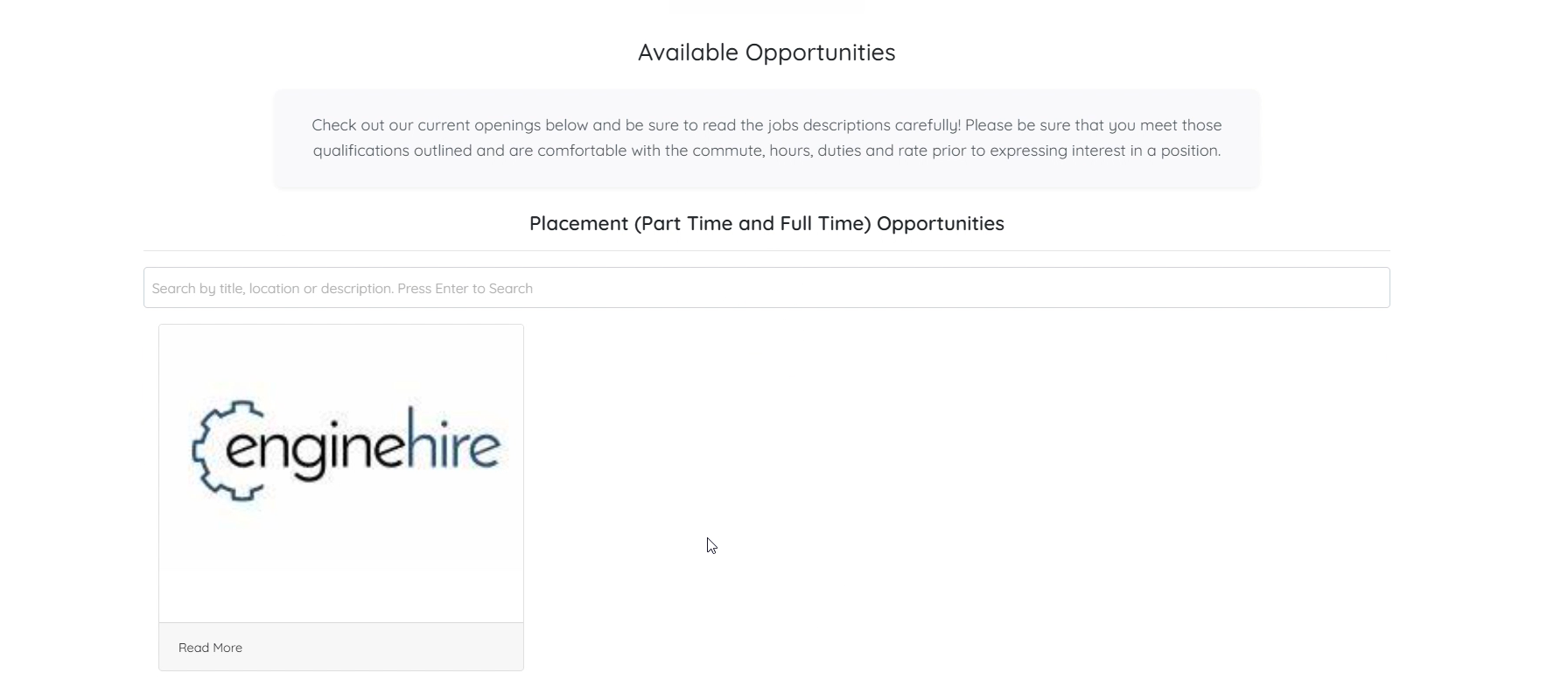
Step 4: Click the View Job Board button on the right-hand side of the interface.

The system will successfully hide the jobs with the selected status from the Job Board.