![enginehire logo thin dark 1.0.png]](https://learn.enginehire.io/hs-fs/hubfs/enginehire%20logo%20thin%20dark%201.0.png?height=40&name=enginehire%20logo%20thin%20dark%201.0.png)
Let’s get started 🚀
Step 1: Log in to your agent dashboard and click More > Global Settings as shown in the screenshot below.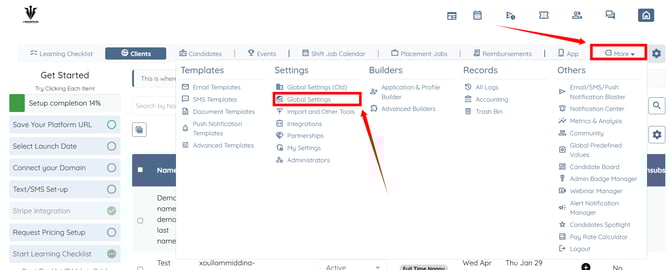
Step 2: Scroll the tabs to the left and click on Backup Care Assistant tab.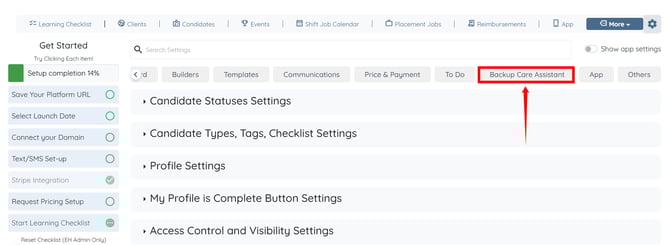
Step 3: Click the MyJovie option to expand its details.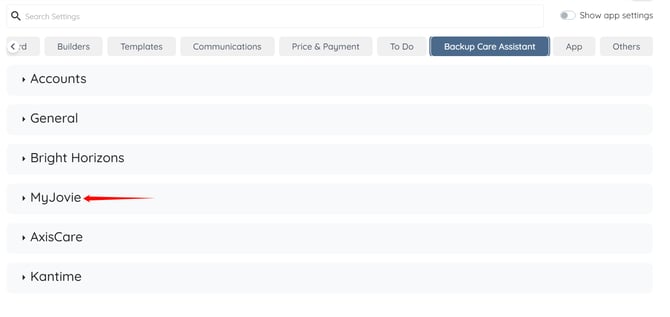
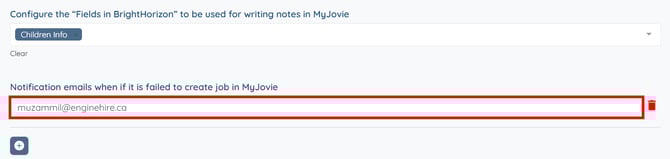
Step 4: Scroll down to the Notification emails when if it is failed to create job in MyJovie option, and click the “+” button just below it.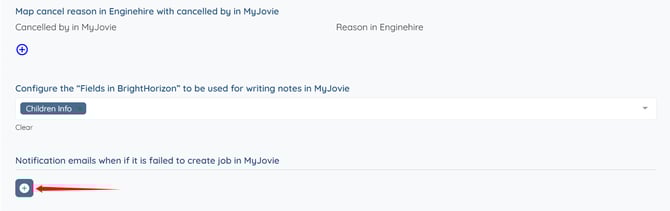
Step 5: Enter the email address where you want to receive job sync failure alerts.
The settings will be saved automatically.