![enginehire logo thin dark 1.0.png]](https://learn.enginehire.io/hs-fs/hubfs/enginehire%20logo%20thin%20dark%201.0.png?height=40&name=enginehire%20logo%20thin%20dark%201.0.png)
Let’s get started 🚀
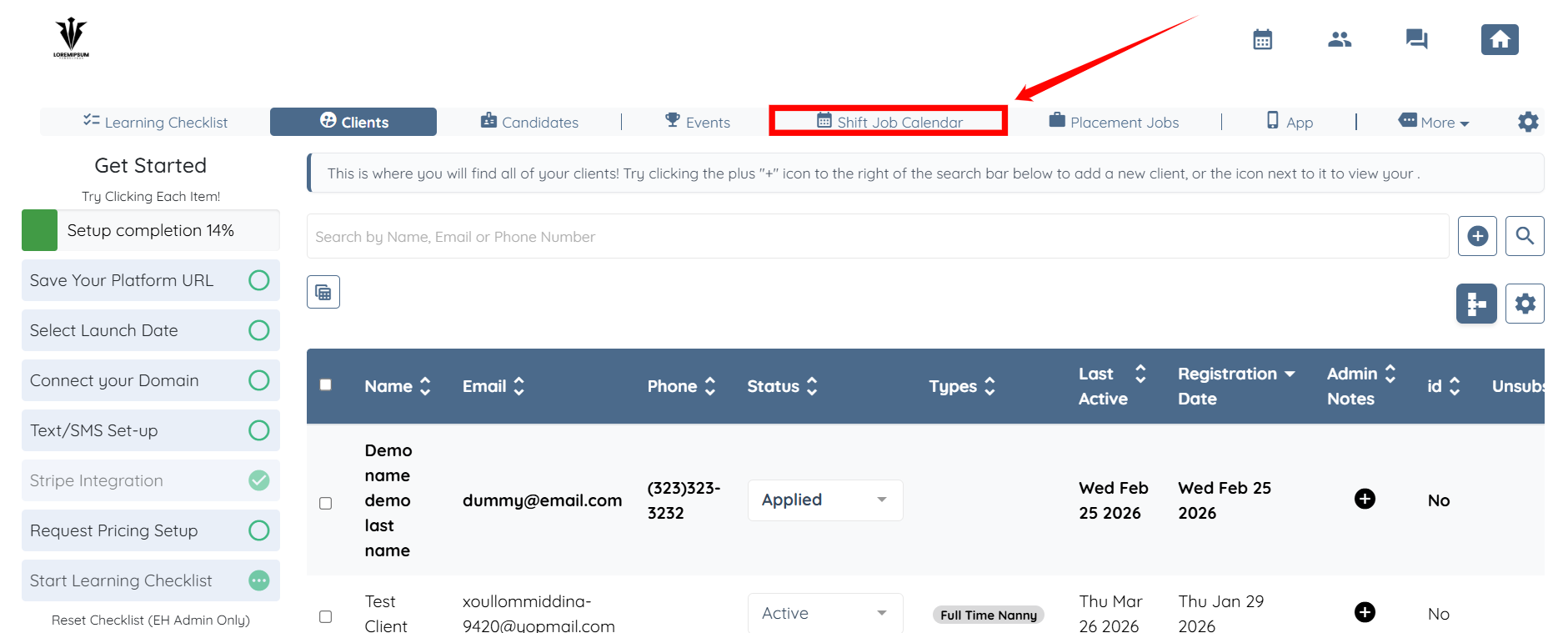
Step 1: Log in to your agent dashboard, then click the Shift Job Calendar in the navigation bar.
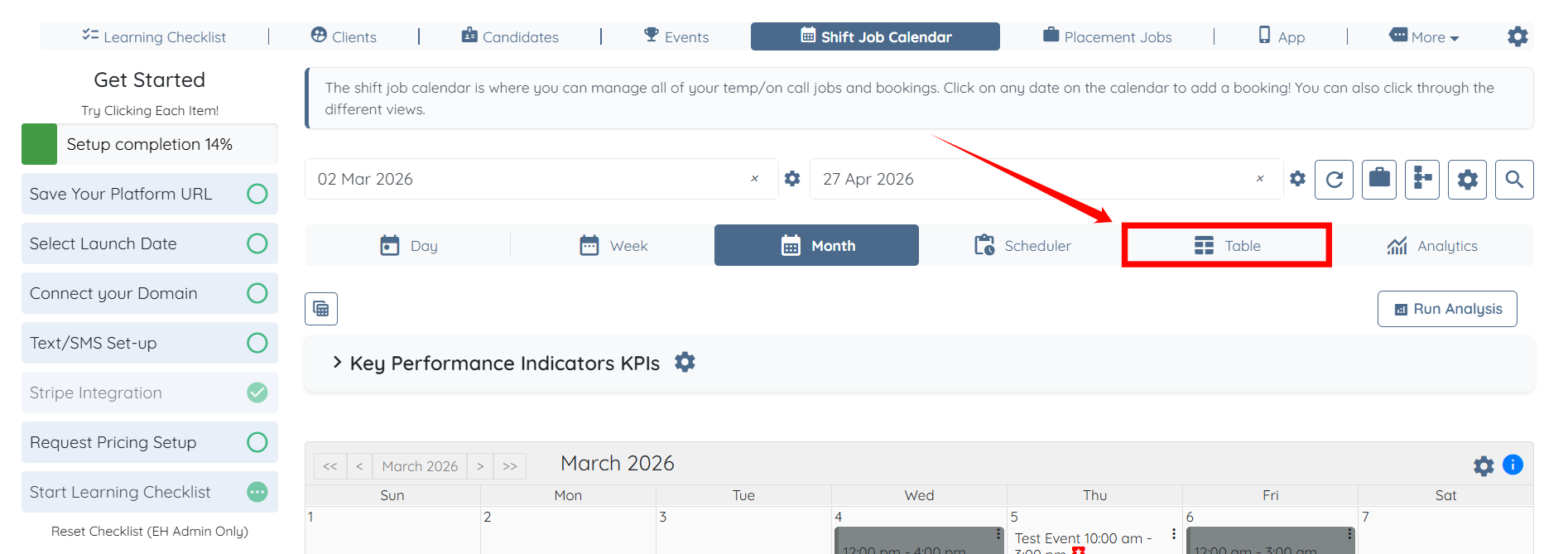
Step 2: Click the Table tab from the available tabs.
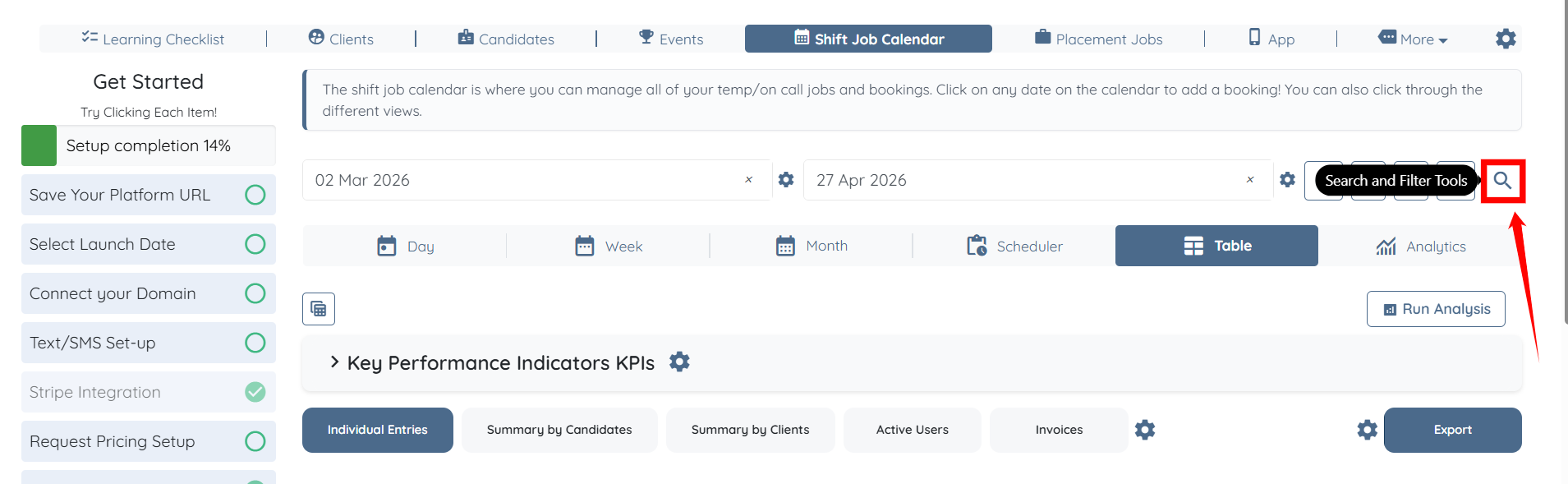
Step 3: Click the Search and Filter Tools icon.
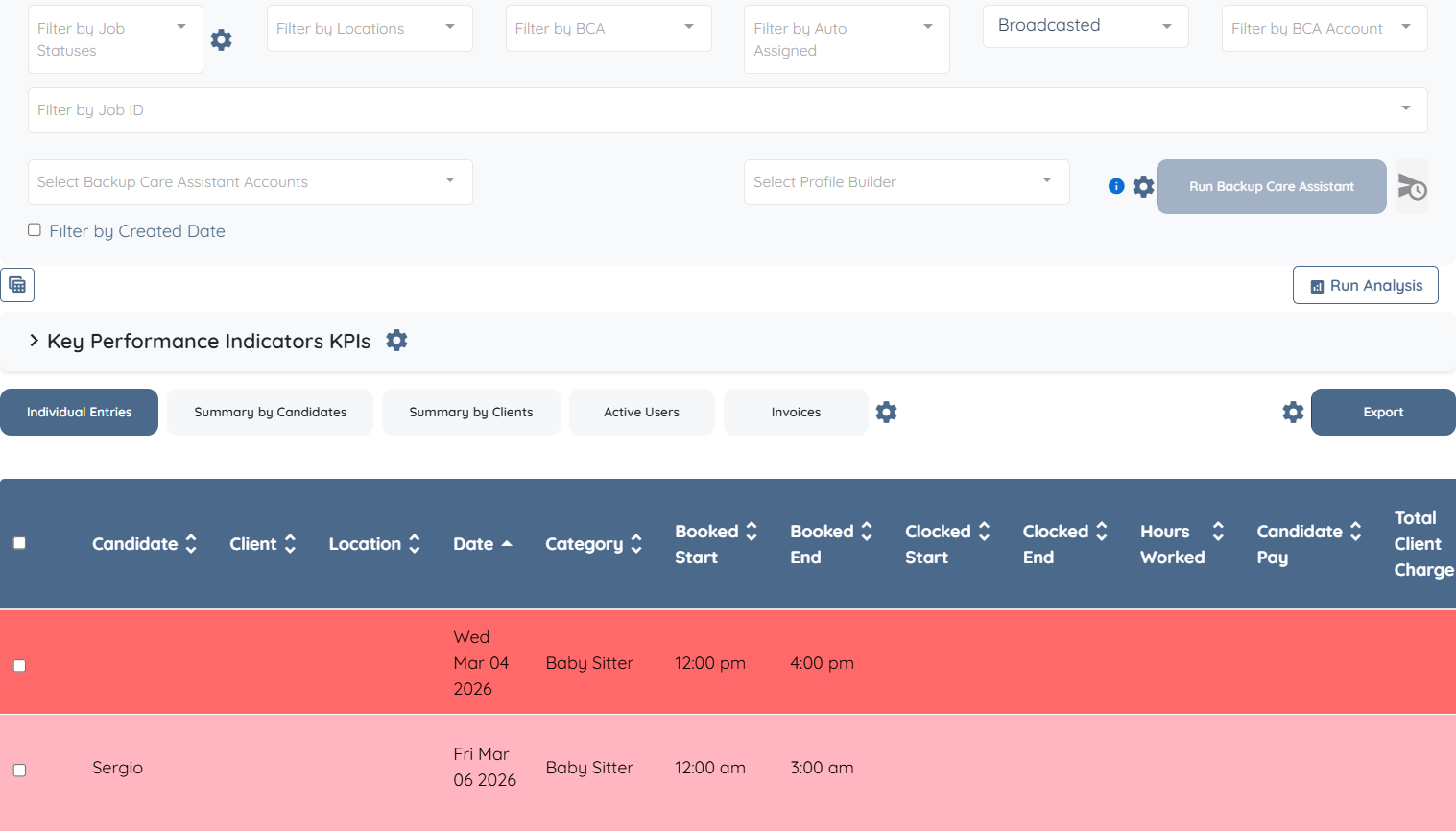
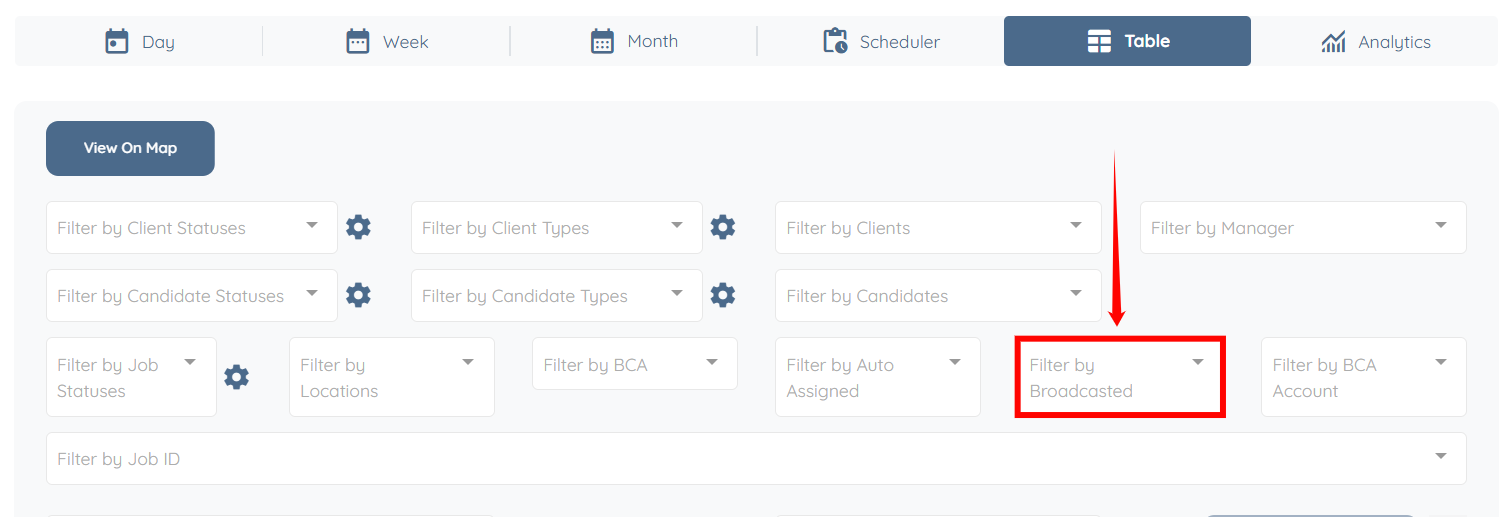
Step 4: Click the Filter by Broadcasted box to open the dropdown list.
Step 5: In the Filter by Broadcasted dropdown, select the option you want to apply.
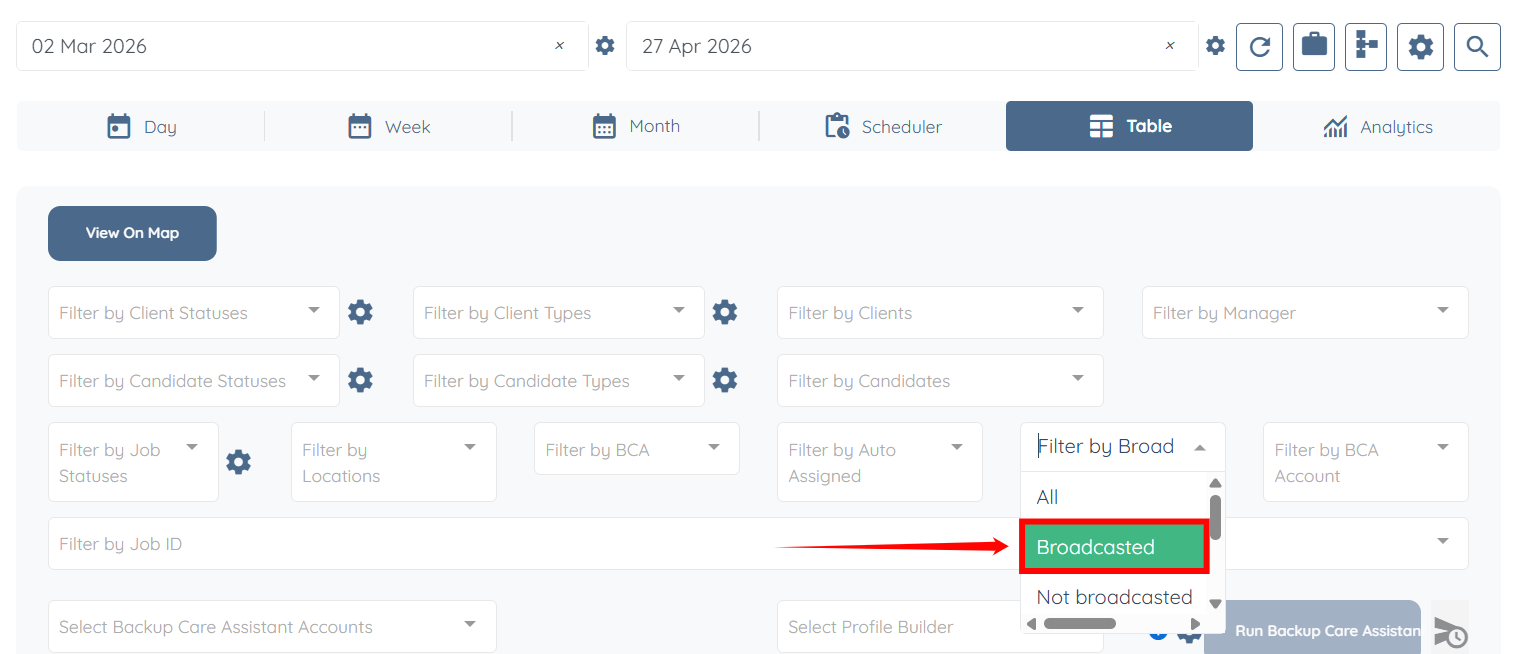
The list will update to display jobs based on the selected broadcasted status.