![enginehire logo thin dark 1.0.png]](https://learn.enginehire.io/hs-fs/hubfs/enginehire%20logo%20thin%20dark%201.0.png?height=40&name=enginehire%20logo%20thin%20dark%201.0.png)
Let's get started 🚀
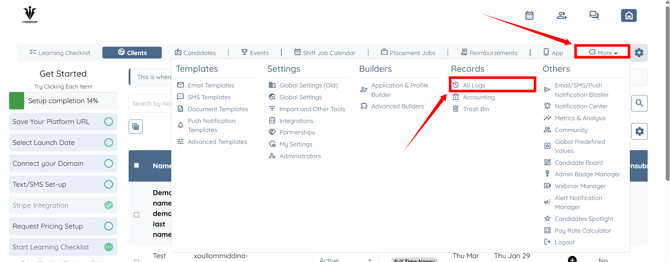
Step 1: Log in to your agent dashboard and click More > All Logs as shown in the screenshot below.
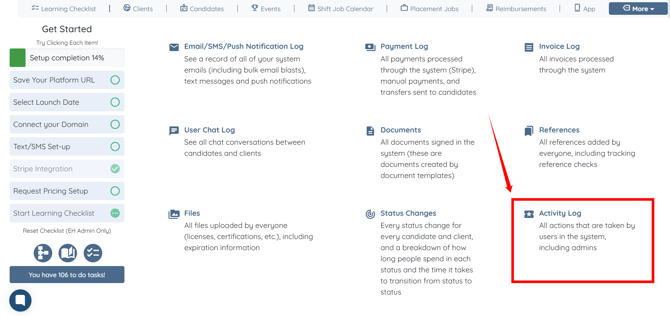
Step 2: Click the Activity Log option.
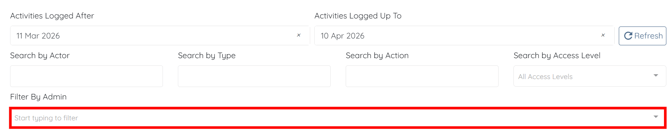
Step 3: Click the box under the Filter By Admin heading to open the dropdown list.
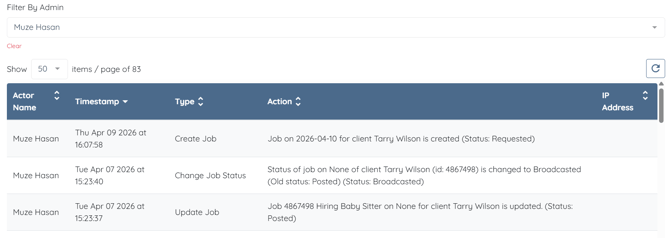
Step 4: Select an admin from the list to view that specific user’s activity logs.
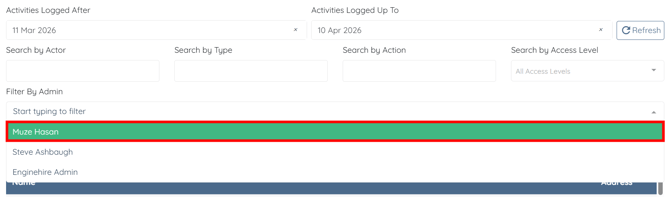
The activity logs will be filtered based on the selected admin.