![enginehire logo thin dark 1.0.png]](https://learn.enginehire.io/hs-fs/hubfs/enginehire%20logo%20thin%20dark%201.0.png?height=40&name=enginehire%20logo%20thin%20dark%201.0.png)
Let’s get started 🚀
Step 1: Log in to your agent dashboard and click More > Advanced Builders as shown in the screenshot below.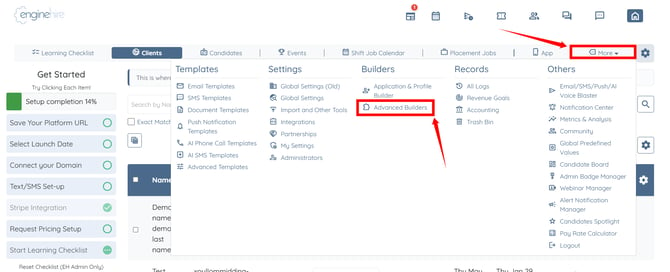
Step 2: Click the Resource Library Builder option.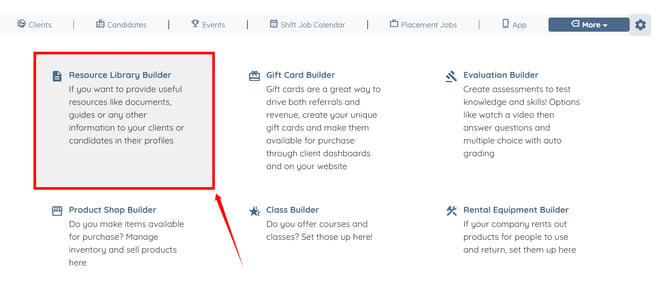
Step 3: Click the pencil icon of the resource for which you want to enable read acknowledgement. 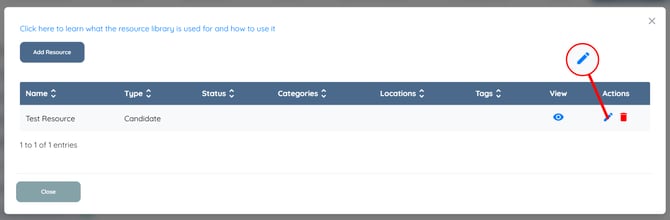
Step 4: Check the Require users to acknowledge reading this resource checkbox.
Step 5: Click the Save button to apply the changes.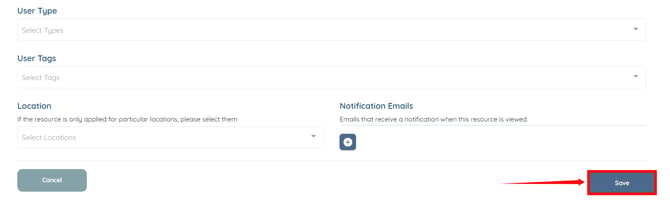
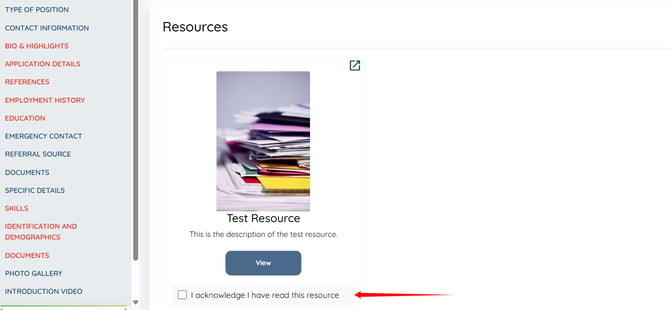
A checkbox labeled "I acknowledge I have read this resource" will appear under the configured resource in the candidate and client profiles.