![enginehire logo thin dark 1.0.png]](https://learn.enginehire.io/hs-fs/hubfs/enginehire%20logo%20thin%20dark%201.0.png?height=40&name=enginehire%20logo%20thin%20dark%201.0.png)
Let's get started 🚀
Step 1: Log in to your agent dashboard and click More > Global Settings as shown in the screenshot below.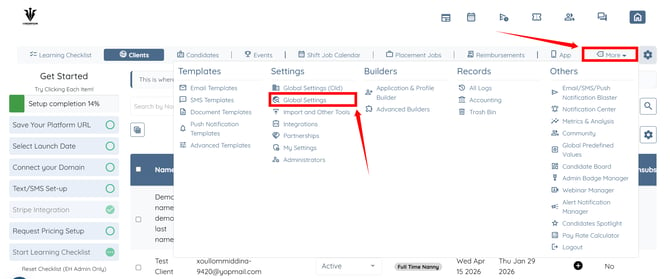
Step 2: Scroll down to the Candidate Verification option and click it to expand the details.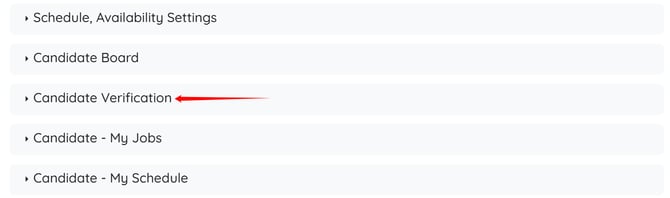
Step 3: Check the “Enable 'fuzzy matching' of candidate applicants: the system will try to identify duplicates beyond exact email and phone number matches and notify you if it thinks someone is a repeat applicant” checkbox.
The settings will be saved automatically.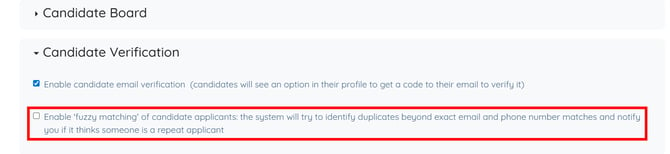
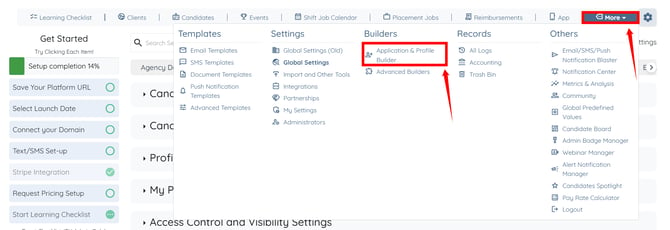
Step 4: Click More > Application & Profile Builder as shown in the screenshot below.
Step 5: Click the Filter by type box to open the dropdown list.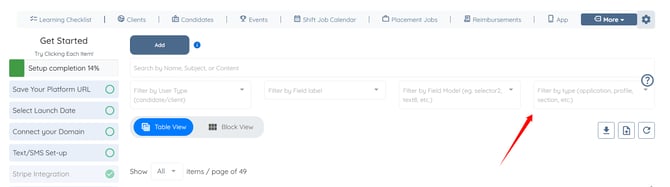
Step 6: Select the Application option from the dropdown list.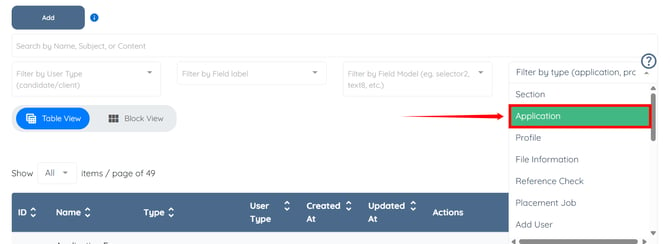
Step 7: Click the corresponding Gear icon to the Candidate Application.
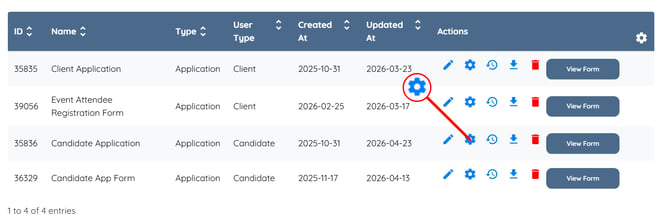
Step 8: Click the Notifications tab from the available tabs.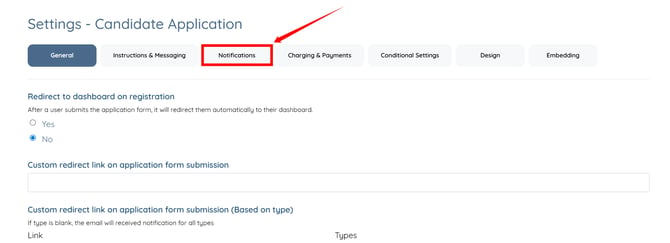
Step 9: Enter the email address where you want to receive alerts for potential duplicate applicants in the “Submission Notification Email” field. 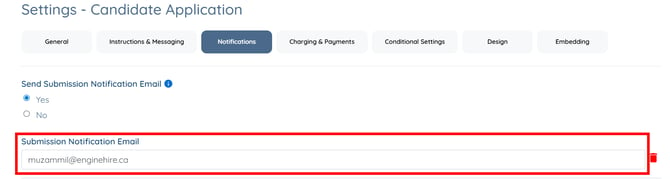
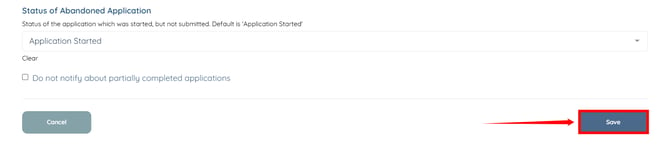
Step 10: Scroll to the bottom and click the Save button to confirm your changes.
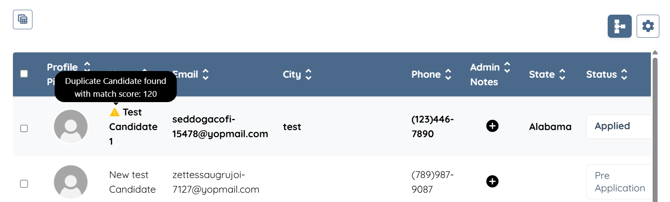
When a candidate submits an application, the system compares their name, phone number, and address with existing records. If a similar match is found, the candidate is flagged as a potential duplicate with a match score.
Admins will also be notified about potential duplicate matches at the configured email address.
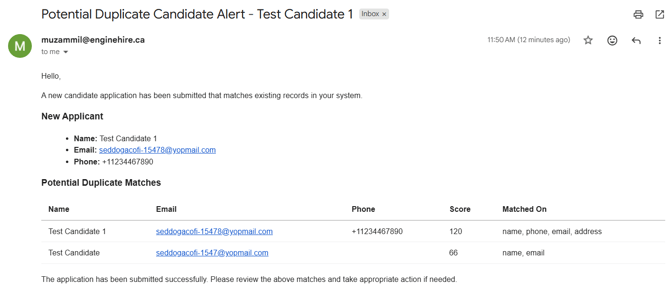
If the Submission Notification Email field does not contain an email address, the system sends email alerts to the Admin email address specified in the Communication Settings under Agency Details.