![enginehire logo thin dark 1.0.png]](https://learn.enginehire.io/hs-fs/hubfs/enginehire%20logo%20thin%20dark%201.0.png?height=40&name=enginehire%20logo%20thin%20dark%201.0.png)
Let’s get started 🚀
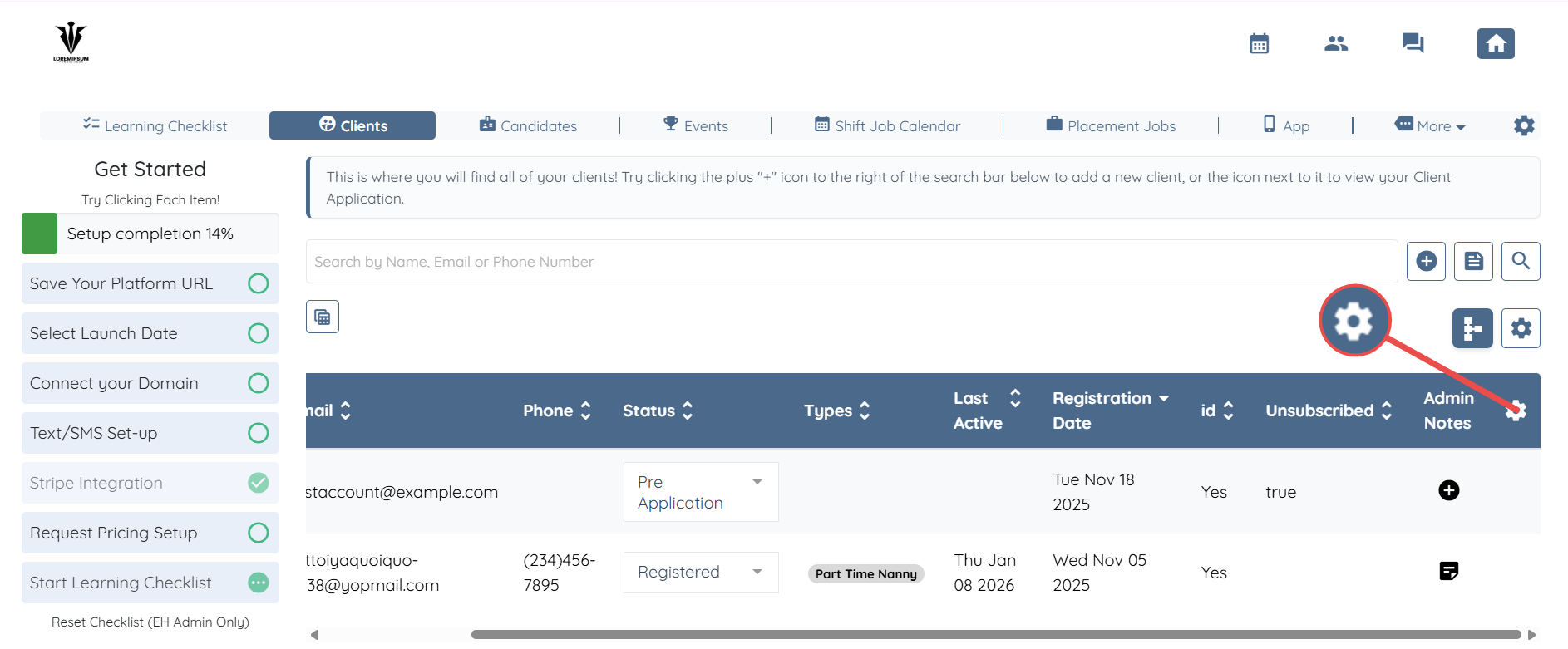
Step 1: Log in to your agent dashboard and click the Gear icon located on the right-hand side of the client table within the Clients section.
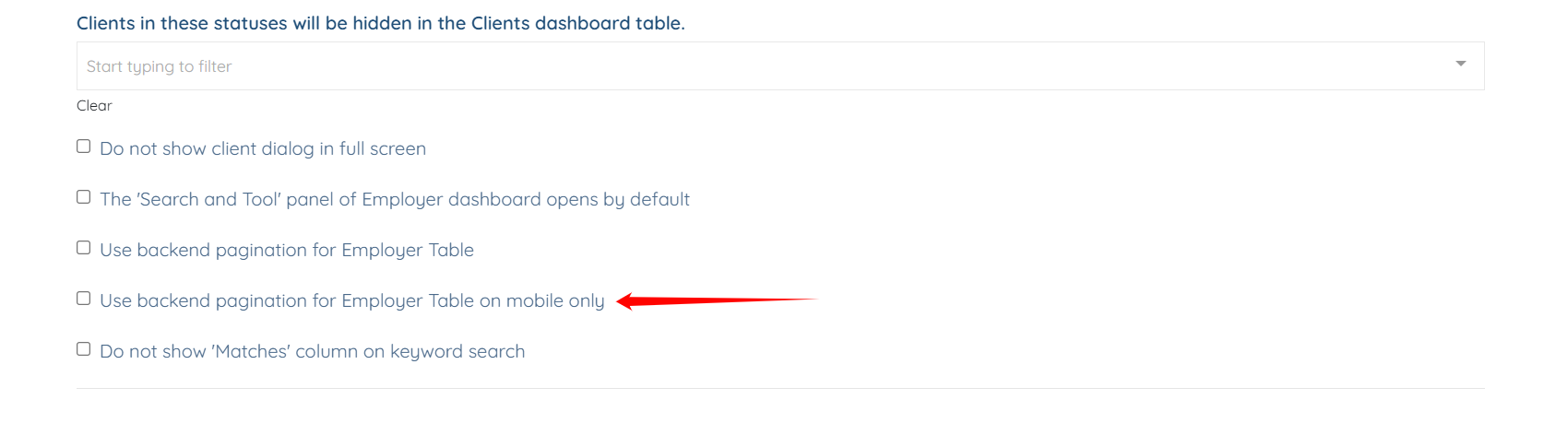
Step 2: Ensure that the Use backend pagination for Employer Table on mobile only checkbox is unchecked.
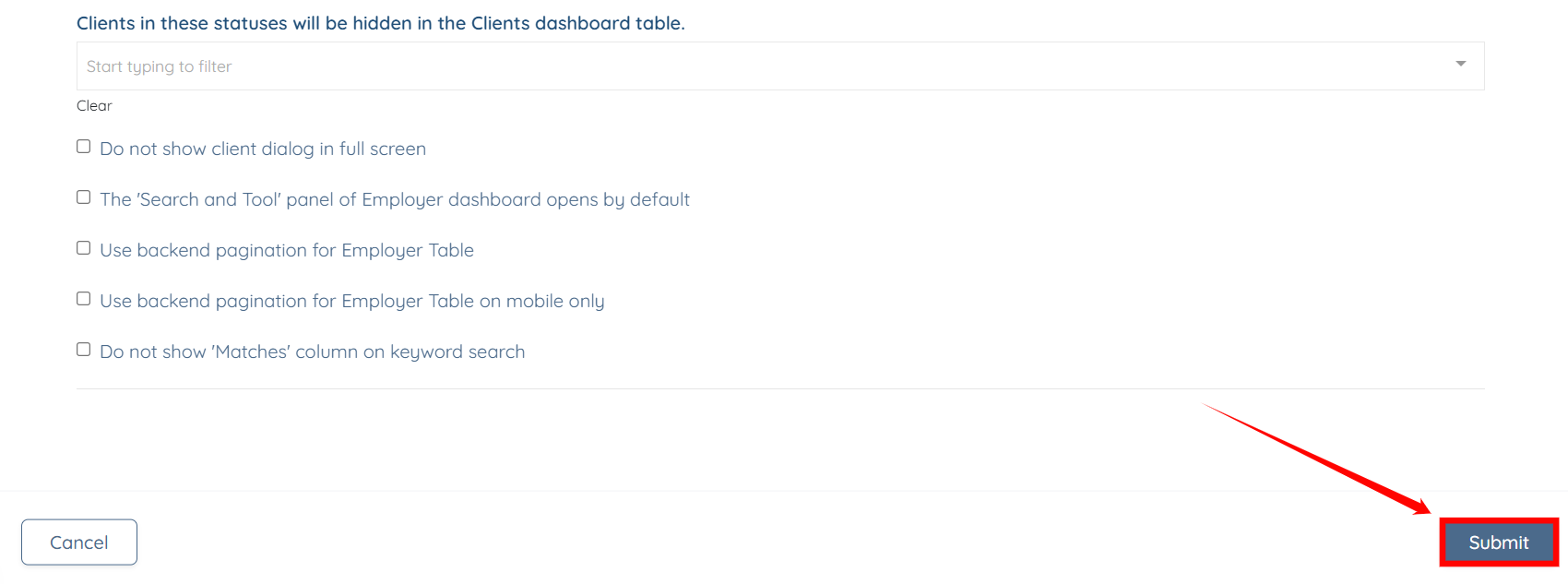
Step 3: Click the Submit button to confirm the changes.