![enginehire logo thin dark 1.0.png]](https://learn.enginehire.io/hs-fs/hubfs/enginehire%20logo%20thin%20dark%201.0.png?height=40&name=enginehire%20logo%20thin%20dark%201.0.png)
Let’s get started 🚀
Step 1: Log in to your profile and click the Timesheet tab from the available tabs.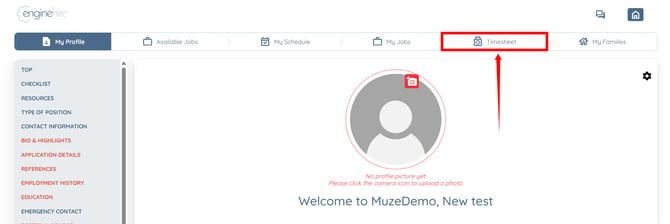
Step 2: Use the available filters to locate the task whose hours you want to edit. 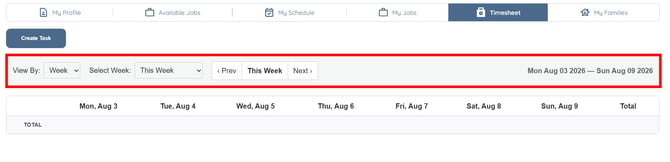
Step 3: Click the pencil icon next to the hours entry you want to edit. 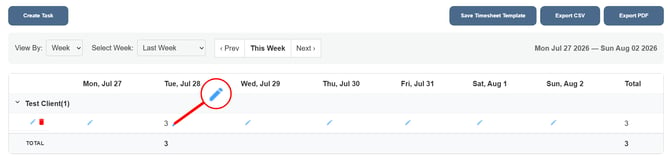
Step 4: Edit the hours as needed, and then click the Submit button.
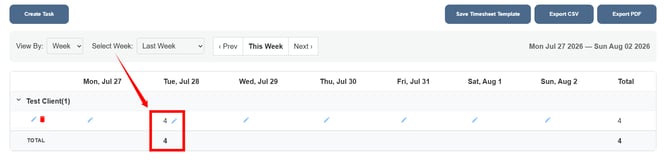
The updated hours will be saved successfully and reflected in your timesheet.