![enginehire logo thin dark 1.0.png]](https://learn.enginehire.io/hs-fs/hubfs/enginehire%20logo%20thin%20dark%201.0.png?height=40&name=enginehire%20logo%20thin%20dark%201.0.png)
You can delete both clients and candidates using the steps described in this article. For demonstration purposes, this article uses Clients as an example.
Let’s get started 🚀
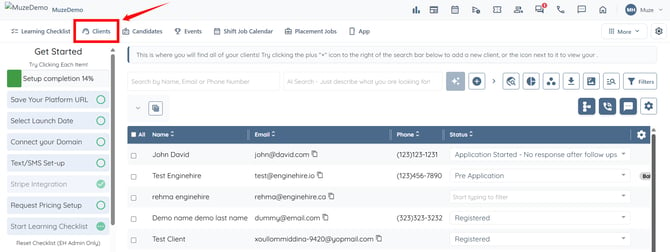
Step 1: Log in to your agent dashboard and click on Clients in the top navigation bar as shown in the screenshot below.
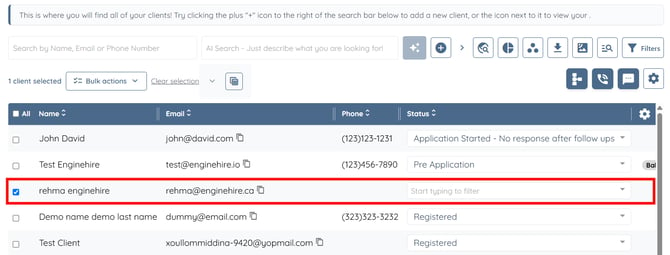
Step 2: Select the checkbox next to the client you want to delete. You can also select multiple clients if you want to delete more than one client.
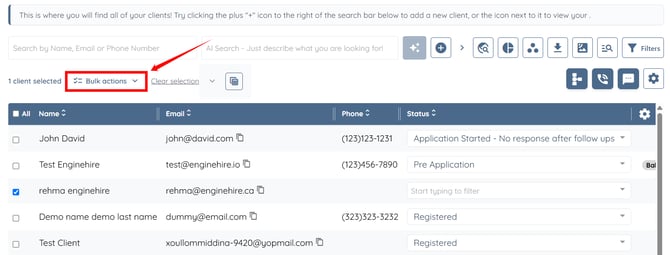
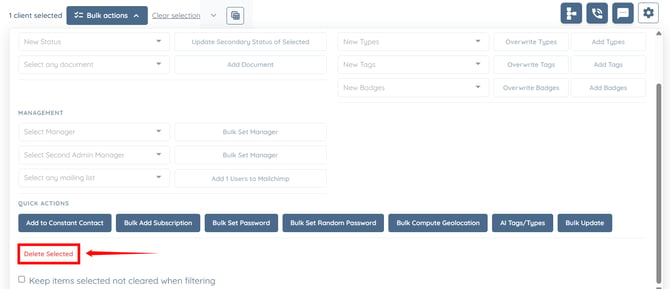
Step 3: Click the Bulk Actions button.
Step 4: Scroll down to the bottom and click the Delete Selected button.
Step 5: Click Delete to confirm the deletion.
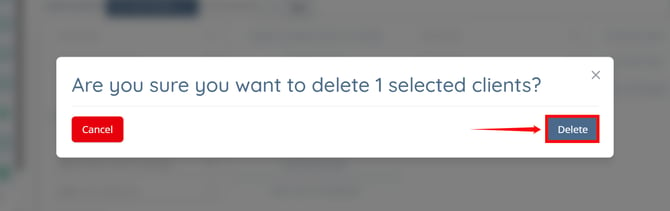
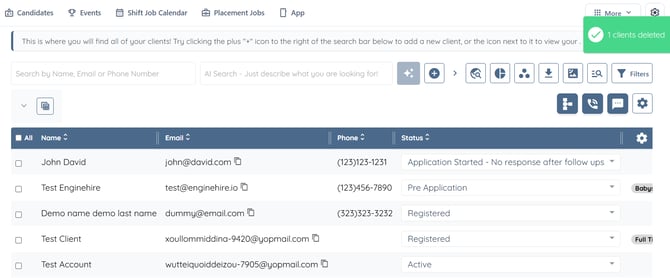
The selected client records will be deleted successfully.