![enginehire logo thin dark 1.0.png]](https://learn.enginehire.io/hs-fs/hubfs/enginehire%20logo%20thin%20dark%201.0.png?height=40&name=enginehire%20logo%20thin%20dark%201.0.png)
Let’s get started 🚀
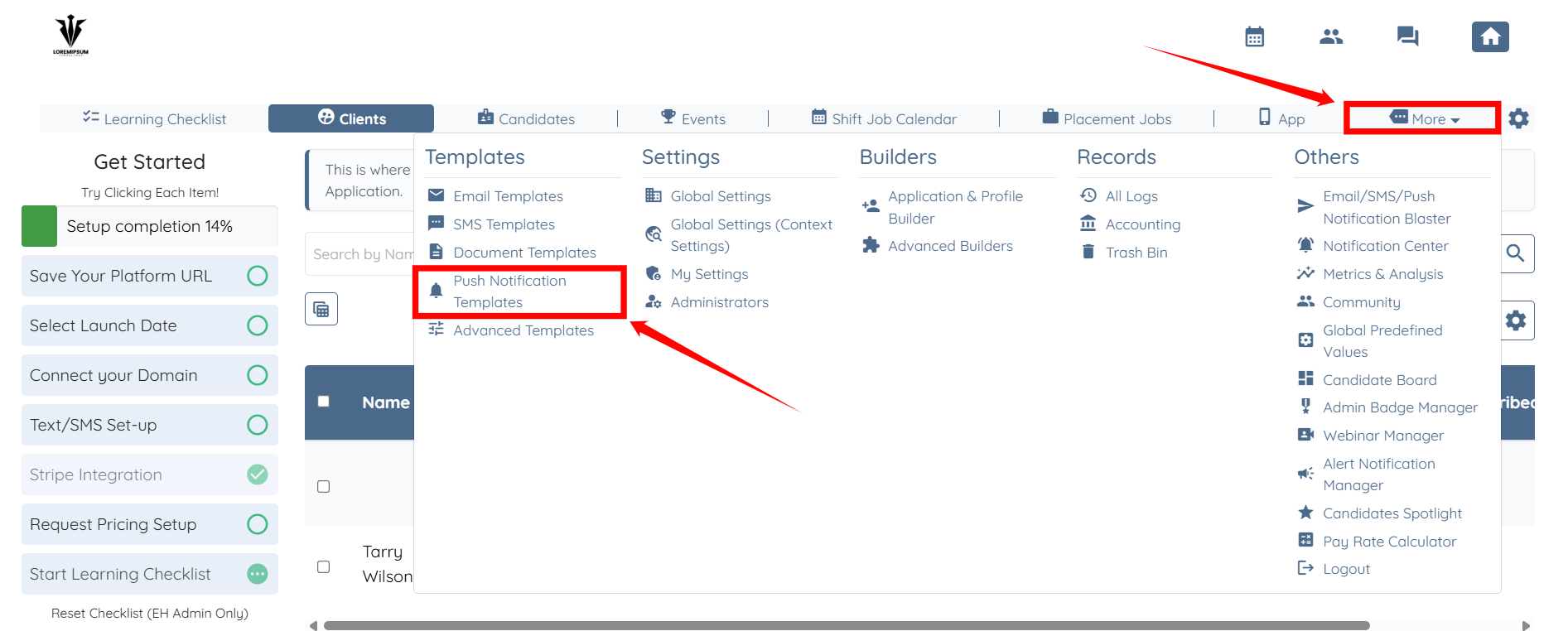
Step 1: Log in to your agent dashboard and click More > Push Notification Templates, as shown in the screenshot below.
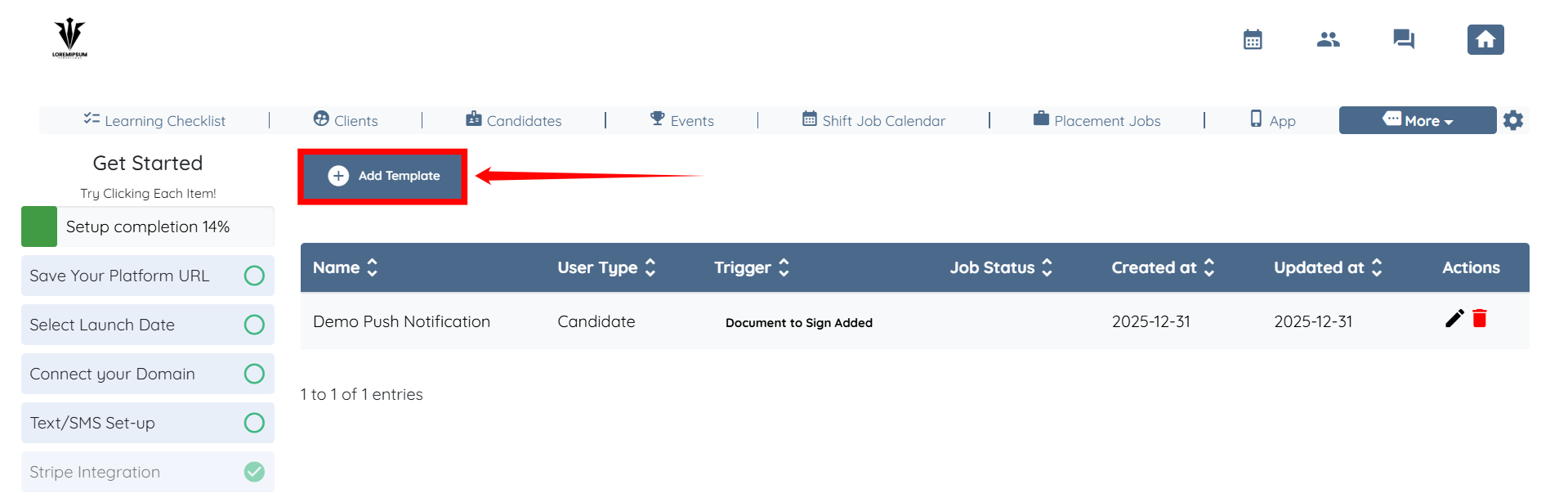
Step 2: Click the Add Template button to begin adding a new template.
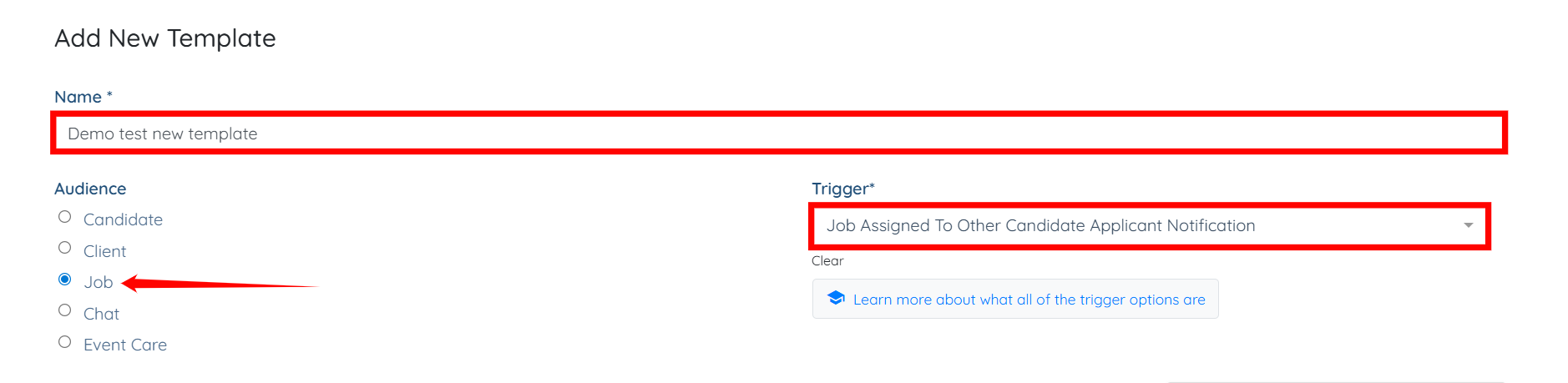
Step 3: Enter a name for your template, select the desired audience type, and then choose the trigger you want to use.
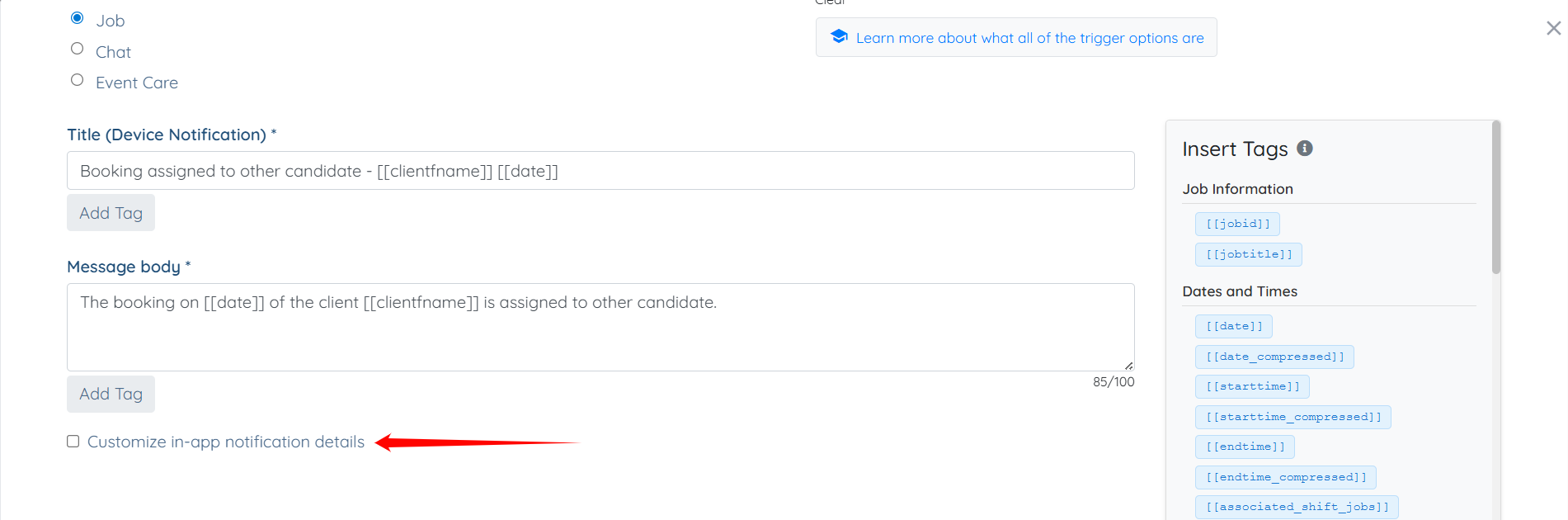
Step 4: Scroll down and check the Customize in-app notification details checkbox.
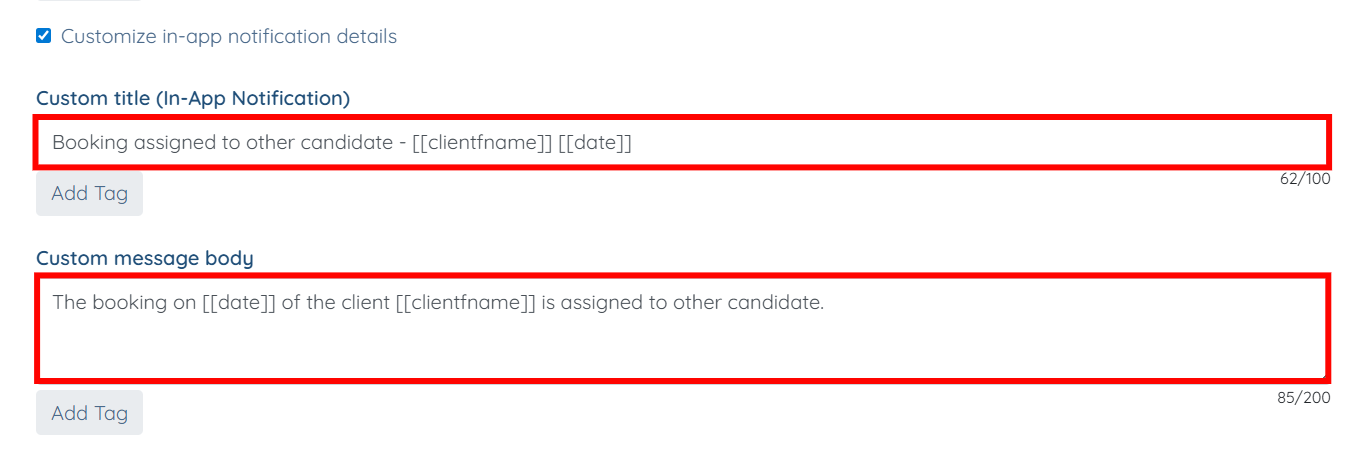
Step 5: You may modify the title and message of the in-app notification as needed by updating the Custom title (In-App Notification) and Custom message body fields.
Step 6: Click the Create button to proceed.
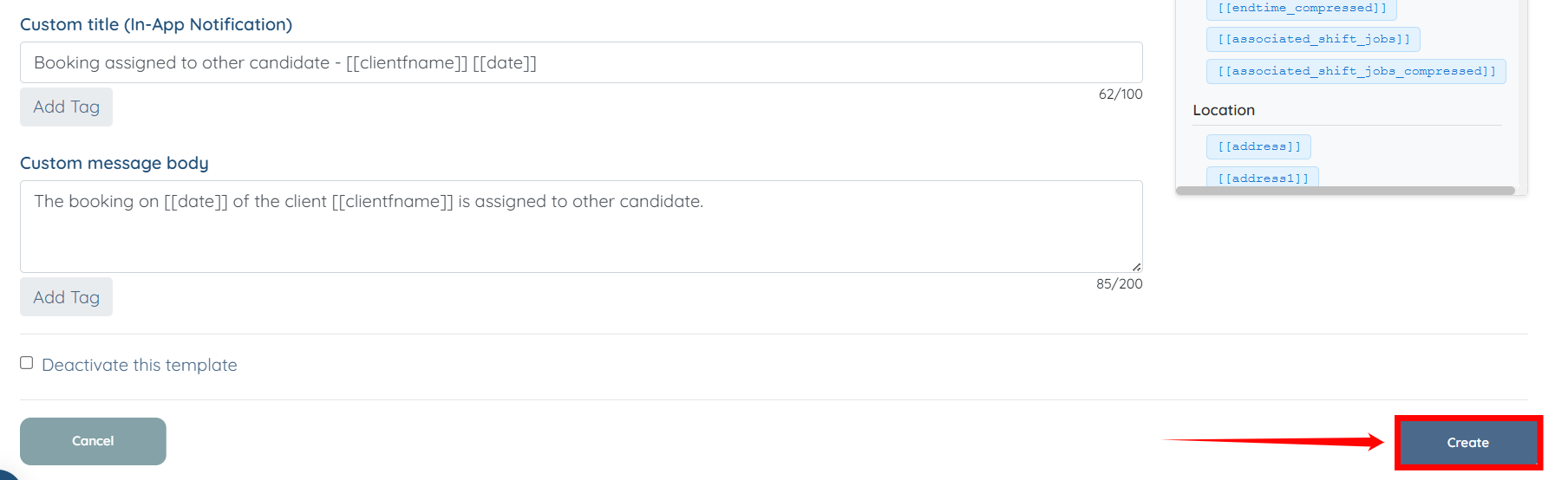
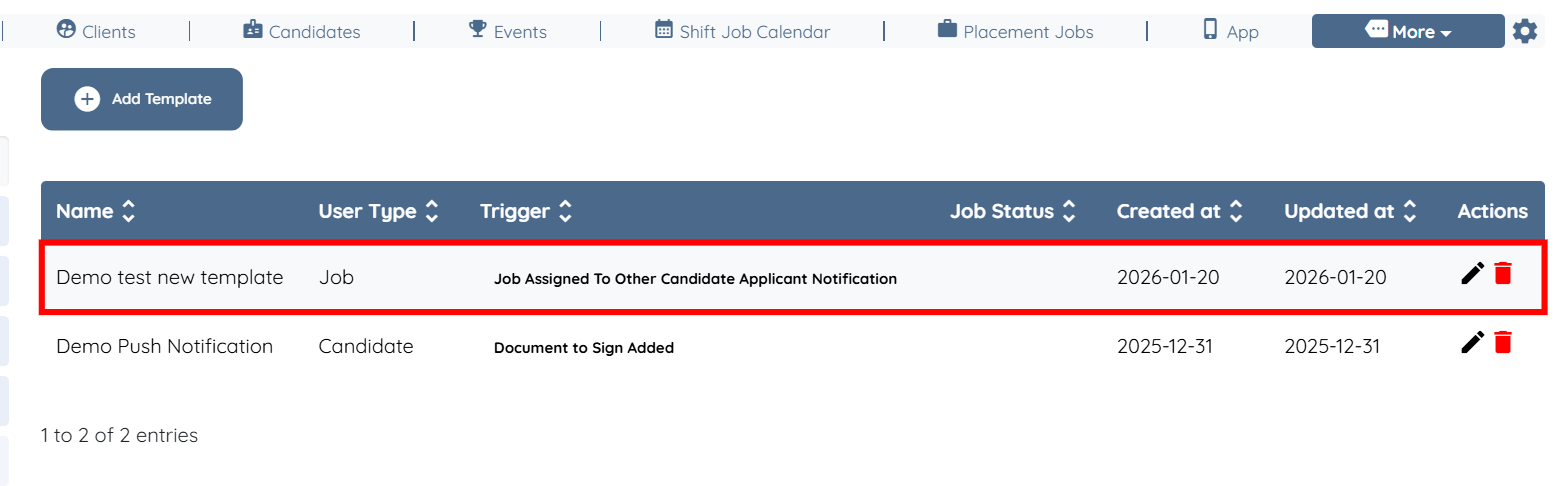
The push notification template will be created successfully by using the Customize in-app notification details option.