![enginehire logo thin dark 1.0.png]](https://learn.enginehire.io/hs-fs/hubfs/enginehire%20logo%20thin%20dark%201.0.png?height=40&name=enginehire%20logo%20thin%20dark%201.0.png)
Let’s get started 🚀
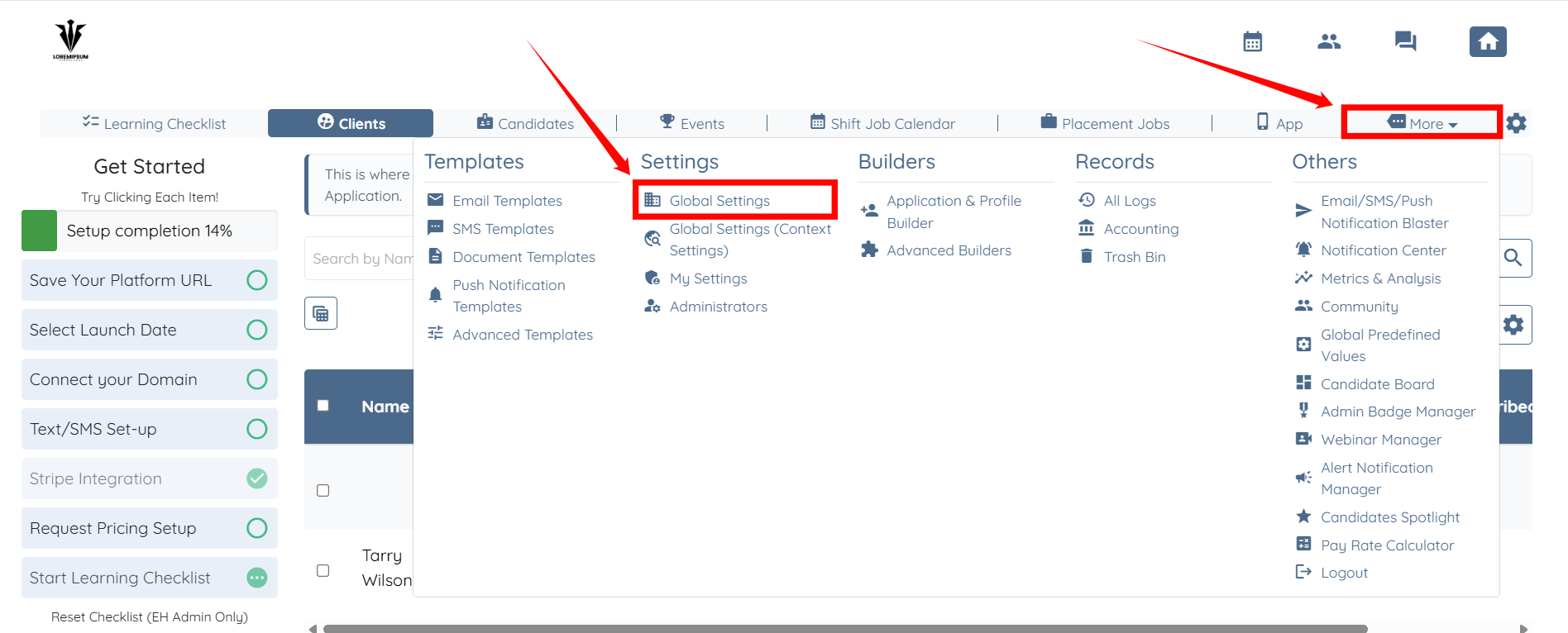
Step 1: Log in to your agent dashboard and click More > Global Settings, as shown in the screenshot below.
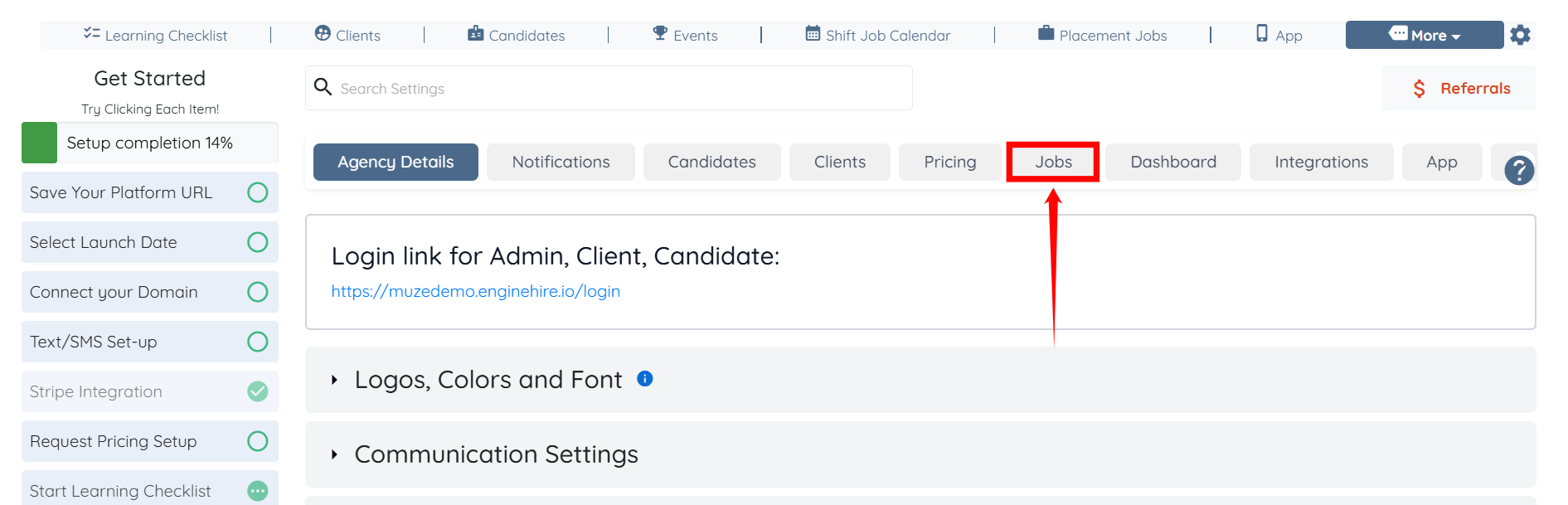
Step 2: Click the Jobs tab from the list of available tabs.
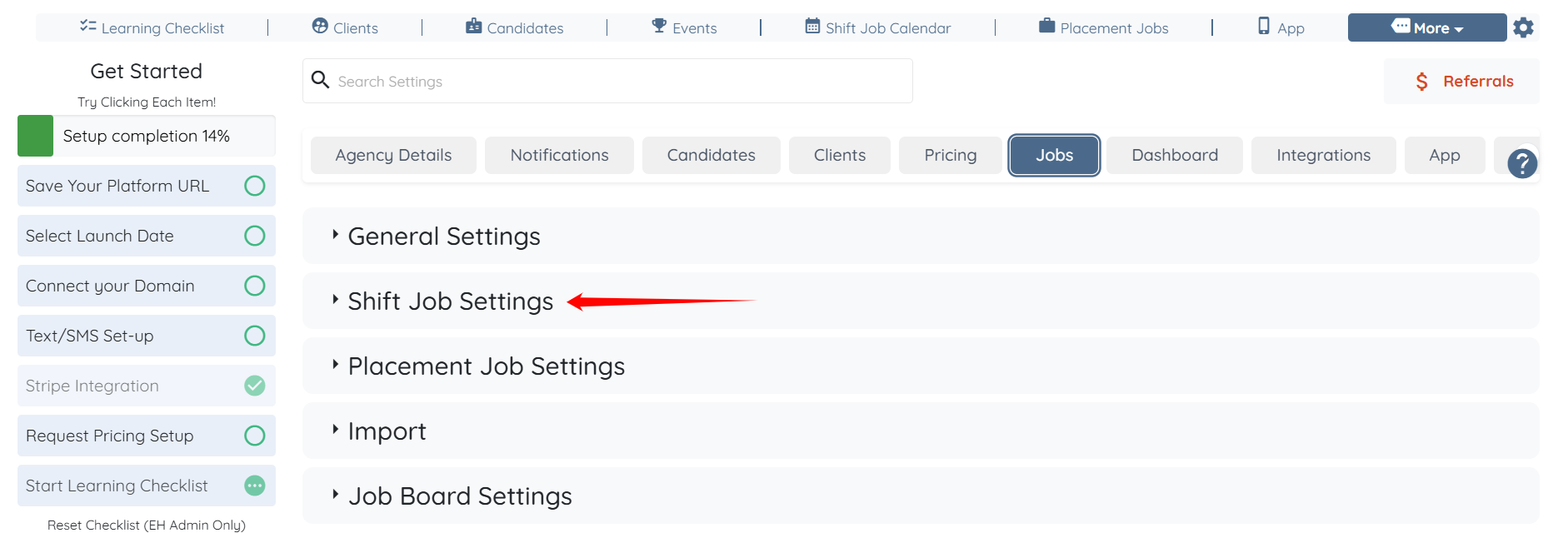
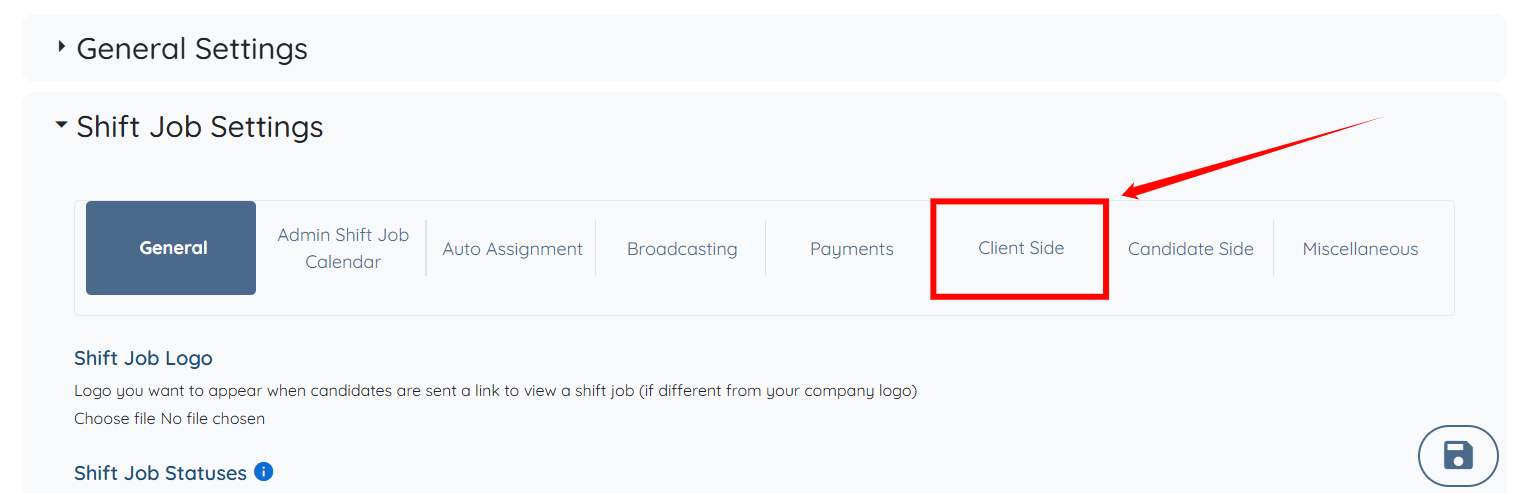
Step 3: Click the Shift Job Settings option to expand its details.
Step 4: Click the Client Side option from the list of available options.
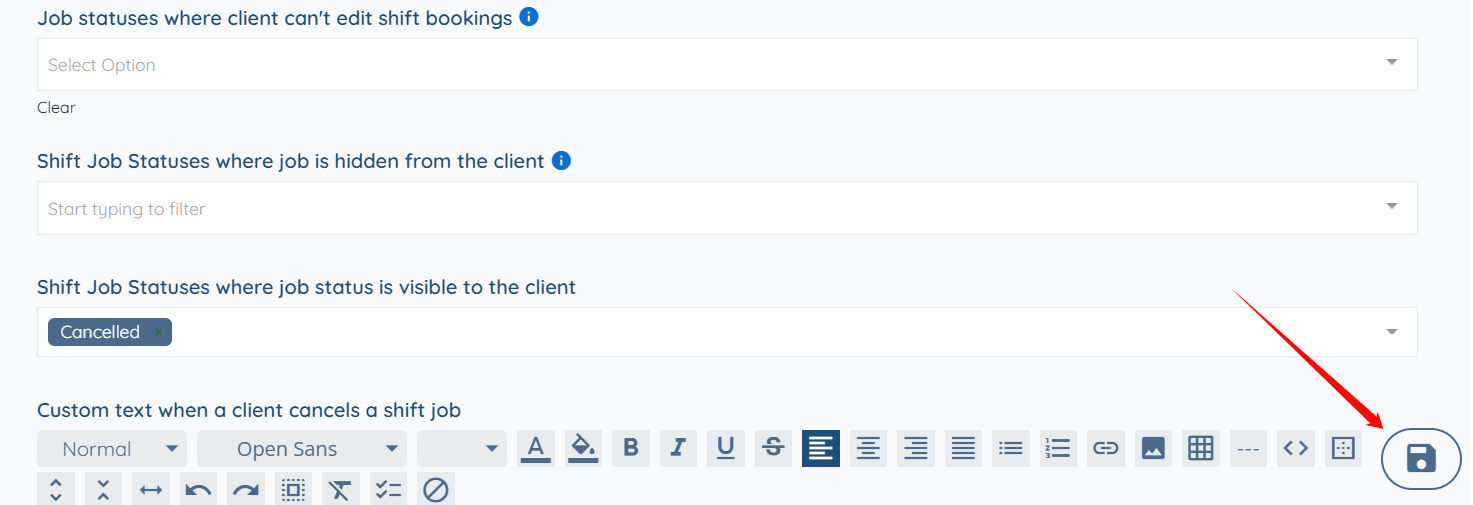
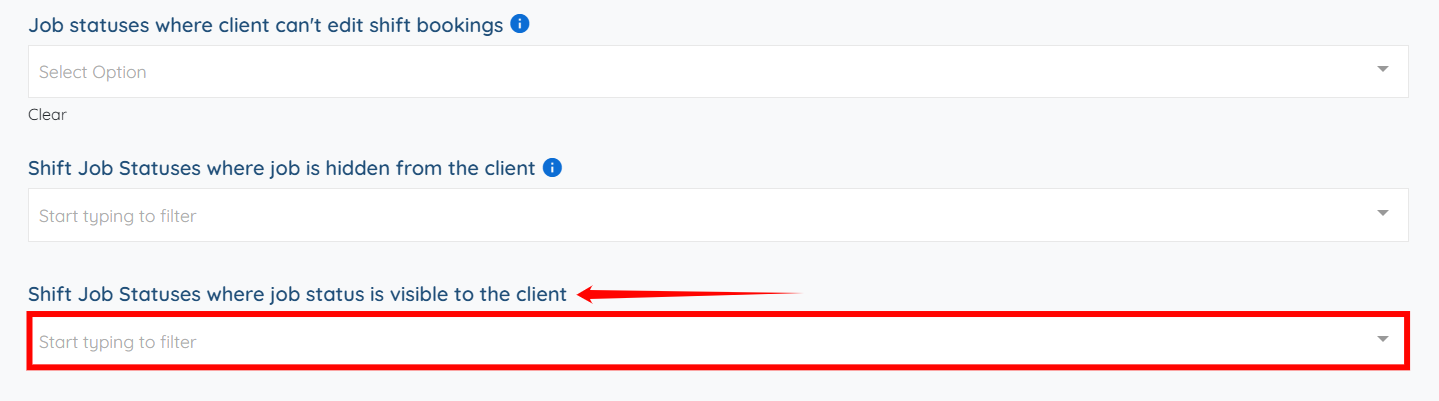
Step 5: Scroll down to the Shift Job Statuses where job status is visible to the client field and click the box below it to activate the dropdown list.
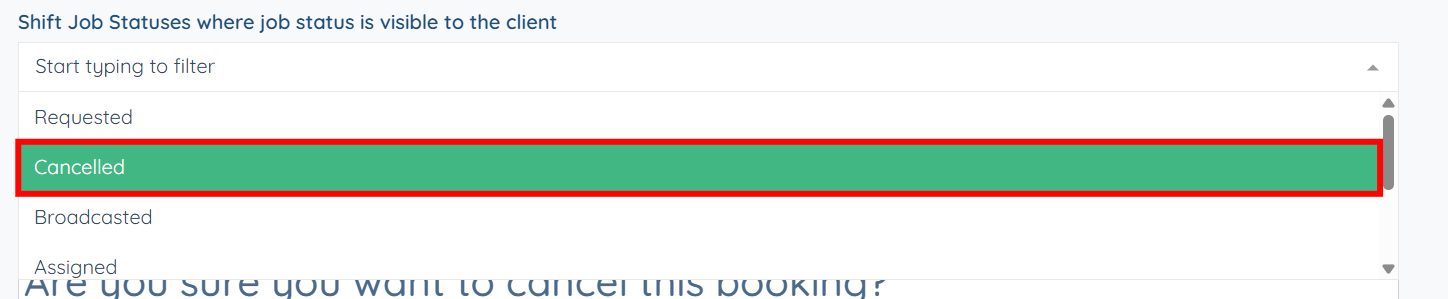
Step 6: Select the shift job status from the dropdown list that you want to display as a label with the job for the client.
You can also select more than one shift job status.
Step 7: Click the Save icon to confirm the changes.