![enginehire logo thin dark 1.0.png]](https://learn.enginehire.io/hs-fs/hubfs/enginehire%20logo%20thin%20dark%201.0.png?height=40&name=enginehire%20logo%20thin%20dark%201.0.png)
Let’s get started 🚀
Step 1: Log in to your agent dashboard, then click the Candidate Community button in the top-right corner of the interface.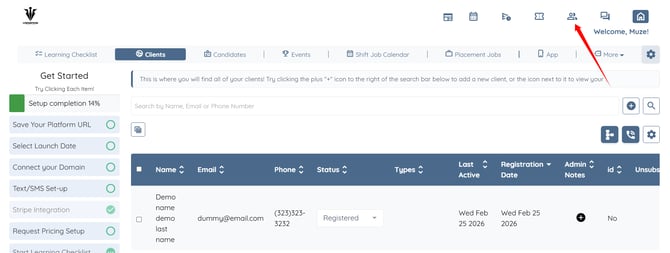
Step 2: Click the gear icon as shown in the screenshot below.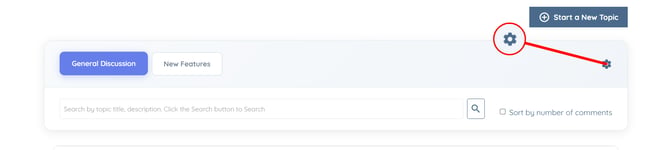
Step 3: Click the box under the Candidate tags that can access candidate community option to open the dropdown list.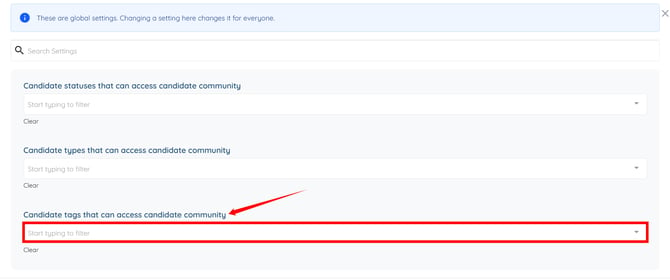
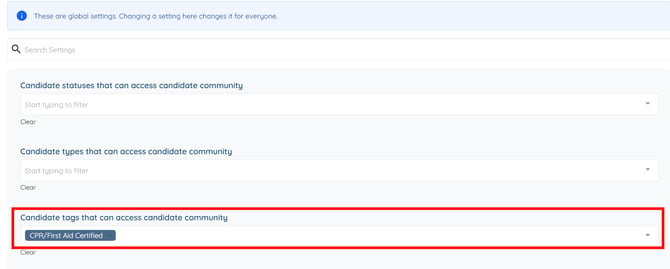
Step 4: Select the required tag(s) from the dropdown list.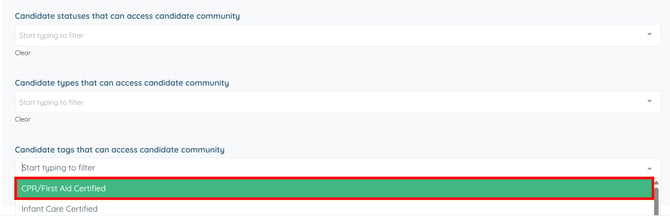
The settings will be saved automatically.