![enginehire logo thin dark 1.0.png]](https://learn.enginehire.io/hs-fs/hubfs/enginehire%20logo%20thin%20dark%201.0.png?height=40&name=enginehire%20logo%20thin%20dark%201.0.png)
Let's get started 🚀
Configure Who Speaks First in AI Voice Agent
Set the Who speaks first when call is connected? option to choose whether the AI Agent or User starts the conversation.
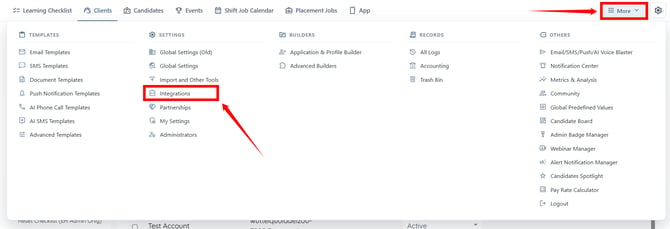
Step 1: Log in to your agent dashboard and click More > Integrations, as shown in the screenshot below.
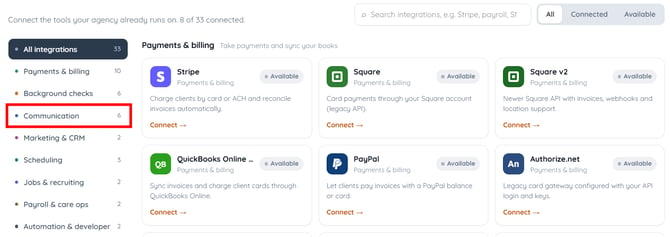
Step 2: Select the Communication category in the left hand side of the interface to open the integrations under this category.
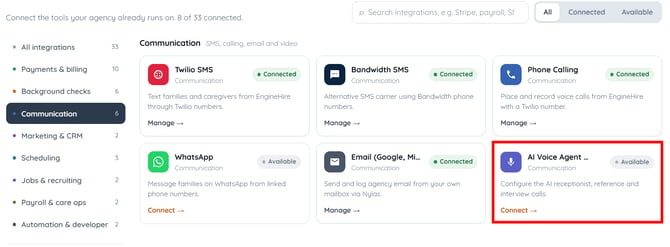
Step 3: Click the AI Voice Agent Integration.
Step 4: Click the box below the Who speaks first when call is connected? Field to view the available options.
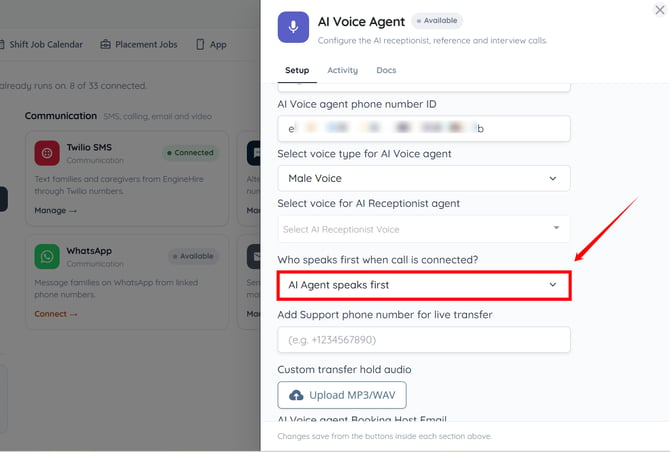
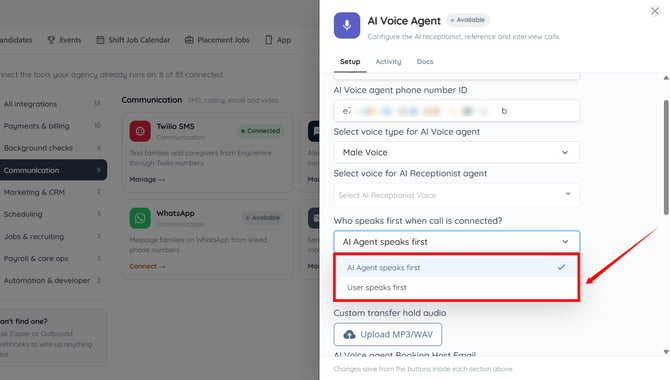
Step 5: Select either AI Agent speaks first or User speaks first from the dropdown, depending on how you want AI voice calls to begin.
By default, the AI Agent speaks first option is selected.
Step 6: Click the Save Configuration button to apply the changes. 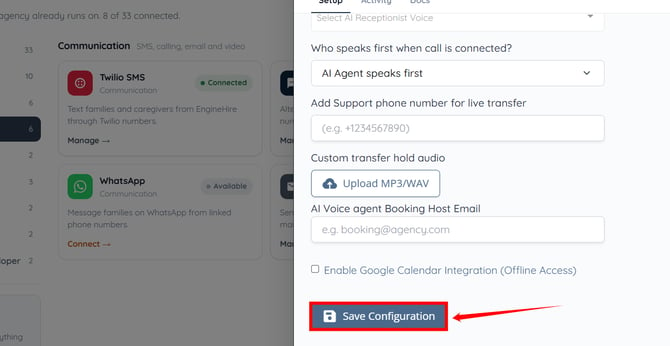
The selected conversation flow will be applied to future AI voice calls.
This feature works only for the following agent configurations in the AI Voice Agent integration:
-
Demo Agent Configuration
-
Reference Check AI Call Configuration
-
Interview AI Call Configuration
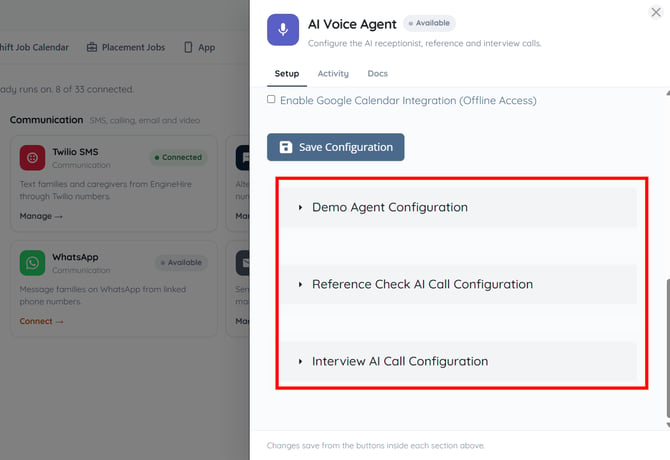
You can also use this feature in phone templates. To learn how to use this feature in phone templates, refer to the Configure Who Speaks First in Phone Templates section below.
Configure Who Speaks First in Phone Templates
You can also select who speaks first when configuring an individual AI phone template.
Step 1: On your agent dashboard, click More > AI Phone Call Templates as shown in the screenshot below.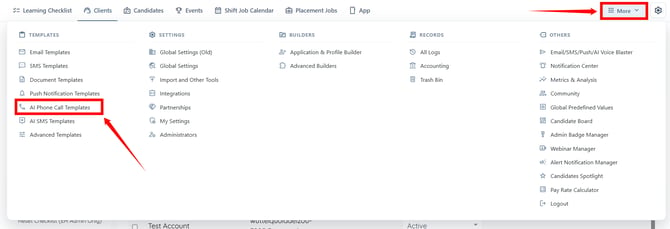
Step 2: Click the phone template in which you want to configure this setting.
You can also configure this setting while creating a new phone template.
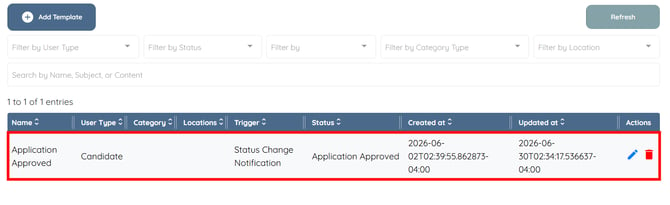
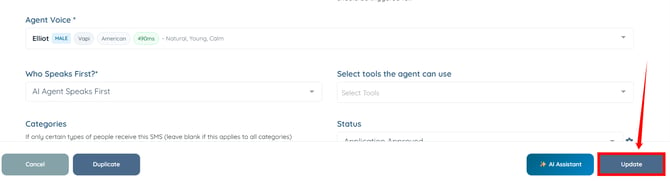
Step 3: Select AI Agent speaks first or User speaks first, depending on how you want the call to begin.
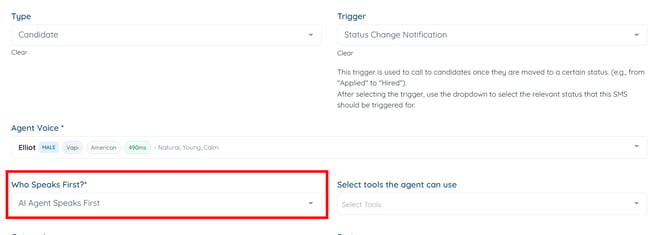
Step 4: Click the Update button to apply the changes.