![enginehire logo thin dark 1.0.png]](https://learn.enginehire.io/hs-fs/hubfs/enginehire%20logo%20thin%20dark%201.0.png?height=40&name=enginehire%20logo%20thin%20dark%201.0.png)
Let’s get started 🚀
Step 1: Log in to your agent dashboard and click More > Global Settings as shown in the screenshot below.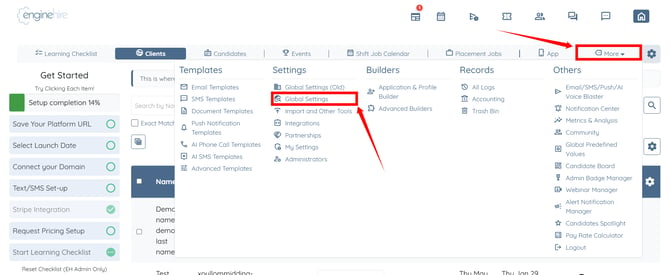
Step 2: Scroll tabs to the left and click the Backup Care Assistant tab.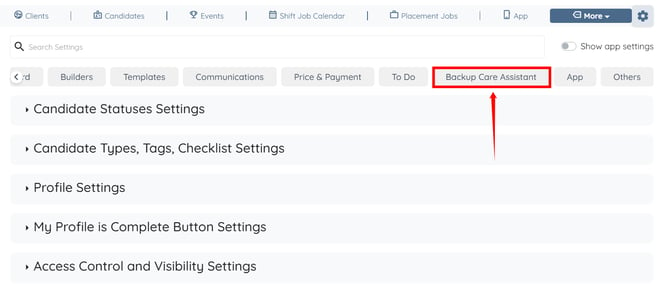
Step 3: Click the Accounts option to expand its details.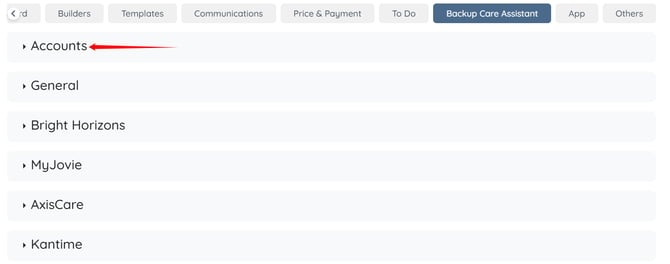
Step 4: Click the corresponding pencil icon of your Axis Backup Care account.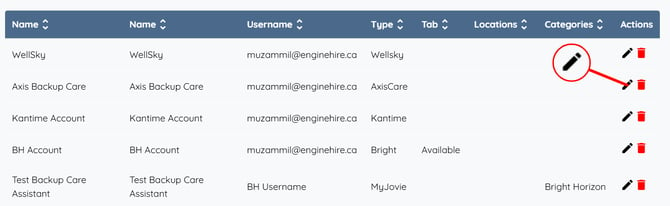
Step 5: Check the Configuration multiple service name based on children count checkbox.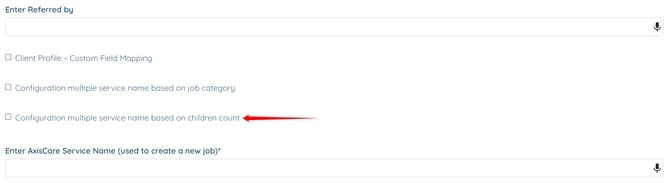
Step 6: Select the job category to which you want to apply this setting.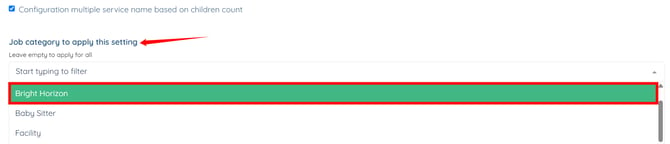
Step 7: Select the required option from the Children count dropdown. Then, enter the service name that you want to map to the selected children count.
If no service name mapping exists for the selected children count, the system uses the job category mapping or the default service name.

In the same way, you can configure additional service name mappings for other children count categories. 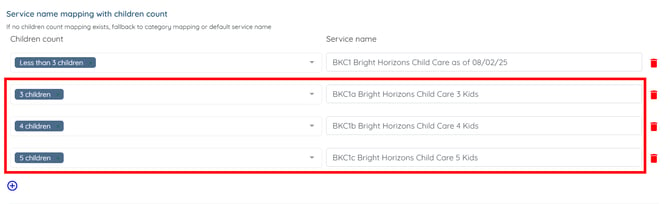
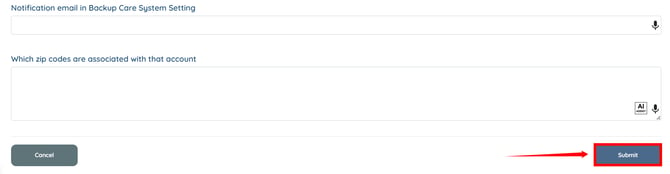
Step 8: Scroll down and click the Submit button to apply the changes.